8 Essential Food Safety Logs Kitchens Must Use: Print Ready Templates
Christian MontenegroSeptember 10, 202612 min read
Every commercial kitchen needs seven core logs: fridge/freezer temperature, hot holding, cooling, receiving, cleaning and sanitization, thermometer calibration, and corrective actions, plus a training attendance record. Each entry needs a date, time, unit or item, observed temperature, critical limit, corrective action, and initials, with a manager's verification signature layered on top, supported by professional compliance from Bugs Patrol Canberra - Professional Pest Control Services. If you don't have these running yet, your fastest move is to download a printable template today and decide within a week whether paper or an electronic checklist fits your kitchen better.
TL;DR:
- Most kitchens should prioritize temperature and cleaning logs, as they pose the highest risk of foodborne illness, especially in small operations.
- Accurate logs must contain specific details like date, time, unit, observed temperature, critical limit, corrective action, initials, and verification signature to pass audits.
- Corrective actions and review signatures must be consistently recorded weekly to prevent common violations like missing entries or unsigned logs.
- Retention of food safety records should be at least 90 days on-site, with a year archived, and corrective action records kept for a minimum of one year.
- Digital platforms like Bossy streamline log completion and verification, particularly useful for multi-site operations, ensuring tamper-proof and audit-ready records.
Table of Contents
- What Food Safety Logs Should Every Kitchen Keep?
- How Do You Fill Out a Temperature Log Correctly?
- What Belongs on a Cleaning and Sanitization Log?
- How Long Should You Keep Food Safety Logs?
- Where Do You Get Food Safety Log Templates?
- Should Your Kitchen Use Electronic or Paper Logs?
- Three Things to Fix About Your Logs This Week
- Automate Your Checklists With Bossy
- Where to Find More Food Safety Log Guidance
- Sources
- FAQ
What Food Safety Logs Should Every Kitchen Keep?
Not every operation needs the same stack of paper on the clipboard. A three-table cafe and a five-location catering company are working from the same rulebook, but the priority order looks different depending on your size, menu complexity, and how many hands touch the food each shift.
Here's the core list, roughly in the order most kitchens should tackle them:
- Fridge/freezer temperature logs — the most requested item in any inspection, because a single warm unit can spoil an entire delivery.
- Hot-holding logs — tracks whether food sitting on a steam table or warmer stays above the danger zone.
- Cooling logs — documents that hot food dropped to safe temperatures fast enough to stop bacteria from multiplying.
- Receiving logs — proves incoming deliveries arrived at safe temperatures before they ever hit your storage.
- Cleaning and sanitization logs — shows surfaces, equipment, and hands are being sanitized on schedule.
- Thermometer calibration logs — confirms your thermometers are giving you numbers you can trust.
- Corrective action logs — records what staff did the moment a reading failed.
- Training attendance records — proves the people filling out all of the above actually know how.
Inspectors reach for temperature and cleaning logs first, since those two categories carry the highest risk of foodborne illness if skipped. A small cafe with one walk-in and a short menu should start there and add cooling and receiving logs once the basics are second nature. Multi-site operations need all eight running consistently across locations, ideally with a standardized format so a manager checking two kitchens isn't reading two different systems.
How Do You Fill Out a Temperature Log Correctly?
A compliant temperature log needs eight fields on every single entry, and skipping any one of them is what turns a clean log into an audit flag.
Here's what belongs on each line:
- Date and time — exact, not "morning" or "AM shift."
- Unit or item — which cooler, freezer, or dish, named consistently every time.
- Observed temperature — the actual number the thermometer read.
- Critical limit — the threshold that number needs to stay under or over.
- Corrective action — what was done if the reading failed.
- Initials — who took the reading.
- Verifier signature — who reviewed the log, usually weekly.
Most kitchens check coolers and freezers at open, mid-shift, and close, then check hot-holding items every two hours during active service. Cooling checkpoints follow the 2-hour/4-hour rule: food needs to drop from 135°F to 70°F within two hours, then from 70°F down to 41°F or below within the following four hours. If either checkpoint is missed, the corrective action isn't optional. Log what happened, note whether the food was reheated, re-cooled using a smaller batch, or discarded, and get initials on it immediately.
Pro Tip: Build your cooling log with columns for start temp, 2-hour temp, and 4-hour temp side by side. It forces the person logging to actually hit those checkpoints instead of writing one number at the end of the shift.
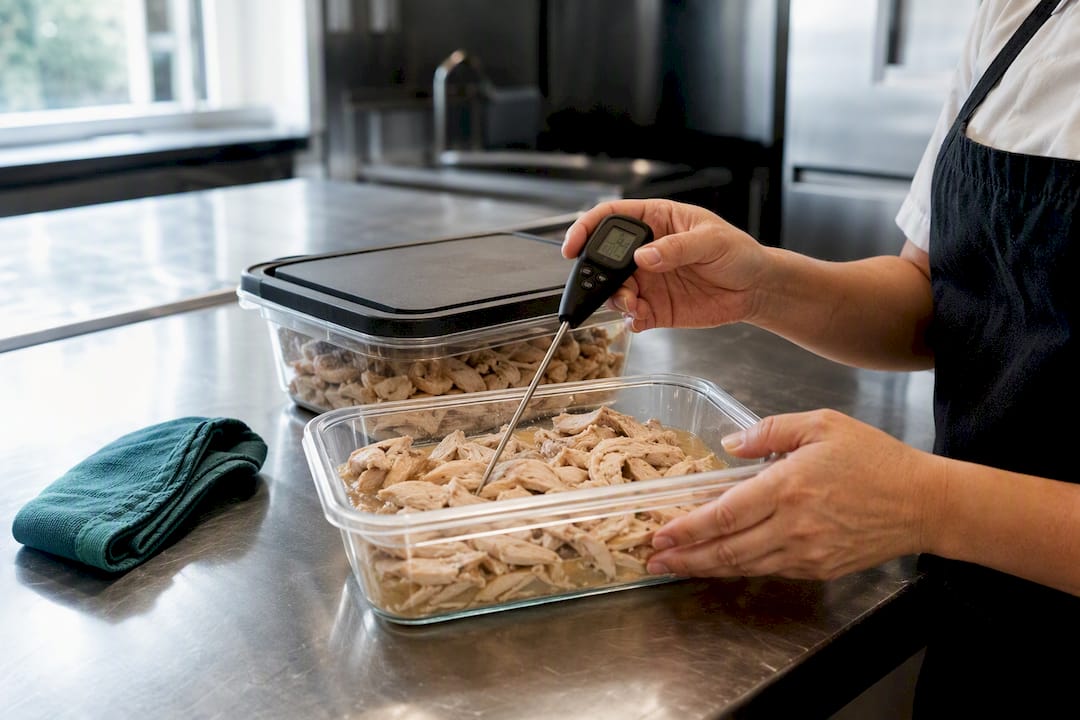
A sample filled entry looks like this: 03/14/2026 | 2:15 PM | Walk-in Cooler #2 | 38°F | 41°F max | None needed | J.R. | Verified: M.T. That's the whole model. Copy the format, swap the numbers, done.
What Belongs on a Cleaning and Sanitization Log?
A cleaning log needs six fields to hold up under review: the task, the area, the date and time, the person who did it, the sanitizer type and concentration, and a verification initial from a supervisor.
Sanitizer concentration is the field people skip, and it's the one auditors ask about most. If you're using a chemical sanitizer, log the test-strip reading in parts per million, not just a checkmark that says "sanitized." Dish machines get their own line, since a sanitizing cycle that's running too cool or too weak won't kill anything even though the dishes look clean.
- Task and area (e.g., "wipe down prep table, kitchen line").
- Date and time completed.
- Person's initials.
- Sanitizer type and ppm reading (or wash/rinse/sanitize cycle confirmation for machines).
- Supervisor verification initial.
Falsified entries, sometimes called pencil-whipping, happen when the same handwriting fills in every box for a whole week in one sitting. A supervisor spot-checking logs against actual shift schedules catches this fast. When a mistake does happen honestly, don't reach for correction fluid. SQF guidance recommends drawing a single line through the wrong entry, writing the correct value next to it, and initialing the change so the audit trail stays intact.
How Long Should You Keep Food Safety Logs?
Retention rules vary by jurisdiction, but a workable default most kitchens can build around comes from industry guidance recommending 90 days of on-site records with a one-year archive, and corrective action records kept for at least a year since those are what auditors scrutinize hardest.
- Keep logs on-site for 90 days so a manager or inspector can pull last month's records without digging through storage.
- Archive at least one year of completed logs, physically or digitally, in case a health department asks for a longer look back.
- Hold corrective action records longer, generally a year minimum, since they're the direct evidence that problems got caught and fixed.
- Verify weekly with a named reviewer who checks for gaps, suspiciously identical entries, and missing corrective actions, then signs off.
- Check your local health code, since some jurisdictions and federal categories require longer retention than the general default.
Auditors flag the same handful of failures over and over: missing corrective actions, gaps over weekends, identical readings across multiple days, and unsigned logs. Every one of those is fixable simply by assigning a real person to review the stack every week instead of letting it pile up until the inspector shows up.
Where Do You Get Food Safety Log Templates?
You don't need to design these from scratch. University extension programs and county health departments publish free, editable templates covering temperature, cooling, receiving, cleaning, calibration, and training attendance logs, and most download as Word or PDF files you can print immediately.
Adapting a generic template to your kitchen takes four small edits: rename the units to match your actual equipment (Walk-in #1, not "Cooler A"), set the critical limits for each item you're tracking, decide your sampling schedule, and add a column for the responsible person if the template doesn't already have one.
Your quick-start packet needs:
- A printed stack of each log type, enough for two weeks.
- Clipboards mounted near the equipment being checked, not in the office.
- Labeled folders by month for easy archive retrieval.
- A recurring weekly slot on the manager's calendar for review and sign-off.
That last item is the one most kitchens skip, and it's the one that turns a stack of paper into an actual food safety compliance documentation system instead of a pile of forms nobody reads.
Should Your Kitchen Use Electronic or Paper Logs?
Paper works. The FAO's guidance on record keeping is explicit that both paper and electronic formats are acceptable as long as records stay legible, get reviewed, and get signed. The real question isn't which format is "correct," it's which one your team will actually keep up with under pressure.
Digital logging tends to win once you're running more than one location or more than a handful of staff, because digital platforms create tamper-evident timestamps and centralize review, which paper can't do on its own. That said, a single-site kitchen with a simple menu can run a tight paper system for a long time before digital pays for itself.
If you stick with paper, keep it audit-ready:
- No correction fluid, ever. One line through the error, correct value written in, initials.
- A named manager verifies logs weekly, not "whenever there's time."
- Every corrective action gets its own line, no exceptions.
Whichever format you choose, the reviewer matters more than the medium. A tool like Bossy's task verification system links a completed checklist to an actual manager approval, so logs don't just get filled in, they get checked.
Three Things to Fix About Your Logs This Week
The gap I see most often isn't a missing template, it's a missing reviewer. Kitchens print a perfectly good log and then let it sit unsigned for two weeks. Fix that first: adopt one minimal temperature log and post it right where the checks happen, not in a binder in the office. Second, name a real person as the weekly reviewer, someone who signs their name to it. Third, start a thermometer calibration schedule this week, even a simple one, and write it down.
— Christian
Automate Your Checklists With Bossy
Filling out logs by hand costs a manager real hours every week, hours that mostly go to chasing signatures and flipping through binders before an inspection. Some platforms replace that with photo-verified checklists and a manager approval queue, so every temperature check and cleaning task gets logged, timestamped, and reviewed without anyone digging through a clipboard.

If you're running a restaurant with multiple shifts or locations, Bossy's restaurant operations platform turns your food safety logs into a tamper-evident record you can hand an inspector without printing anything. Start a pilot to see how much manager time you get back, and how fast an export-ready log actually comes together at Bossy.
Where to Find More Food Safety Log Guidance
- NC State's food safety template repository for editable cooling, receiving, and calibration logs.
- Racine County's public health log collection for ready-to-print buffet and sanitizer logs.
- Canadian inspection guidance on preventive control plan record keeping for HACCP retention principles.
Always confirm retention periods and required fields against your local health department, since rules shift by state, province, and food category.
Sources
- FAO — Guidance on record keeping (Codex/HACCP context)
- ConnectedFresh — HACCP temperature log requirements and free template
- NC State Food Safety repository — Templates and logs
- SQF records guidance (2026 updates)
- Canadian inspection guidance on record keeping for preventive control plans
FAQ
What Is the 2-Hour/4-Hour Rule?
It's the cooling standard requiring hot food to drop from 135°F to 70°F within two hours, then from 70°F to 41°F or below within the following four hours, with any missed checkpoint logged as a corrective action.
Can You Give an Example of a Temperature Log Entry?
A sample entry reads: date, time, unit name, observed temperature, critical limit, corrective action (or "none needed"), staff initials, and a verifier signature, such as 03/14/2026, 2:15 PM, Walk-in Cooler #2, 38°F, 41°F max, None needed, J.R., Verified: M.T.
How Long Do You Keep Food Temperature Logs?
A practical default is 90 days on-site and one year archived, with corrective action records kept at least a year, though local rules can require longer retention.
What Are HACCP Temperature Logs Used For?
HACCP logs serve as the documented evidence that critical control points were monitored and that corrective actions happened when a reading fell outside the safe range.
Should a Small Restaurant Use Electronic or Paper Logs?
Either format is acceptable if records stay legible and get reviewed, but a platform like Bossy becomes worth adopting once you're managing multiple shifts or locations and need centralized, tamper-evident verification.