Features
Everything your frontline runs on, in one place
Bossy replaces the patchwork of group chats, spreadsheets, and sticky notes with one system for getting work done, proving it got done, and growing the people who do it.
Tasks & Verification
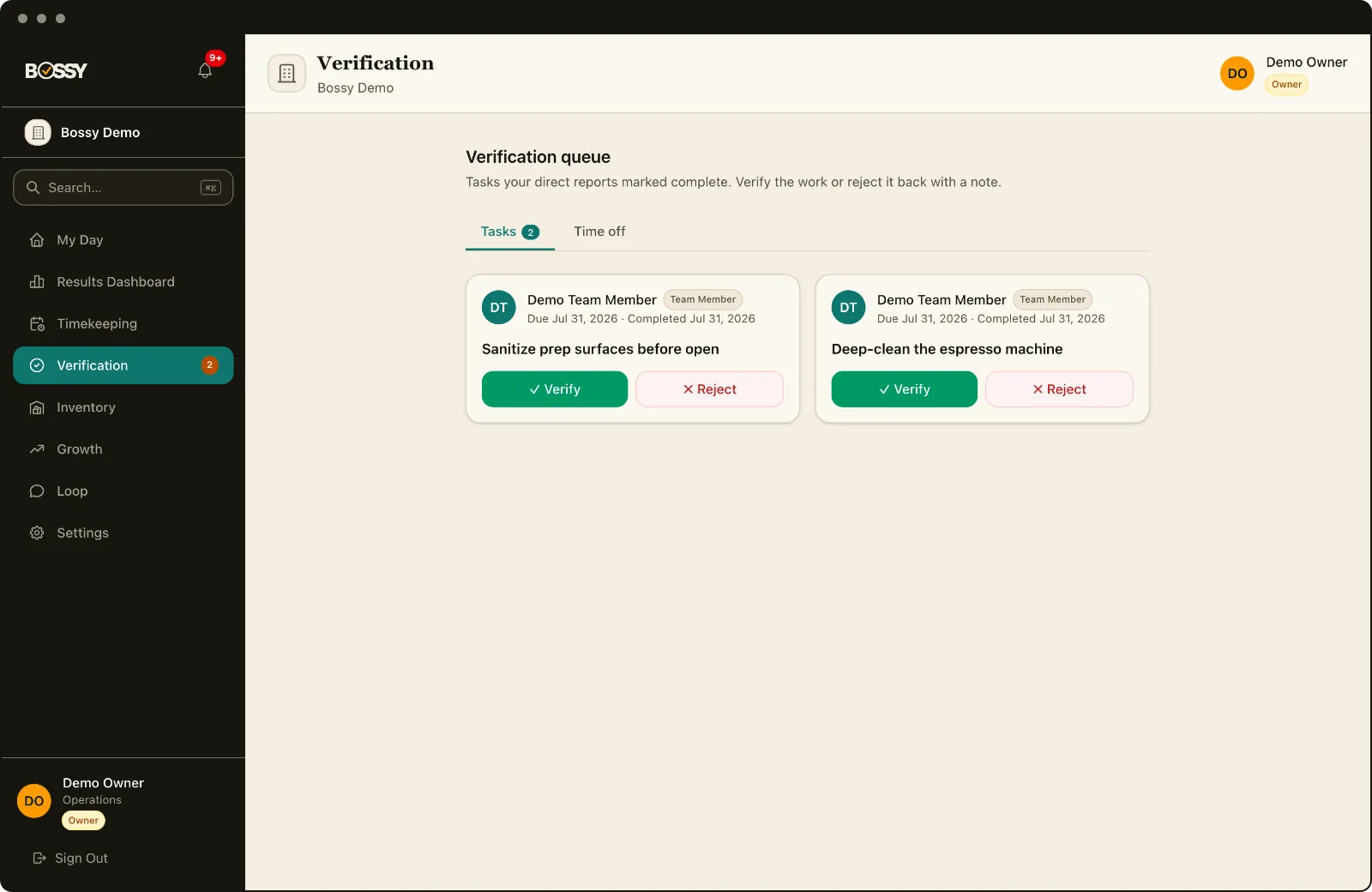
Work that actually gets verified
Assign tasks, require photo proof, and route anything questionable to a verification queue, so you know openers actually opened and closers actually closed.
- Recurring tasks, from daily to quarterly and yearly
- Photo proof on completion
- Verification queue for managers, with trusted auto-verify
- Peer handoff when someone needs cover
- Time estimates and tracking
- Comments and attachments
- My Day grouped by goal, so every task shows why it matters
Scheduling
Schedules that hold up
Build recurring shift templates, publish in a click, and let workers swap shifts with manager approval, with conflict warnings before they become problems.
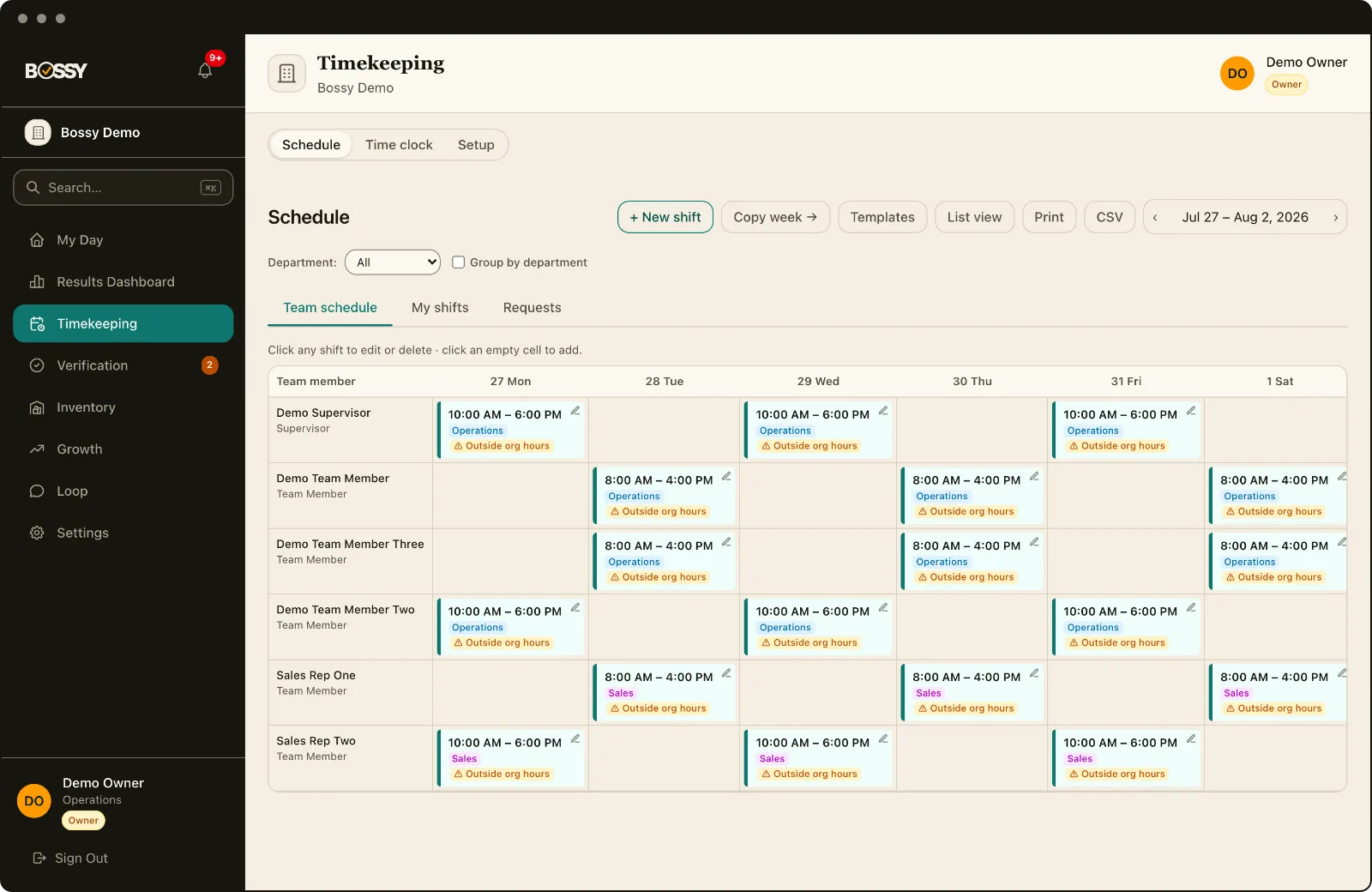
- Recurring shift templates
- Shift swaps with approval
- Conflict and availability warnings
- Department- and location-aware
- Mobile team member view
- No-call/no-show, called-out and sent-home marks, with optional open-shift coverage
Inventory
Know what you have, what to reorder, and who counted it
Full stock control with the same verification backbone as the rest of Bossy. Keep a catalog of items with per-location stock levels, run blind counts so staff count what's there without seeing the expected number, and have a manager verify the result, the same accountability you get on tasks.
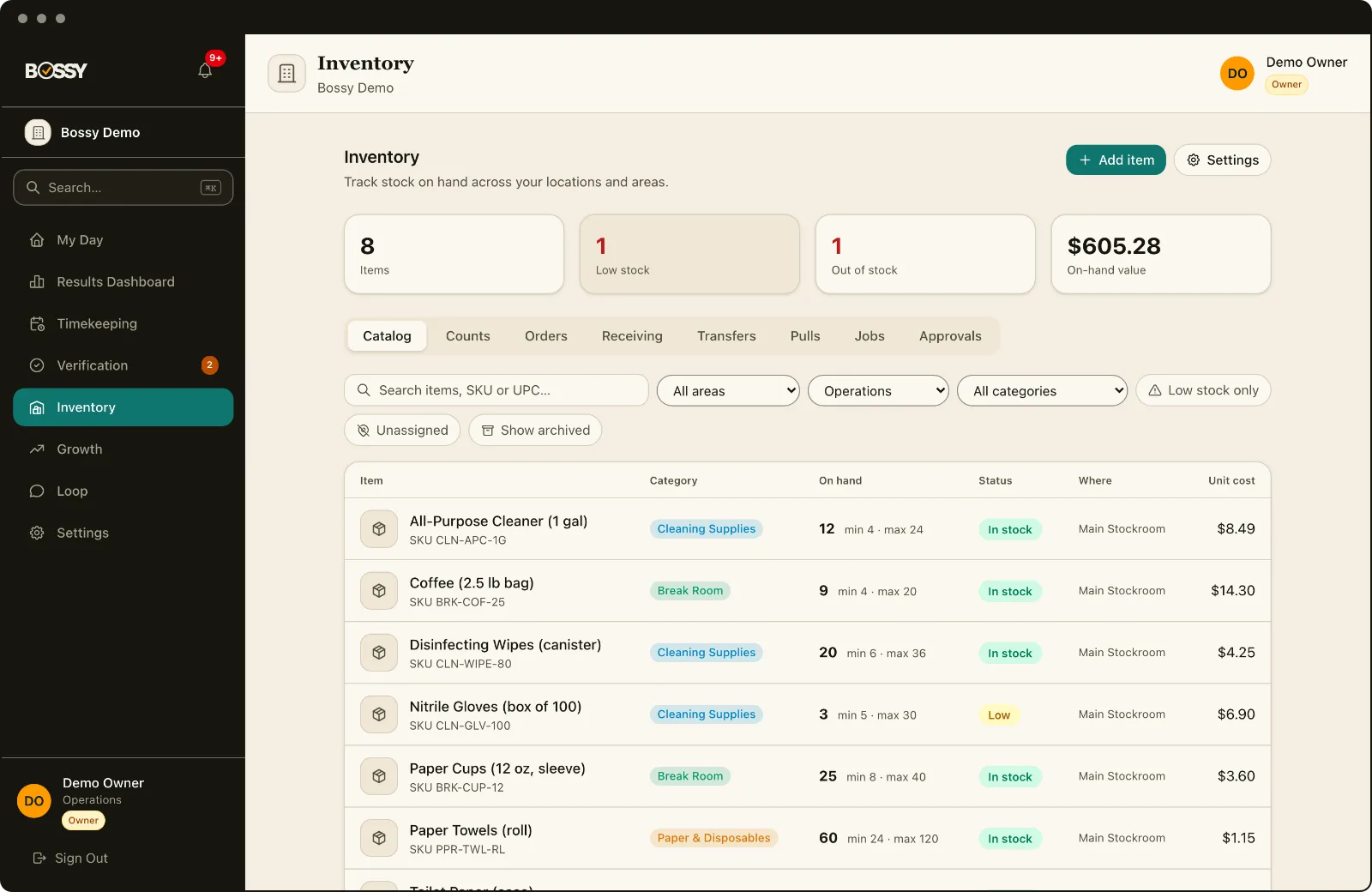
- Item catalog with categories, suppliers, and photos
- Per-location and per-area stock levels with min and max par levels
- Per-location units and costs: count in bottles, buy by the case
- Blind counts with variance and a manager verification step
- Ordering and receiving: order anything anytime, grouped by supplier
- Work orders and pull lists that track parts and material cost
- Transfers between locations: partial shipments, promised dates, and automatic requests when a site runs low
- Bulk import and export by CSV or Excel
Analytics
See how the place is actually running, by domain
An analytics home with a dashboard per part of the business: labor, schedule, communication, goals, growth, and inventory. Accountability KPIs (on-time %, verification pass-rate, reopen rate, overdue aging) sit alongside saved and scheduled reports that land in your inbox.
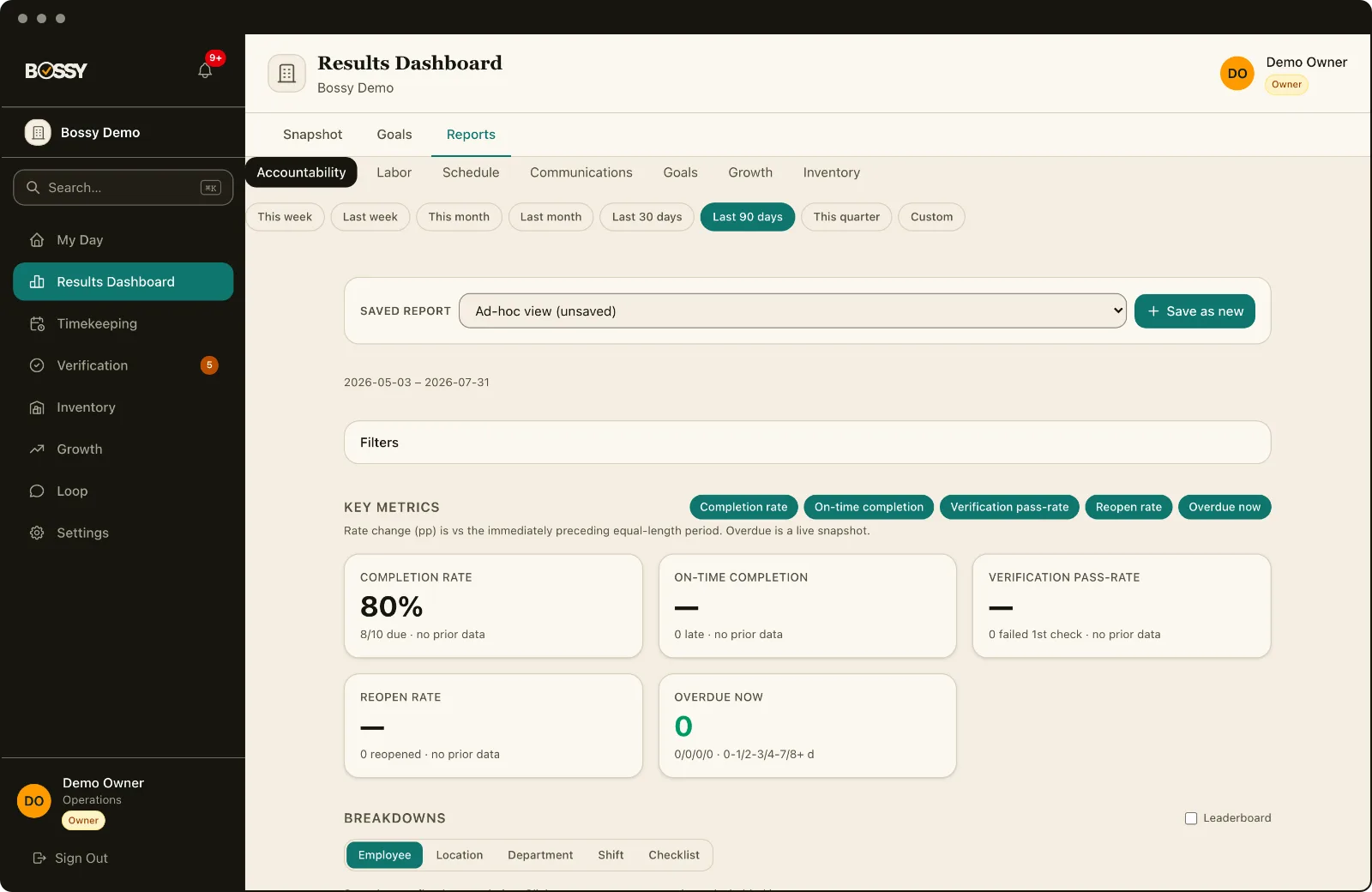
- Dashboards for labor, schedule, communication, goals, growth, and inventory
- Accountability KPIs: on-time %, verification pass-rate, reopen rate, overdue aging
- Breakdowns and drill-down by location, department, and person
- Saved reports and scheduled email delivery
- CSV and PDF export
Growth & team development
Keep your best people
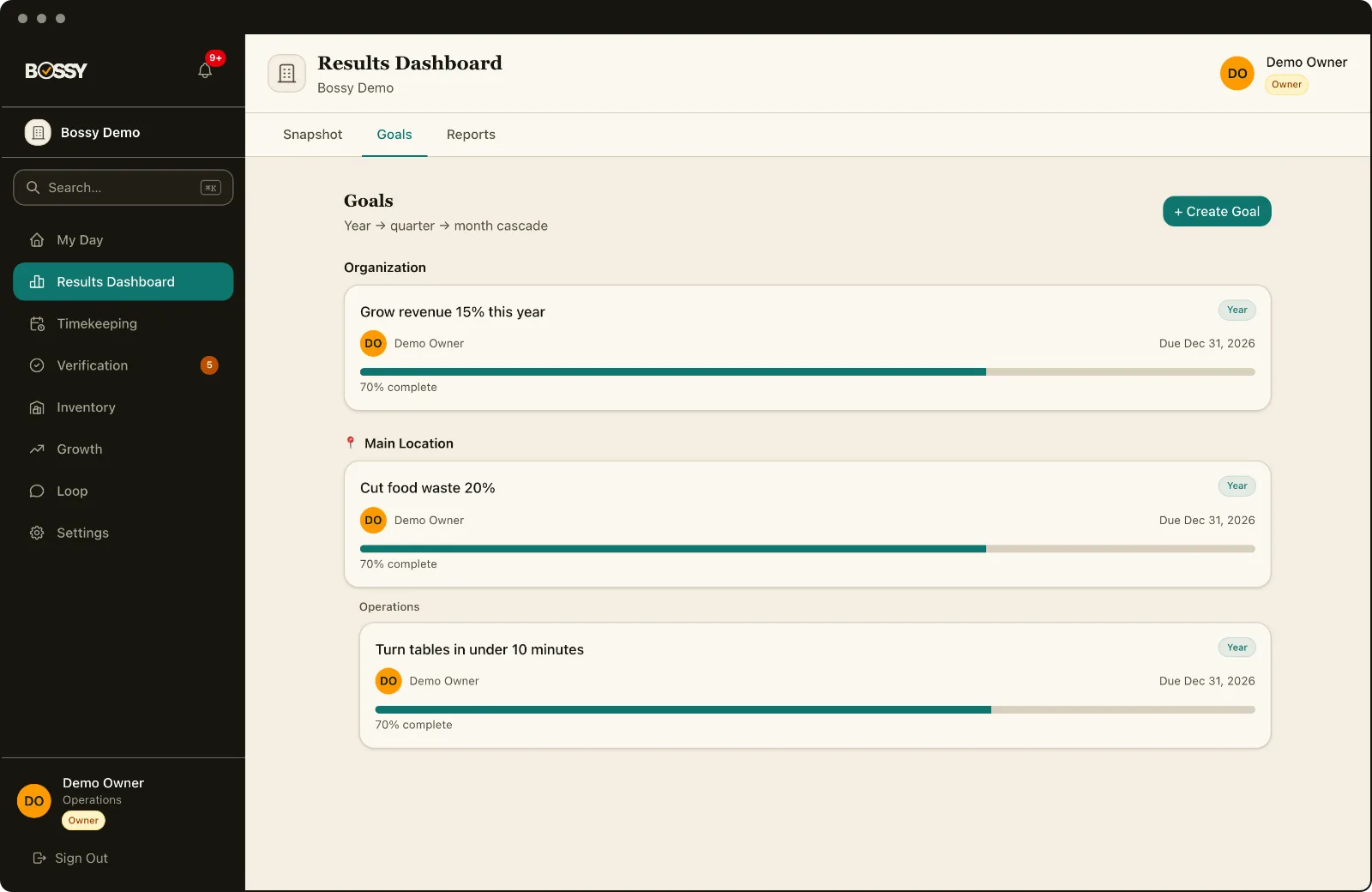
1-on-1s, feedback, cascading goals, and a private manager-report journal: the development work that keeps frontline turnover from eating your margins.
- 1-on-1s with shared agendas
- Feedback and recurring reflection
- Cascading goals
- Exchange Journal (private 1:1 journal)
- Retention pulse signals
Loop
The work conversation, not a separate chat app
Channels, DMs, and @mentions, plus voice notes and photos from the floor, polls, full message search, pins, and scheduled-send. Tasks, shifts, goals, and checklists show up as live chips inside messages, app events post to the right team channel, and a manager can approve a shift swap or verify work right from the thread.
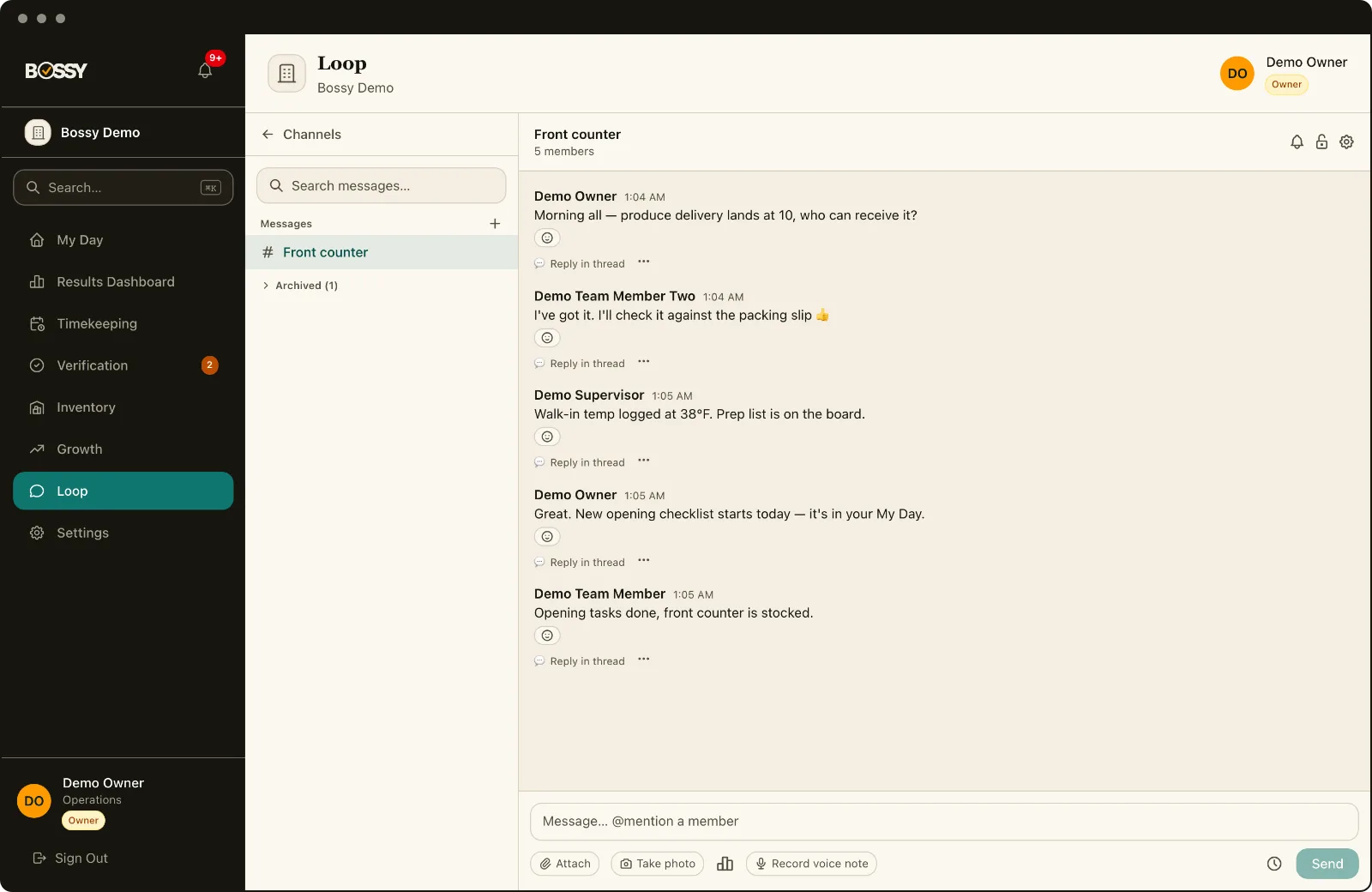
- Channels, DMs, @mentions, and pinned messages
- Voice notes and photo capture from the floor
- Polls, full message search, and scheduled-send
- Works offline: messages queue and deliver on reconnect
- Announcements can also text the team by SMS or WhatsApp
- Tasks, shifts, and goals as live chips, with approve-and-verify action cards
Time clock
Clock-in you can trust
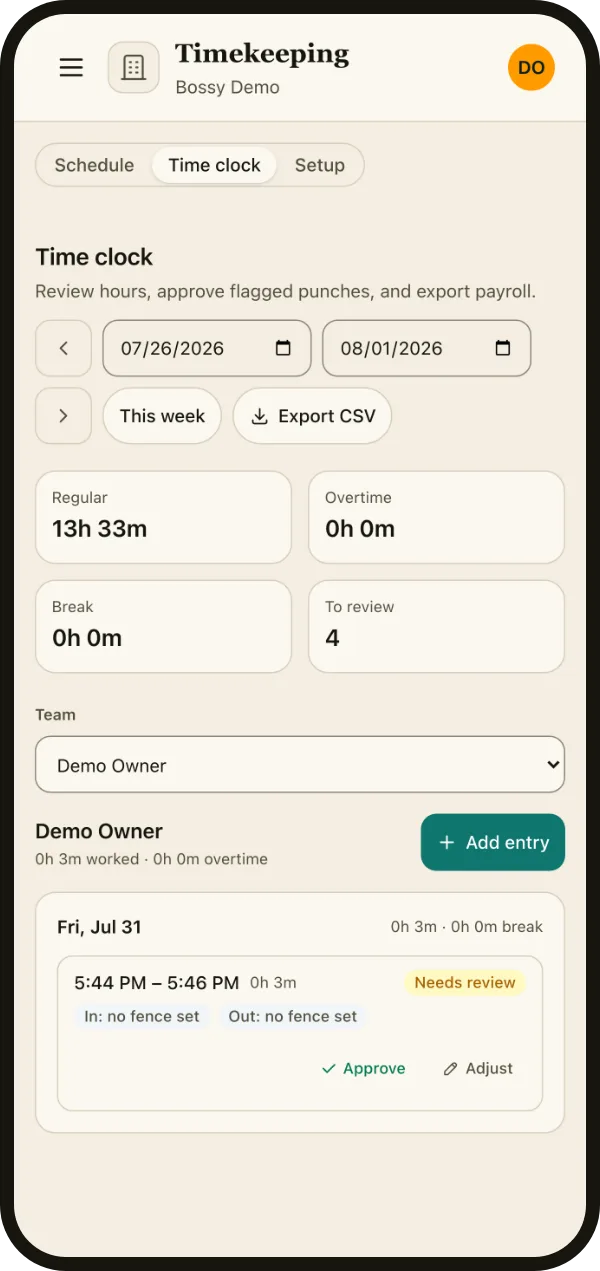
Tie every punch to the jobsite with a geofence, so the hours on the timesheet match who was actually on site. Out-of-fence or no-GPS punches don't get silently trusted; they're flagged for a manager to confirm.
- Geofenced jobsite clock-in
- Out-of-fence punches flagged for review
- Timesheets with overtime and breaks
- Approve or adjust hours with a reason
- Payroll CSV export