Best OKR Software for Small Business in 2026
Christian MontenegroNovember 4, 202610 min read

The best OKR software for a small business is the one your team will open every week. For a team that just wants a clean weekly check-in, a focused OKR tool like Tability is a good fit. For a business with frontline staff, where goals have to turn into tasks that actually get done, we built Bossy to link daily work to company goals. Below you'll find how the main options compare, what they cost, and how to choose without over-buying.
TL;DR
- Small teams need three things from OKR software: simple goal setting, a weekly check-in, and a clear view of progress.
- Pure OKR tools such as Tability suit office teams. Bossy suits owners with frontline teams of 3 to 150 who need goals tied to tasks with photo proof.
- Bossy has a Free plan for task assignment and verification, then paid plans from $25 per month (Growth) to $50 per month (Scale +). Cascading goals come with Operations ($30 per month) and Scale +.
- You can start OKRs in a spreadsheet, but pick a tool early if you expect to grow past a few dozen people.
- Test any tool in one real quarter-planning session before you commit.
Table of Contents
- What OKR software actually does
- The options worth a look
- Which one fits your business?
- How to choose without regrets
- Make the tool matter: the habits behind OKRs
- Our perspective
- Try goals tied to real work
- FAQ
- Sources
What OKR software actually does
OKRs are objectives (where you want to go) and key results (how you'll know you got there). The software is a shared place to write them down, assign owners, update progress and see how everything connects.
For a small business, the features that matter are short:
- Goal cascading: a company goal breaks into team goals and personal ones, so everyone sees how their work connects.
- Easy progress updates: if updating takes more than a minute, people stop doing it.
- Owners and visibility: every goal has a name next to it, and you can see what's on track at a glance.
- Reminders and a weekly rhythm: a nudge beats a forgotten dashboard.
- Integrations: the chat, calendar and spreadsheet tools your team already uses.
- A price that scales sensibly: per-seat costs add up fast when you have 40 people.
Enterprise tools add heavy reporting, multi-level alignment and consulting. Most small businesses never touch those layers.
The options worth a look
Here's a straight comparison of the options small businesses most often consider. Prices change, so check each vendor's page before you buy.
| Option | Best for | Free plan? | Price we can confirm |
|---|---|---|---|
| Bossy | Frontline teams of 3 to 150 that need goals linked to verified daily tasks | Yes (tasks and verification; goals start on Operations) | Growth $25/month, Operations $30/month, Scale + $50/month (published on our pricing page) |
| Tability | Small office teams that want a quick weekly OKR check-in | No (14-day trial) | From $6 per user per month, per a 2026 review |
| Profit.co | Teams that want a free tier with unlimited users | Yes | Paid tiers estimated around $7 per user per month, per the same review |
| Perdoo | Small and mid-sized businesses wanting a straightforward OKR tool | Check vendor | See vendor page |
| Spreadsheet or shared doc | Teams under 30 people in one location | Free | Free |
Bossy: goals that reach the shop floor
Most OKR tools stop at the goal. The goal says "raise repeat visits 15%," and then nobody knows whether Tuesday's closing checklist got done. Bossy connects the two. Our platform lets you set cascading goals, assign tasks that roll up to them, and verify completion with photo proof and a manager approval queue.

It's built for businesses where you can't watch every worker: restaurants, salons, fitness studios, agencies, multi-shop retail and warehouses. Alongside goals, you get scheduling, geofenced time clocks, inventory counts and transfers, recurring checklists, team chat and announcements, analytics dashboards, and built-in tools for 1-on-1s, feedback and growth tasks. Cascading goals, photo proof, checklists, scheduling and inventory are on the Operations plan; team chat, 1-on-1s, feedback and growth tasks are on Growth; Scale + has both.
Pricing, as published on our pricing page:
- Free: $0, with 10 users included. It covers task assignment and verification, not goals.
- Growth: $25 per month, 15 users included.
- Operations: $30 per month, 15 users included. This is where cascading goals start.
- Scale +: $50 per month, 35 users included.
- Bossy through Shopify: $79 per month, with everything in Scale +, billed through your Shopify account.
- Enterprise: custom, no published price.
- Additional users: $5 per month per user above a paid plan's included users. On the Free plan, extra users cost $10 per month per block of 10.
The base rate covers a set number of users per organization, so a growing crew doesn't mean a per-person bill from day one.
Tability: a light weekly check-in
Tability is built around a simple weekly update rather than a heavy planning system. A 2026 review puts it at $6 per user per month, with a 14-day free trial and no permanent free plan. The same review notes that every paid seat includes two read-only seats, which helps if you want the whole company to see the goals without paying for everyone.
The same review also says it gets thin once you need alignment across many business units. For an office team of ten, that's likely not a problem.
Profit.co: a free tier to start
Profit.co is the one to look at if "free" is the first filter. The review above describes a free plan with unlimited users and paid tiers that cost more as you add features.
Perdoo: simple OKRs with integrations
Perdoo shows up in several roundups as a good match for small to mid-sized businesses that want a straightforward OKR setup. Check the vendor's own site for current integrations and pricing.
The spreadsheet route
OKR International says teams under 30 people in one location can run effective early cycles in Google Sheets, Notion or shared documents. If you go this way, a guide to moving off spreadsheets helps you know when the sheet has stopped working and what to do about it.
Which one fits your business?
Start with who does the work.
Mostly desk-based team, 5 to 40 people. A focused OKR tool with a weekly check-in will serve you well. Tability or Perdoo are natural places to start. If budget is tight, try a free tier or a spreadsheet for the first cycle.
Frontline team: restaurant, salon, studio, shops, warehouse. Your problem usually isn't writing the goal. It's making sure the daily work behind it happens when you're not in the room. That's where a platform that ties tasks, checklists, schedules and goals together earns its keep. This is the group we built Bossy for.
Agency or service firm. If your goals are about client delivery and team growth, you'll want goals plus a way to develop people. Bossy's 1-on-1s, feedback and growth tasks sit next to your goals, so development doesn't live in a separate tool.
Multi-location owner. Consistency is the issue. Recurring checklists, photo verification and inventory tools across locations give you a view of what's really happening at each one.

How to choose without regrets
Run through these five checks before you pay for anything.
- Set up one real goal in 30 minutes. If you can't, your team won't either.
- Look at the update flow. Who has to update what, and how often? Weekly beats daily for key results, but daily tasks should be quick to tick off.
- Plan for growth. BizBot advises looking for tools that let you move from a small team to 50+ users without migrating to a whole new system.
- Do the seat math. Multiply the per-user price by your headcount, including part-timers. Then compare it to a flat-rate plan.
- Check what else it replaces. If one platform also handles scheduling, checklists and chat, you may cancel two other subscriptions.
Make the tool matter: the habits behind OKRs
Software doesn't create accountability. Routine does. OKR International argues that weekly cadence, honest scoring and retrospectives matter more than the tool itself, especially in your first one or two cycles.
A simple rhythm works for most small businesses:
- Quarter start: pick two or three objectives, no more.
- Each objective: write two to four measurable key results.
- Every week: a 15-minute check-in. What moved? What's stuck?
- Quarter end: score honestly, talk about what you learned, then reset.
If your goals feel like wishes, it's usually because nothing in the daily schedule points at them. Link the tasks to the goal, and the goal stops floating.
Our perspective
Most small business owners we talk to don't have an OKR problem. They have a "did it actually get done?" problem.
You set a goal on Monday. By Friday, nobody can say whether the work behind it happened. A checklist ticked on a phone isn't proof. A photo of the cleaned prep line, approved by a manager, is.
That's why we built Bossy to connect cascading goals to daily tasks, and to put verification in the middle. We also believe goals fall flat when people don't grow. So we put 1-on-1s, feedback and growth tasks inside the same workflow, not in a separate app nobody opens.
If you run a team of 3 to 150 and you aren't standing next to every person, trust runs on your system, not your presence. That's the job we designed Bossy to do.
Try goals tied to real work
If your team is on the floor, in the studio or out on shifts, you can start with Bossy's Free plan to assign tasks and approve them, then move to Operations at $30 per month to see goals, tasks and photo proof working together. You can compare every plan on our pricing page.
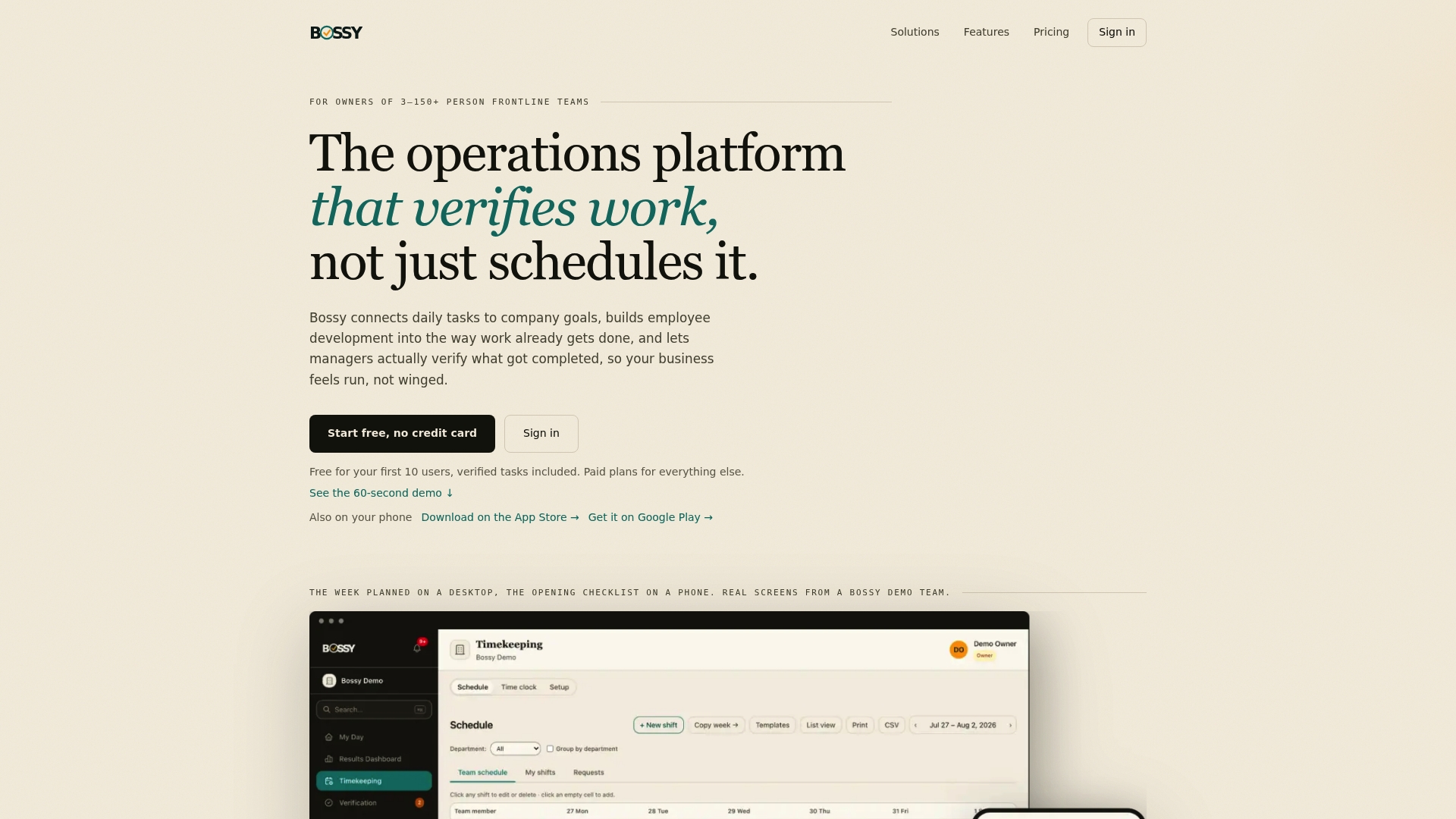
Once you're set up, add your first company goal, break it into tasks for each team, and let the approval queue show you what's really getting done. You can explore the full platform at Bossy.
FAQ
Do small businesses need dedicated OKR software?
Not always. Teams under 30 people in one location can run early cycles in a spreadsheet or shared doc, according to OKR International. Software starts to pay off when you add locations, shifts or managers and need goals, tasks and progress in one place.
Is there free OKR software?
Yes. Profit.co is described as having a free plan with unlimited users, per a 2026 review. Bossy also has a Free plan for task assignment and verification, though its cascading goals start on the Operations plan at $30 per month. Tability offers a 14-day trial but no permanent free plan.
How much does OKR software cost for a small team?
Per-user tools like Tability start around $6 per user per month, so a 20-person team pays for 20 seats. Bossy charges a base rate per organization for a set number of users: $25 per month on Growth, $30 on Operations and $50 on Scale +, plus $5 per month per additional user. Cascading goals are on Operations and Scale +.
What's the best OKR tool for a restaurant, salon or retail team?
Frontline teams do best with a tool that links goals to daily tasks and checks that they were done. Bossy's Operations plan combines cascading goals, photo-verified tasks, scheduling, checklists and inventory in one platform built for this kind of business.
How often should we update OKRs?
Weekly is the sweet spot for key results. A short check-in keeps goals visible without eating your week, and quarterly reviews let you score honestly and reset.