Best Store Audit Apps in 2026: How to Choose and Compare
Christian MontenegroNovember 6, 202614 min read

The best store audit app is the one your team will actually use on the shop floor, and one that proves the work got done instead of just ticking a box. For a small or growing retail team, that usually means photo proof, a manager approval step, and recurring checklists in one place. Larger chains may need deeper inspection tooling. Below, we compare the main options, say who each fits, and show you how to pick without wasting a month on demos.
TL;DR
- A store audit app replaces clipboards and "trust me, it's done" with checklists, photo proof and a record you can review from anywhere.
- Compare apps on five things: how tasks are assigned, how completion is verified, reporting, offline use, and integrations.
- Inspection-first tools suit formal audits. Operations-first tools, like Bossy, suit owners who want daily tasks, scheduling, inventory and audits in one system.
- Bossy starts with a free plan, and paid plans are listed at $25 to $50 per month, plus $5 per month per additional user. Recurring checklists and photo proof start on Operations at $30 per month.
- Whatever you shortlist, run an offline test before you commit.
Table of Contents
- What a store audit app actually does
- Two kinds of tools hiding under one keyword
- What to compare before you pick
- The options at a glance
- Where Bossy fits
- How to test an app before you commit
- Matching the app to your size
- Mistakes that sink audit programs
- Perspective
- Try it with a real shift
- FAQ
- Sources
What a store audit app actually does
A store audit is a structured walk through a location: is the front clean, are the shelves stocked and priced right, is the stockroom safe, did opening tasks happen? On paper, that is a clipboard, a pen and a lot of memory. Someone drives from store to store, or a manager fills in the form at their desk at 5 p.m. from what they recall.
A store audit app moves that to a phone. The core pieces are the same in nearly every product:
- Checklists and forms that can be reused, so every location is judged against the same standard.
- Evidence, usually photos, sometimes video, notes or numbers.
- Follow-up actions, so a failed item becomes a task with an owner instead of a comment nobody reads.
- Reporting, so you can compare locations and see which ones keep slipping.
The point is consistency. When five shops have five slightly different ideas of "closed properly," customers notice before you do. An audit app gives every shop the same definition of done.
Two kinds of tools hiding under one keyword
Search for this topic and you'll see a messy mix. Some results are mystery shopping services, where outside shoppers visit and score your store. Some are apps that pay individuals to do shops. Others are software you run yourself. Those are three different things.
This guide covers the third: software that you and your own team use to audit your own locations. If you want a stranger's view of the customer experience, a mystery shopping service is a fair add-on, but it won't tell you whether the stockroom was reset on Tuesday.
Within software, there are two camps:
- Inspection-first apps. Built around forms, scoring and corrective actions. They shine at formal audits, compliance and safety.
- Operations-first apps. Built around the daily rhythm of a frontline team: tasks, schedules, chats, inventory, and audits as one part of that.
Most small retailers and multi-shop owners are really asking an operations question dressed up as an audit question. "Why does the store look great when I'm there and fall apart when I'm not?" A form alone doesn't fix that. A system where daily work is assigned, proven and reviewed does.
What to compare before you pick
Use this list as your scorecard. It works for any app, including ours.
Task assignment
Can you assign a task to a person or a role, with a due time, and make it repeat daily or weekly? Can a failed audit item turn into a task in one tap? If follow-up means retyping, it won't happen.
Completion verification
This is the big one. A checkbox says someone tapped. Photo proof says something changed. Look for apps that require a photo on selected tasks and send them to a manager approval queue, so "done" means a person with authority looked at it. Some tools also use GPS, QR codes or NFC tags to confirm someone was physically at the spot.
Reporting
You want to see completion rates by location, by person and over time, and to export or look back at the history. An audit log matters when something goes wrong and you need to know who did what and when.
Offline use
Back rooms, basements and malls have dead zones. An app that fails without signal gets abandoned. More on how to test this below.
Integrations and data access
If you run a POS, an inventory system or an ERP, ask how the app talks to it. Buyer guides for connected-worker tools advise insisting on an open, documented REST API and two-way integration, so job status and evidence can be written back to your other systems and not only read from them. Bossy doesn't have a public API yet, but it's coming: webhooks and a public API are listed as "Up next" on our roadmap. If write-back to other systems matters to you today, weigh that. Also ask who can see what: role-based access matters once you have managers, district leads and staff in the same account.
Price model
Most apps charge per user or per location. Work out your real cost with your actual headcount, including part-timers, not the entry price on the homepage.
The options at a glance
These are the names that come up most often when retailers compare tools. We describe each by its general focus. Always confirm current features and pricing on the vendor's own pricing page, since plans change.
| App | Best known for | Fits best |
|---|---|---|
| Bossy | Tasks tied to goals, photo proof, approval queue, scheduling, inventory and team chat in one system | Owners and managers with 3 to 150 frontline staff, across one or several shops |
| SafetyCulture | Inspection-led store operations | Teams that want formal inspections and templates |
| Zipline | Retail task execution and communication | Larger retail organizations |
| YOOBIC | Visual merchandising and frontline execution | Brands focused on in-store presentation |
| Connecteam | Checklists plus scheduling and time tracking | Small teams wanting a broad all-in-one app |
| TARGPatrol | Verifiable recurring checks with QR, RFID and GPS | Sites where physical check-in proof matters, such as patrols and equipment rounds |
| GoAudits | Digital auditing and inspection of field locations | Organizations running scheduled field audits |
The categories above follow how the products describe and position themselves. None of them is the right answer for everyone. Here's how to think about the fit.
Inspection-first: SafetyCulture, GoAudits, TARGPatrol
These lean toward the audit itself. TARGPatrol, for instance, offers customizable checklists with photo, video or numeric inputs, incident reporting, task assignment, and location checks through QR codes, RFID tags and GPS. That is a strong match for rounds where you must prove someone physically stood at a checkpoint. If your world is compliance walkthroughs, this style makes sense.
The trade-off is scope. These tools start from the inspection, so the rest of the day, such as scheduling, team messages and stock, often lives somewhere else.

Retail execution: Zipline and YOOBIC
These are built with larger retail organizations in mind, where headquarters pushes tasks and campaigns to many stores and wants visual confirmation back. If you have hundreds of locations and a corporate team, this is the neighborhood to shop in.
All-in-one for small teams: Connecteam and Bossy
Here the pitch is different: one app for the whole frontline routine. Connecteam pairs checklists with scheduling and time tracking. Bossy goes a step further on accountability, which is the next section.
Where Bossy fits
We built Bossy for businesses with frontline teams of 3 to 150 people, where the owner can't watch every worker. That describes a lot of retailers, restaurants, salons and fitness studios, and it's the situation where audits tend to fail: the person doing the work and the person checking it are never in the same room.
Here's what a store audit looks like in Bossy:
- Recurring checklists for opening, closing and mid-shift routines, so every location runs the same playbook.
- Task verification: assign a task, require photo proof, and the completed work lands in a manager approval queue. Approve it, or send it back.
- Cascading goals: daily tasks link up to company goals, so staff see why the shelf reset matters, not just that it's on the list.
- Scheduling and geofenced time clocks, so you know who was supposed to be there and who was.
- Inventory control: stock counts, ordering and transfers between locations.
- Team communication: chats, announcements, voice notes and polls in the same place as the tasks.
- Analytics dashboards and audit log export, so you can see how each location is performing and trace what happened.
- Development tools: 1-on-1s, feedback and growth tasks, because teams that feel invested in tend to stay.
Why does that matter for audits? Because most audit trouble isn't the audit. It's the 29 days between audits. If daily work is verified daily, the monthly walkthrough stops being a surprise.
What Bossy costs
These are the prices published on our pricing page when we last checked it:
| Plan | Price |
|---|---|
| Free | $0, 10 users included |
| Growth | $25 per month, 15 users included |
| Operations | $30 per month, 15 users included |
| Scale + | $50 per month, 35 users included |
| Bossy through Shopify | $79 per month, everything in Scale +, billed through your Shopify account |
| Enterprise | No published price |
Each additional user beyond what a paid plan includes is $5 per month. On the Free plan, extra users come in blocks of 10 for $10 per month. Plans charge a base rate per organization for a set number of users, so you're not paying a separate fee for every shelf-stocker from day one.
What each plan covers: the Free plan has task assignment and the manager approval queue. Recurring checklists, photo proof, scheduling, time clocks, inventory and cascading goals are on Operations. Team chat, polls, voice notes, 1-on-1s, feedback and growth tasks are on Growth. Scale + includes everything in both.
How to test an app before you commit
Demos look the same. Use a real shift instead.
The 10-minute offline check
"Works offline" can mean very different things. A practical routine, described by one field-inspection guide, goes like this: put the phone in airplane mode, start an inspection, add photos and notes, fail an item and assign a corrective action, then save, close and reopen it. Reconnect and check that the record, report and dashboard all update. If two people edit the same record, see how the app handles the conflict.
Apply the same idea to a back room you know has no signal. If the app survives that, it will survive your stores.

The approval test
Assign a photo-required task to a staff member, have them complete it, and see how long it takes you to review it from your phone. If reviewing is slower than walking the floor, managers will stop doing it.
The new-hire test
Hand the app to someone who started last week and watch. If they need a training session to open a checklist, your adoption will stall. Clear, simple screens are a feature, not a nicety.
The reporting test
Ask one real question: "Which of my locations missed the most closing tasks last month?" You should be able to answer in a couple of taps.
Matching the app to your size
One to three locations
You probably don't need a heavy inspection suite. You need daily checklists, proof, and a simple way to message the team. An operations-first tool with a free tier lets you try this with real staff before paying anything.
Multi-shop retailers
Consistency is the whole game. Look for templates you can copy across locations, location-level reporting, and inventory transfers between stores. Role-based access matters here: a store manager should see their store, while you see them all.
Larger distributed operations
If you have a corporate team pushing campaigns to many sites, evaluate the retail-execution tools and ask hard questions on integrations. When you connect an audit platform to your ERP and data stack, a phased approach to retail ERP integration helps you decide what data should flow where, and identity management belongs in that plan from day one.
Mistakes that sink audit programs
- Checklists that are too long. A 90-item list gets rubber-stamped. Keep daily lists to what matters and move the rest to a weekly or monthly audit.
- No consequence for a miss. If a failed item doesn't become a task with an owner and a deadline, you've built a complaint box.
- Photos nobody reviews. Proof only works if someone looks. Build review into a manager's routine, with a set time each day.
- Audits as punishment. When staff feel watched, they game the system. Frame it as clarity: everyone knows what good looks like, and good work gets noticed.
- Tool sprawl. Tasks in one app, schedules in another, chat in a third. Each gap is a place where work disappears.
Perspective
Here's what we've seen talking with owners who run teams they can't watch all day: the problem is rarely that people don't care. It's that nobody can see the work.
A checklist tells you someone tapped a box. It doesn't tell you the walk-in was actually cleaned or the endcap was actually reset. That's why we built Bossy around proof. Photo proof, an approval queue, and tasks tied to the goals your business is chasing, so people understand why the task matters, not only that it exists.
We also think audits belong inside the daily routine, next to the schedule, the stock counts and the team chat. When they live in a separate tool, they become an event. When they live where your team already works, they become a habit. And when you add 1-on-1s and growth tasks to the same system, the person who does the audit work is also the person you're developing for the next role. Trust runs on your presence. The goal is to build trust that doesn't need it.
Try it with a real shift
If you want to see verified audits without a big commitment, start with our Free plan and assign your opening and closing tasks for a week, approving each one from the queue. When you want recurring checklists with photo proof, Operations is $30 per month; the paid plans run from $25 to $50 per month, and you can compare them on the Bossy pricing page.
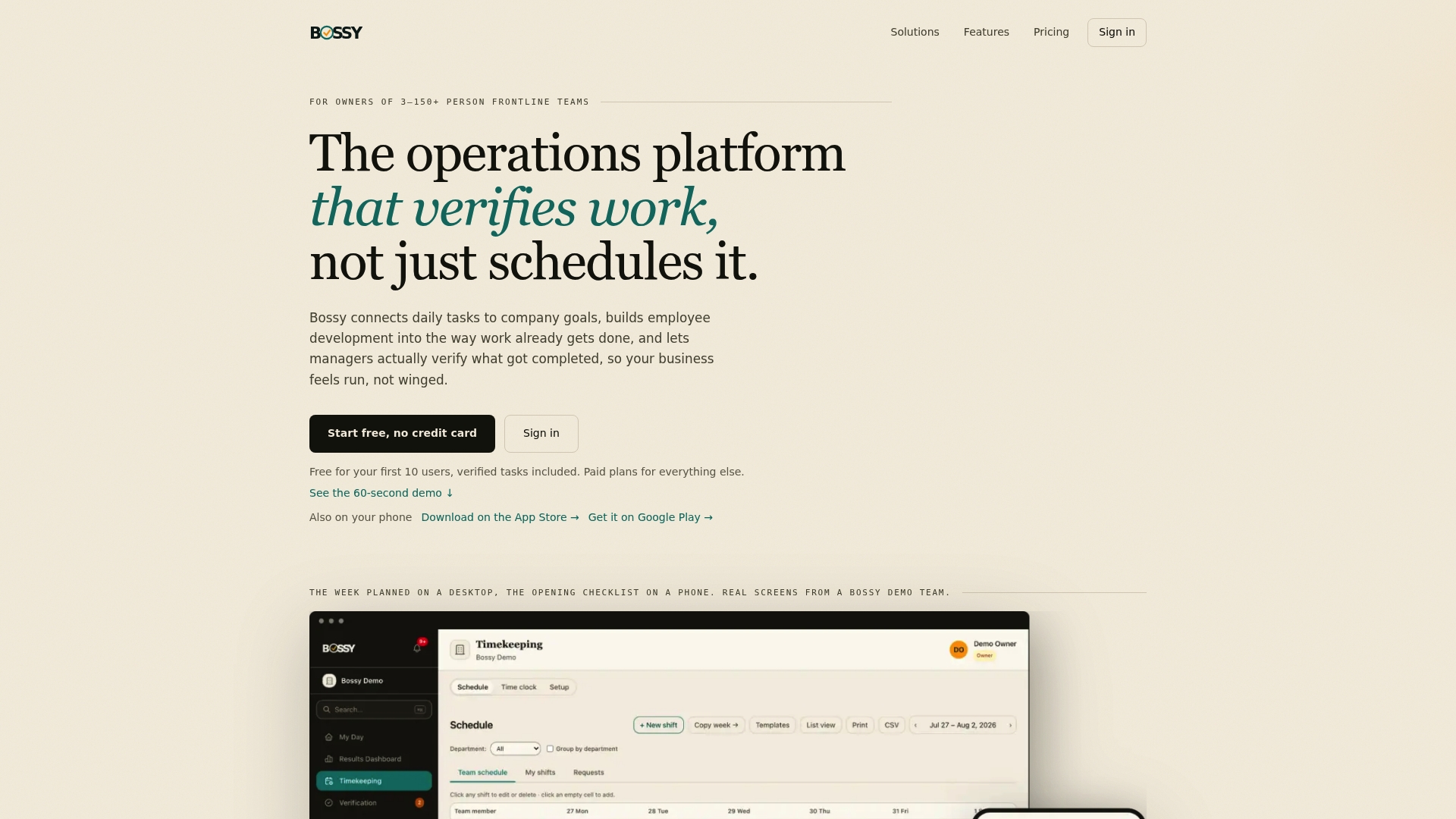
If you're not sure which plan fits your headcount, start at the Bossy homepage and look at how the features map to your type of business.
FAQ
What is the best store audit app for a small retailer?
For a small retailer, the best choice is usually an operations-first app that combines recurring checklists, photo proof and a manager approval queue with scheduling and team chat. Bossy is built for teams of 3 to 150: its Free plan covers task assignment and the approval queue, and checklists, photo proof and scheduling start on its Operations plan. Formal inspection tools can be more than a small shop needs.
Can a store audit app work without internet?
Some can, but "offline" is defined differently by each vendor. Test it yourself by switching a phone to airplane mode, completing a checklist with photos, then reconnecting and confirming the record syncs. Do this in your actual back room before you commit.
How often should I audit my stores?
Split it in two. Daily checklists, such as opening and closing tasks, keep standards steady. Deeper audits, covering merchandising, safety and stock, work better weekly or monthly. Tie both to tasks so misses get fixed.
Is mystery shopping the same as a store audit app?
No. Mystery shopping uses outside shoppers to score the customer experience. A store audit app is software you and your team use to check your own locations on a schedule. Some businesses use both.