Employee Schedule Templates for Teams Under 30, Plus When to Switch
Christian MontenegroAugust 31, 20269 min read
Download a weekly Excel or Google Sheets template, add weekly-hours totals, and build a coverage row that flags gaps before your team sees the schedule. Weekly grids fit most small-to-mid teams. Rotating or shift templates make more sense if you're covering nights, weekends, or 24/7 operations. Once building and fixing the schedule eats more time than it saves, that's your signal to look at software instead of another spreadsheet fix.
TL;DR:
- Spreadsheets work well for small teams but become inefficient once more than 30 employees or frequent last-minute changes occur.
- Templates should match shift patterns, with weekly, biweekly, monthly, or rotating formats suitable for different industries and scheduling needs.
- Customization involves adding team members, setting dates, entering shift times, and applying conditional formatting to catch errors early.
- The efficiency of spreadsheets diminishes when scheduling no longer reliably links to task completion and operational accountability.
- Switching to dedicated software becomes necessary when manual updates take more than a couple of hours weekly or when managing multiple locations and complex shift rotations.
Table of Contents
- Which Employee Schedule Template Should You Download?
- How Do You Customize a Schedule Template?
- Adjusting for Shift Length and Rotating Coverage
- When Should You Switch From a Spreadsheet to Software?
- What Managers Get Wrong About Scheduling Tools
- Ready to Move Past Spreadsheets? Here's the Faster Route
- Where to Download These Templates
- Sources
- FAQ
Which Employee Schedule Template Should You Download?
The right employee schedule template depends on how your shifts actually run, not just how many people you have on payroll. Here's how the main options break down:
- Weekly template: The default choice for retail, hospitality, and small clinics. It matches how most hourly staff think about their week and keeps the sheet small enough to scan in seconds.
- Biweekly template: Worth using if your pay periods run two weeks. It cuts down on the "which week is this" confusion that pops up when payroll and scheduling run on different calendars.
- Monthly template: Better for big-picture planning, like blocking out vacation coverage or seasonal staffing, than for day-to-day shift assignment.
- Shift templates (8/10/12-hour blocks): Standard in manufacturing, healthcare, and logistics, where shift length itself is the scheduling variable, not just the day.
- Rotating templates (2-2-3 or Panama pattern): Built for 24/7 coverage, where the same crew rotates through days, nights, and off periods on a repeating cycle.
Format matters almost as much as structure. Smartsheet's library covers all five types above with notes on when each one fits, which is a useful sanity check if you're not sure your team's rhythm matches the template you grabbed. Excel (.xlsx) is the strongest option when you want formulas doing the hour-counting for you. Google Sheets wins on sharing, since anyone with a link can check their shift without opening an app. PDF still earns its place for the printed schedule taped to the break room wall. Word templates show up occasionally but rarely add anything the other three formats don't already cover better.
How Do You Customize a Schedule Template?
Most managers can take a downloaded template from blank to published in under 30 minutes. Here's the order that works:
- Add your team. Enter names and roles exactly as they appear in payroll. Inconsistent naming here is the number one reason weekly totals stop matching paychecks.
- Set your dates and lock the header. Enter the week or pay period, then freeze the top row so column labels stay visible as you scroll.
- Enter shift times and breaks. Fill in start and end times for each shift, then let formulas calculate daily and weekly totals automatically. Vertex42's shift scheduler does this natively, counting shift markers and totaling hours per person and per day without extra setup.
- Add conditional formatting. Highlight any employee crossing the typical overtime threshold in red and any shift with zero names assigned in yellow. This single step catches most scheduling errors before they become payroll problems.
- Export or share. Save a PDF for posting, or share the Google Sheet as read-only so staff can view but not edit their own hours.
A useful template needs six columns at minimum: name, role or station, shift start/end, breaks, weekly hours, and manager notes. Microsoft's schedule templates include most of these by default and walk through customizing layout and color-coding for reuse each period.
Pro Tip: Lock your formula cells before sharing the sheet with shift leads. One accidental keystroke on a totals cell can wipe out your overtime tracking for the whole week, and you won't notice until payroll flags it.
Adjusting for Shift Length and Rotating Coverage
Structuring an 8, 10, or 12-hour shift template just means adjusting your time columns to match block length. A 12-hour shop needs two rows per day per role instead of three. Rotating 2-2-3 schedules need their own tab that maps the rotation pattern to actual calendar dates, plus a running hours-per-pay-period column, since rotation transitions are where overtime sneaks in unnoticed.
Two additions pay for themselves fast:
- A coverage-summary row that counts how many people are scheduled per shift block. It surfaces understaffed periods at a glance instead of after someone calls in overwhelmed.
- A freeze or "published on" column that timestamps when the schedule was finalized. This matters if your jurisdiction has predictive-scheduling rules, and it gives you a record if a shift dispute ever comes up.
Before you finalize any schedule, run what management researchers call a 168-hour week audit: map every hour in the week against actual demand and buffer time, rather than just filling slots until the grid looks full. It's a five-minute check that catches over-scheduling before it costs you in labor spend.
When Should You Switch From a Spreadsheet to Software?
Templates work well right up until they don't, and the tipping point is usually measurable, not a feeling. Watch for these triggers:
- More than about 30 people per location. Past that, manual conflict-checking starts eating real time.
- More than two hours a week rebuilding the sheet. If you're spending more time maintaining the schedule than the schedule saves you in coordination, the spreadsheet has become the job.
- Frequent last-minute swaps or a pile of time-off requests. Spreadsheets have no way to route these automatically, so every swap becomes a manual edit and a group text.
- Multi-site scheduling. Coordinating coverage across locations in one grid gets unwieldy fast.
Dedicated scheduling software typically adds availability storage, auto-fill based on past patterns, swap approvals, push notifications, and an audit log of every change. Some template vendors, like Soon's shift schedule template for teams of 10 to 50, are explicit about this: the free spreadsheet is a starting point, and the paid platform is where it goes once the team outgrows manual tracking. Keep the spreadsheet for a small, steady team. Switch when scheduling that survives a last-minute call-out becomes a weekly problem instead of an occasional one.
What Managers Get Wrong About Scheduling Tools
The template debate misses the actual failure point. Managers don't lose sleep over scheduling because their spreadsheet lacks a formula. They lose sleep because the schedule is disconnected from whether the work actually got done. A perfectly formatted weekly grid tells you who was supposed to show up. It says nothing about whether the closing checklist got finished or whether the shift lead followed up on the customer complaint from Tuesday.
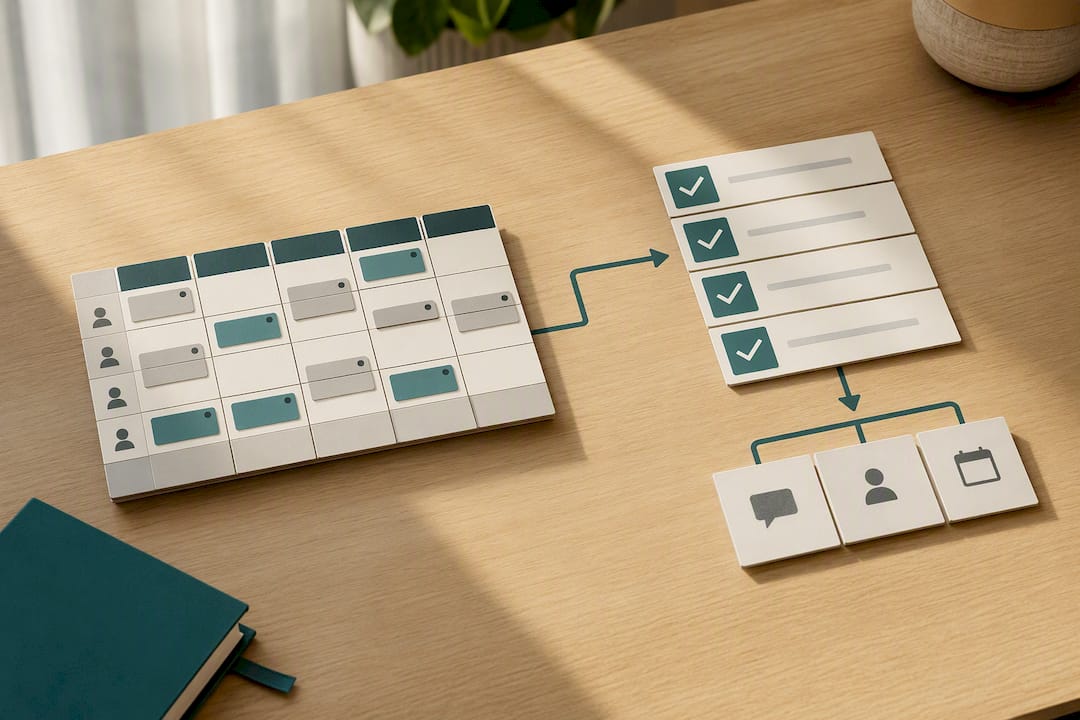
Bossy was built around that gap. It connects scheduling to task verification, so a published shift isn't just a name in a box. It's tied to photo proof, manager approval, and the goals that shift is actually supposed to move forward. That link is where retention and accountability problems usually get solved, not in a better hours-total formula.
If you manage a small, steady team, a template is genuinely the right call. Don't overbuy software for a problem three columns and conditional formatting already solve. But the moment scheduling starts feeling disconnected from whether work is getting done, that's the real trigger to look at a platform, not just an admin-time trigger.
— Christian
Ready to Move Past Spreadsheets? Here's the Faster Route
Spreadsheets are honest about their limits: no auto-fill, no swap approvals, no way to confirm a shift actually got worked the way it was scheduled. Bossy closes that gap directly. It maps your shifts to scheduling, task verification, and inventory features in one system, so an open shift gets filled automatically, a call-out triggers a backup plan instead of a group text, and a geofenced time clock confirms who actually showed up and when.

For teams running hospitality, retail, or any frontline operation past the point where spreadsheets keep up, that connection between schedule and completed work is what actually protects your labor cost and your sanity. Start with Bossy's platform and see how scheduling looks when it's tied to real accountability, not just a filled-in grid.
Where to Download These Templates
- Vertex42's shift scheduler: Excel template with automatic hour totals and shift-count formulas, good for teams that want a formula-driven sheet.
- Smartsheet's template library: covers weekly, monthly, rotating, and 8/10/12-hour formats with guidance on which fits your setup.
- Microsoft's schedule template gallery: free templates plus step-by-step customization instructions for Excel.
- FirstHR's template set: six free templates, including rotating and small-business versions, with built-in overtime flags.
Sources
- Employee Schedule Template | Shift Scheduler
- Free Staff Schedules Templates: All Types & Formats
- Free customizable schedule templates
- Free Employee Schedule Template for Small Business | FirstHR
- Reduce stress using the 168-hour week rule
FAQ
How do I make a schedule for my employees?
Start with a weekly employee schedule template, add each person's shift start and end times, then use formulas to total daily and weekly hours automatically. Add conditional formatting to flag anyone approaching overtime before you publish it.
Is there a free Excel template for employee scheduling?
Yes. Vertex42's shift scheduler and FirstHR's template pack are both free Excel downloads that calculate weekly hours totals and flag overtime automatically, no signup required.
Is there a free tool to create a work schedule?
Free spreadsheet templates cover most small, steady teams well. Once you need auto-fill, swap approvals, or a schedule tied to task completion instead of just hours, a platform like Bossy fills that gap without forcing you to manage a growing spreadsheet by hand.