Cut 3 Hours Weekly: Manager Playbook for Verified Gym Staff Scheduling
Christian MontenegroSeptember 19, 202615 min read
The right move is role-based, conflict-free scheduling that ties every shift to your class timetable, backed by a tool with built-in availability checks and time-clock integration. Gyms that make this switch cut hours of weekly admin, according to Recess, and stop the double-bookings and missed classes that come from managing shifts by memory and spreadsheet.
TL;DR:
- Most gyms should implement role-based, conflict-free scheduling aligned with class timetables to reduce admin hours and prevent double-bookings.
- Effective systems must incorporate certification checks, automatic conflict prevention, real-time updates, and integrations with payroll and membership systems for seamless management.
- Transitioning from spreadsheets requires a structured four-week plan to establish templates, conflict rules, staff availability, and gather feedback before full deployment.
- Pairing scheduling with verification features like task checklists, geofenced time clocks, and audit logs improves accountability, reduces errors, and enhances staff retention.
- Choosing a flexible software model and balancing full-time with part-time staff based on peak hours ensures better coverage, fairness, and regulatory compliance.
Table of Contents
- What Gym Staff Scheduling Must Actually Handle
- How to Choose the Right Scheduling Setup for Your Gym
- Signs You've Outgrown Spreadsheets and Sticky Notes
- How to Switch: A 4-Week Rollout Plan
- Why Scheduling Plus Verification Changes the Outcome
- Balancing Full-Time and Part-Time Staff
- How Scheduling Affects Staff Satisfaction and Retention
- Legal and Labor Compliance in Gym Scheduling
- Data Protection and Privacy in Scheduling Software
- What Scheduling Software Actually Costs
- The Real Problem With Most Scheduling Advice
- Get Scheduling and Verification in One Place
- Sources
- FAQ
What Gym Staff Scheduling Must Actually Handle
A gym schedule is not a generic staff calendar. It has to answer a harder question: is the right certified person in the right room at the right time, every single day, without you checking twice?
- Shift templates and recurring class ties. Your 6 AM spin class runs the same three days a week, so your template should too, instead of rebuilding it every Sunday night.
- Role-based tags and certification checks. A CPR-certified trainer for the senior fitness class isn't optional, and your system should flag it before a scheduling gap becomes a liability.
- Automatic conflict prevention. Nobody should get booked for two rooms at once, and Shifton notes that split-shift support and room booking are specific pain points fitness businesses run into that generic scheduling tools miss.
- Time-clock and payroll-ready logging. Kiosk or mobile clock-ins that feed straight into payroll cut down on both errors and time theft.
- Real-time mobile updates and swap requests. Staff need to see changes the second they happen, not find out at the front desk.
- Integrations with membership and billing systems. When a trainer swaps a shift, the member-facing timetable should update automatically, a point Reservio makes about keeping public schedules in sync with staff rosters.
Pro Tip: Build your shift templates around your busiest class blocks first, not your slowest. Get peak coverage locked in and the quiet hours practically schedule themselves.
How to Choose the Right Scheduling Setup for Your Gym
Not every gym needs the same tool. A single boutique studio with four instructors has different pressure points than a five-location franchise juggling forty part-timers. Start with what actually breaks in your operation today, then work outward.
Here's a practical order of priorities:
- Coverage visibility. Can you see every open shift and every certified backup at a glance, or are you scrolling through texts?
- Class-to-staff linking. Does the system tie shifts directly to your class timetable, or do you maintain two separate calendars?
- Publishing workflow. Look for a clean draft-then-publish process. NetGym highlights this as a core reason managers save time, since you can build a full week before anyone sees it.
- Swap automation. Can staff request and cover swaps themselves within approved rules, or does every change route through you?
- Payroll and time-tracking. Does clock-in data flow into payroll without a manual export?
- Integrations. Billing, membership software, and calendar exports should talk to each other.
- Price model. Per-seat, flat-rate, or tiered, matched to how many staff you actually manage.
For boutique studios, prioritize simplicity and speed of setup over deep customization. Multi-location operators need cross-location visibility and floating-staff support. High-turnover franchises should weight certification tracking and onboarding speed heavily, since new hires cycle through fast.
During a demo, ask directly: how does this handle a same-day call-out? Can I see who's qualified to cover in under sixty seconds? Score every feature as must-have, nice-to-have, or skip, and don't get talked into paying for the middle category.
Signs You've Outgrown Spreadsheets and Sticky Notes
If scheduling still lives in a spreadsheet or a shared calendar app, a few warning signs tell you it's time to move on.
- You're spending more than two or three hours a week just building or fixing the schedule.
- Overtime keeps showing up in payroll that nobody planned for.
- Swap requests pile up in text threads instead of getting resolved.
- Members complain about instructor changes they weren't told about.
- You've had more than one shift go completely uncovered in the last month.
Track two numbers starting this week: how long it takes you to build next week's schedule, and how many payroll corrections you make each pay period. If either number makes you wince, that's your answer.
How to Switch: A 4-Week Rollout Plan
Switching tools feels bigger than it is if you map it out first. Before touching any software, write down every role, every certification requirement, every recurring class, and your busiest windows. This becomes the backbone of your new templates.
Week 0: Build the foundation.
- Create shift templates for every recurring class block.
- Configure conflict rules so double-bookings are blocked automatically.
- Load staff availability and certifications into the system.
Weeks 1 through 4: Publish, adjust, measure.
- Publish week one on a draft-then-approve cycle, giving staff at least 48 hours' notice.
- Turn on swap and sub request flows so staff can self-serve within your rules.
- Collect feedback after week two, since the first schedule always surfaces a missed edge case.
- By week four, measure hours saved building the schedule and count missed shifts against your baseline.
Set your policies before you launch, not after the first conflict. Decide your swap notice window, your overtime cap, and who counts as an emergency sub. NetGym and Teamup both point to role-certification visibility as the fastest way to find a qualified sub when someone calls out at 6 AM.
Pro Tip: Keep a short list of two or three "float" staff who are certified across multiple class types. They'll save you more headaches than any app feature.
For a deeper look at building call-out resilience into your process, see how scheduling can survive a call-out without leaving you scrambling.
Why Scheduling Plus Verification Changes the Outcome
A schedule tells you who's supposed to show up. It doesn't tell you whether the pre-class equipment check actually happened, or whether someone clocked in from the parking lot next door instead of the gym floor. That gap is where a lot of gym operations quietly fall apart.
Linking scheduling to task verification closes it. When a shift comes with a checklist attached, photo proof and manager approval turn "probably done" into "confirmed done."
- Geofenced time clocks stop clock-ins from outside the building, cutting time-clock fraud without you standing over anyone's shoulder.
- Audit logs give you a record of who did what and when, which matters during disputes or payroll questions.
- Shift-linked checklists mean a trainer can't skip the safety walkthrough and still get credit for the shift.
The practical payoff is fewer missed shifts, clearer visibility into who's actually performing, and staff who stay longer because expectations feel consistent. You can see how Bossy's task and scheduling features work together on this front, and how geofenced time clocks cut time-clock fraud without turning you into a micromanager.
Balancing Full-Time and Part-Time Staff
Most gyms run on a mix of full-time front-desk and management staff alongside a rotating bench of part-time instructors and freelance trainers. Getting the ratio wrong in either direction creates problems.
Lean too heavily on full-time staff and you're paying for slow hours you don't need covered. Lean too heavily on part-timers and you lose consistency, since member relationships suffer when the same face never teaches the same class twice.
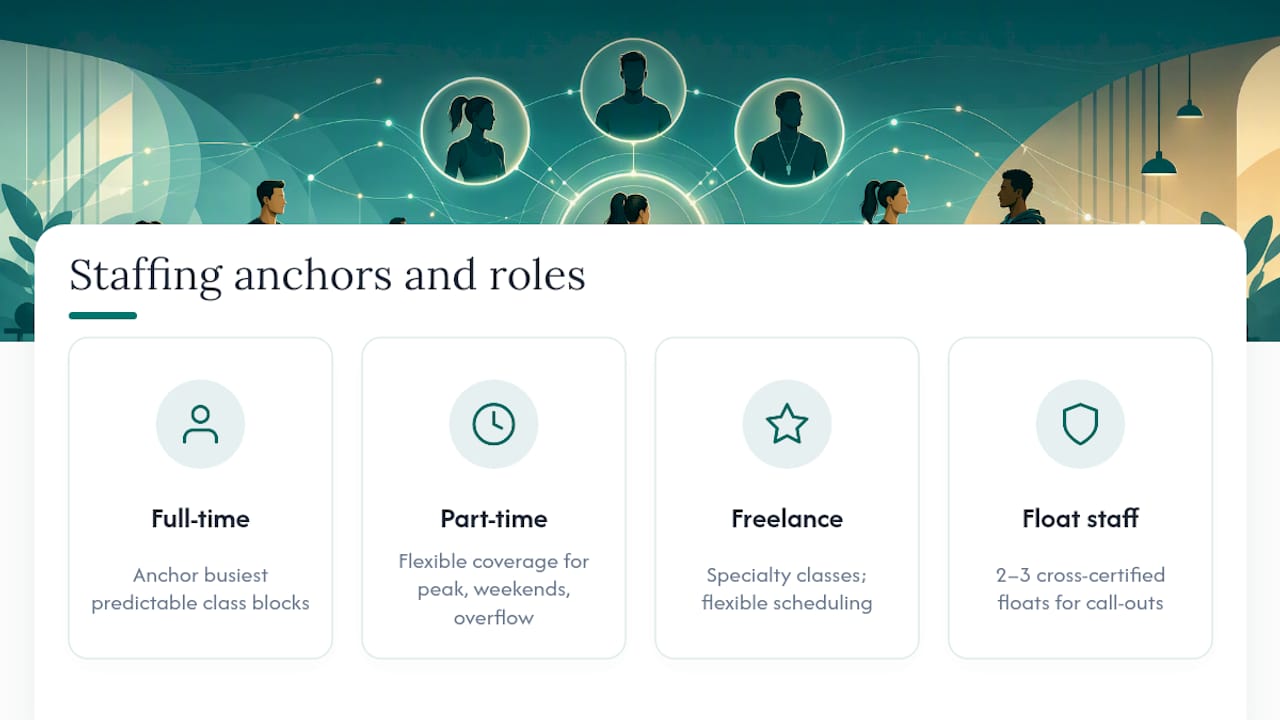
A workable approach: anchor your busiest, most predictable class blocks with full-time or long-tenured part-time staff who know the regulars. Use part-time and freelance instructors to cover specialty classes, peak-hour overflow, and weekend shifts where flexibility matters more than continuity.
Build a rotating pool of two or three cross-certified float staff who can step into multiple class types. This is your insurance against call-outs without over-hiring full-time positions you don't need in off-peak months.
Watch the ratio quarterly, not annually. Class attendance shifts with the season, and a staffing mix that worked in January often doesn't hold in July. If you're consistently scrambling to cover the same time slot, that's usually a sign the ratio needs adjusting, not a sign you need another emergency sub.
Part-time staff should still get schedule stability where possible. Constantly shuffling their hours to plug gaps is one of the fastest ways to lose good instructors to a competitor down the street.
How Scheduling Affects Staff Satisfaction and Retention
Scheduling is one of the biggest hidden drivers of whether trainers and front-desk staff stick around. Fairness matters more than most managers give it credit for.
Staff notice when the same two people always get stuck with the closing shift or the undesirable early-morning slots. They also notice when swap requests get approved for some people and denied for others without a clear reason. Both erode trust fast, and trust is hard to rebuild once staff start comparing notes.
Preference accommodation doesn't mean giving everyone exactly what they want every week. It means having a transparent system for collecting availability and honoring it consistently, so staff can plan their lives around a predictable structure instead of waiting for a text every Sunday night.
Advance notice matters just as much as fairness. Publishing schedules further ahead gives part-time staff and freelance instructors time to arrange other work or childcare, which reduces the last-minute call-outs that cascade into coverage gaps.
Self-service swap flows also help retention indirectly. When staff can trade shifts within clear rules instead of begging a manager for a favor, they feel more in control of their own time, and that autonomy shows up in how long they stay.
Legal and Labor Compliance in Gym Scheduling
Scheduling rules vary by jurisdiction, so treat any specific numbers as a starting point for checking your local requirements, not a universal standard. What stays consistent everywhere is the need to track it properly.
Break requirements, overtime thresholds, and maximum consecutive hours are typically set by local or national labor law, and they often differ for minors, part-time staff, and independent contractors. A scheduling system that logs actual clock-in and clock-out times gives you a paper trail if a compliance question ever comes up, which a shared spreadsheet simply can't provide.
Overtime is where gyms get caught most often. A trainer picking up extra classes to cover a call-out can quietly cross into overtime territory without anyone noticing until the payroll report lands. Automated tracking flags this before it happens instead of after the check is cut.
Split shifts are common in fitness, with instructors working a morning class block and an evening block with hours off between. Some jurisdictions have specific rules about how those hours count toward daily totals, so your system should log clock times precisely enough to sort that out. When in doubt, check with a labor attorney or your local labor department rather than relying on general guidance.
Data Protection and Privacy in Scheduling Software
Staff scheduling data includes more sensitive information than it looks like at first glance. Names, contact details, availability patterns, pay rates, and sometimes certification documents all live in one system.
Look for role-based access controls so front-desk staff can't see everyone's pay information, and so only managers can edit certification records. Audit logs matter here too. If a schedule gets altered or a time entry gets adjusted, you want a record of who made the change and when, both for accountability and for resolving disputes fairly.
Geofenced time clocks raise a fair question about staff privacy, since they involve location data. A system that only checks location at clock-in and clock-out, rather than tracking movement throughout a shift, strikes a reasonable balance between fraud prevention and reasonable staff privacy.
Ask any vendor directly how data is stored, whether it's encrypted, and what happens to your staff records if you ever cancel. Those answers matter more than a feature list.
What Scheduling Software Actually Costs
Pricing models for staff scheduling tools generally fall into a few patterns: flat monthly rates, per-seat pricing, or tiered plans that unlock more features as you scale.
Flat-rate plans work well for smaller gyms with a predictable headcount, since you're not penalized for adding a seasonal hire. Per-seat pricing scales more naturally for multi-location operators, but it can get expensive fast once you're managing forty or fifty staff across sites.
Tiered plans, where basic scheduling is cheap or free and advanced features like payroll integration or task verification cost more, let you start small and grow into what you need. Bossy, for example, structures its plans this way: a Free tier, then paid tiers including Operations at $30 per month, Growth at $25 per month, and Scale + at $50 per month, with a $5 per month per-seat add-on above included limits.
Whatever model you choose, weigh the price against what it actually saves you. A tool that cuts three hours of weekly admin and stops even one payroll correction a month often pays for itself well before you notice it in the budget line.
The Real Problem With Most Scheduling Advice
Most gym scheduling advice stops at the calendar. It tells you to use templates, prevent conflicts, and automate swaps, and none of that is wrong. But it misses the actual failure point in most gyms, which isn't the schedule itself. It's the gap between what the schedule says and what actually happened on the floor.
A perfectly built schedule doesn't tell you whether the 6 AM instructor did the equipment safety check before class started, or whether the person who clocked in was standing in the building or in the parking lot. That's the layer conventional scheduling advice skips entirely, and it's where a lot of preventable liability and payroll leakage quietly lives.
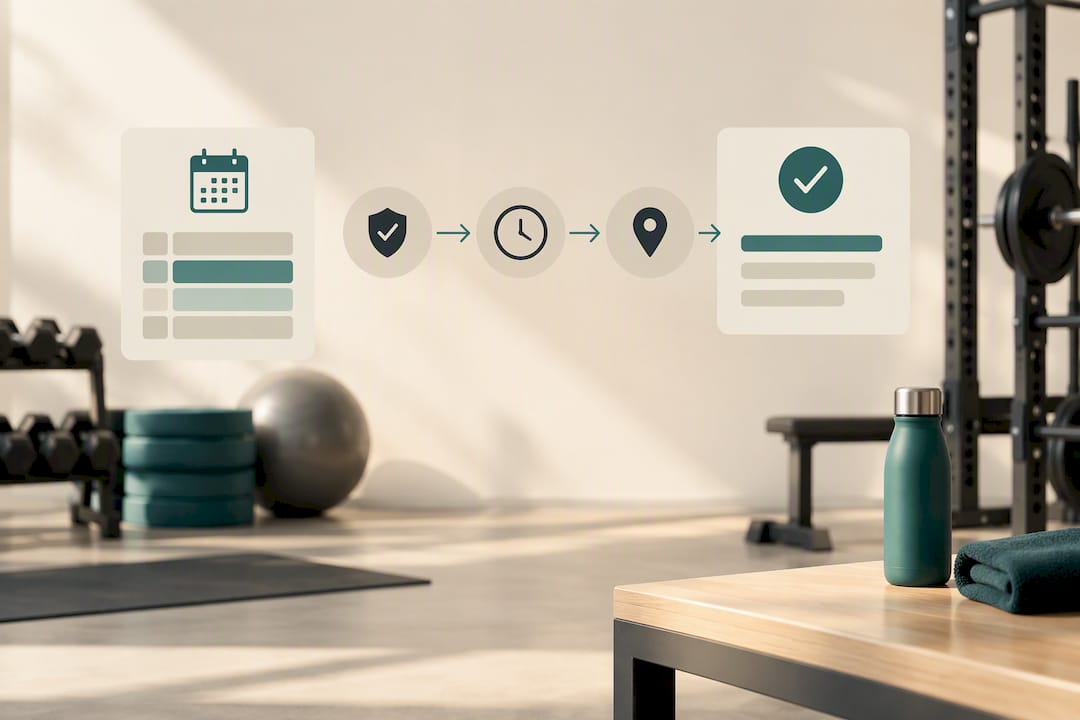
The gyms that get the most out of scheduling treat it as one piece of a larger accountability system, not the whole system. Pair the schedule with task verification and geofenced time tracking, and you turn "the shift was covered" into "the shift was covered and the work got done." That distinction shows up first in your payroll accuracy, and not long after in how much you're personally checking up on staff you shouldn't have to babysit.
Start with the schedule, but don't stop there.
— Christian
Get Scheduling and Verification in One Place
Bossy is built for gyms that need more than a calendar. It maps directly to the checklist that matters here: shift scheduling tied to class timetables, geofenced time clocks to stop buddy punching, task verification with photo proof so you know work actually got done, and communication tools so swap requests and call-outs don't get lost in a group text.

Instead of stitching together a scheduling app, a separate time clock, and a text thread for coverage, you get all of it under one login built for teams where the owner can't be on the floor watching every shift. The Free plan lets you test scheduling and task verification with your current team size, and paid tiers unlock deeper features as you add locations or staff. Check the full feature breakdown on the Bossy features page, or go straight to current pricing to see which plan fits your headcount.
Sources
- The Best Gym Staff Scheduling Software in 2026 (And How to Choose the Right One) - Recess
- Shift Management Built For Your Whole Team - NetGym
- Fitness Center Scheduling for Gyms and Studios - Shifton
FAQ
What Is the 70/30 Rule in Gym Scheduling?
Definitions vary by gym, so treat it as a starting ratio to test against your own attendance patterns rather than a fixed standard.
What Is the Best Gym Scheduling App?
The best fit depends on your gym's size and what you need beyond basic shift assignment, such as payroll integration or task verification. Tools like Bossy combine scheduling with time clocks and task verification in one system, which suits gyms that want accountability beyond a bare calendar.
How Do I Make a Schedule for Gym Staff?
Start by mapping recurring classes, staff certifications, and peak hours, then build shift templates around your busiest blocks first. Publish on a draft-then-approve cycle with at least 48 hours' notice, and set clear swap and call-out rules before you launch.
What Do Staffed Hours Mean in a Gym?
Staffed hours refer to the total time slots during the day when qualified personnel, such as trainers or front-desk staff, are scheduled and present on the floor. Tracking staffed hours against actual class demand helps you spot overstaffed quiet periods and understaffed peak windows.