Managers: Copyable Restaurant Prep List That Cuts Waste and Tracks ROI
Christian MontenegroSeptember 21, 202616 min read
A restaurant prep list is a production plan that tells your team what to prepare, how much, who's doing it, and by when. It's not a recipe book and it's not a wish list. Use the template below, run the covers-based quantity formula, and you'll stop overprepping, cut back-of-house waste, and get your line moving faster tonight.
TL;DR:
- Accurate par levels should be based on recent sales data, with adjustments made weekly to account for weekends, holidays, and seasonal shifts.
- Using a digital inventory system or linking stock counts directly to your prep list enhances accuracy and supports smarter purchasing decisions.
- Staff training must emphasize clear communication of how to read and update the prep list, involving the whole team to maintain its usefulness.
- Running a pilot on one station for a week allows for testing and refining the prep list before full implementation across the kitchen.
- Digital tools like Bossy automate verification, inventory integration, and task tracking, providing more reliable oversight for growing or multi-location restaurants.
Table of Contents
- What Belongs on a Restaurant Prep List
- How to Build a Prep List and Calculate Quantities
- A Fillable Prep List Template You Can Copy Today
- Setting Par Levels That Actually Hold Up
- Running the Prep List During the Shift
- The Real Payoff: Waste Reduction and Cost Metrics
- Rolling Prep Cycles and When to Go Digital
- Common Challenges in Keeping a Prep List Current
- Customizing a Prep List for Your Type of Restaurant
- Connecting Prep Lists to Inventory and Ordering
- Training Your Team to Use the Prep List Correctly
- Digital Tools for Managing Prep Lists
- Pilot It Before You Roll It Out Everywhere
- An Easier Way to Run Your Prep List Every Shift
- Sources
- FAQ
What Belongs on a Restaurant Prep List
A good kitchen prep list isn't a novel. It's a working document, and every column on it should earn its place by helping someone act faster, not slower. The Chefs Resources team puts it plainly: a prep list is a production plan built around "what, how much, and by when," never a step-by-step technique guide. That distinction changes how you build the sheet.
Here's what actually needs to be on it:
- Date and shift (AM/PM, weekday, or event)
- Item name (specific enough that two cooks read it the same way)
- Recipe reference (a card number or folder link, not the recipe itself)
- Par level and on hand count
- Prep quantity needed to hit par
- Assigned to (a name, not a station)
- Deadline (a time, not "before service")
- Initials and storage location once it's done
Group items by station, then by time block, so the sheet reads left to right the way your kitchen actually moves.
How to Build a Prep List and Calculate Quantities
Building a restaurant prep list starts with data, not guesswork. Pull yesterday's covers, tonight's reservations, and any specials running, then walk through the process in order.
- Gather your numbers. Expected covers, the menu mix percentage for each dish, and any specials that shift demand.
- Run the formula. (Expected covers × menu mix % × portion size) − current inventory = prep quantity. This is the exact math Cucinovo recommends, and it removes the guesswork that leads to 20 quarts of sauce nobody touches.
- Sequence by dependency. Stocks and bases first, sauces second, final mise last. Nothing gets prepped out of order just because it's alphabetically first on the sheet.
- Assign time blocks and owners. Give each task a name and a deadline, not a vague "morning" window.
- Verify at the end. Label, initial, and store everything before the shift turns over.
Pro Tip: Run the formula on paper for your three highest-volume dishes before you touch anything else. Once those numbers feel right, the rest of the sheet fills in fast because you already trust the math.
A Fillable Prep List Template You Can Copy Today
You don't need custom software to start. A spreadsheet with the right columns, built the way RestaurantOwner's Daily Prep Sheet structures it, does the job. Copy the columns below into Excel or Google Sheets and you're running by tomorrow's shift.
Save separate tabs for 3-day and 7-day versions of items like stocks and braises that don't need daily attention, so your daily sheet stays lean.
Setting Par Levels That Actually Hold Up
Par levels only work if they're based on real numbers, not what worked three months ago. Pull three to four weeks of sales data for established menu items; for a new dish, start with a conservative estimate and correct it after the first week of actual counts.
- Set initial par from recent sales history, not memory or habit.
- Adjust up for weekends, holidays, and known events, and build in a 10 to 15% buffer for volatile items like fish specials.
- Adjust down for slow weekdays so you're not holding product that ages out.
- Review par weekly alongside your food-cost percentage and waste log, since the two numbers tell you when a par is wrong.
Par levels drift. A dish that was your top seller in March can fall off by June, and if nobody's watching the numbers, you'll keep prepping for a demand that no longer exists.
Running the Prep List During the Shift
A sheet that lives in a drawer doesn't stop waste. It has to be visible, assigned, and checked.
- Assign named staff, not stations, and require initials next to each completed task so accountability is clear at a glance.
- Post the sheet somewhere every cook passes, whether that's a clipboard by the pass or a printed copy taped to the reach-in.
- Label every pan with date, time, and initials the moment it's done, then store it using first-in, first-out rotation.
- Run a quick huddle before service starts. Two minutes, standing up, checking what's short and what's over.
- Log waste and trim as you go so tomorrow's par adjustment has real numbers behind it, not a guess.
Pro Tip: Keep a small notepad by the trim bin for one week. You'll be surprised how fast the "we're always short on X" complaint turns into a data point you can actually fix.
The Real Payoff: Waste Reduction and Cost Metrics
Back-of-house processes account for roughly 73% of a restaurant's total food waste, according to the National Restaurant Association. That's the prep line, not the dining room. Every over-prepped batch of sauce or wilted case of herbs traces back to a sheet that either didn't exist or didn't get followed.
The same research shows that consistent waste tracking can cut food costs by a small but meaningful percentage. On a kitchen running a typical weekly food cost, that can translate to noticeable savings each week, just from watching numbers you're probably already collecting.
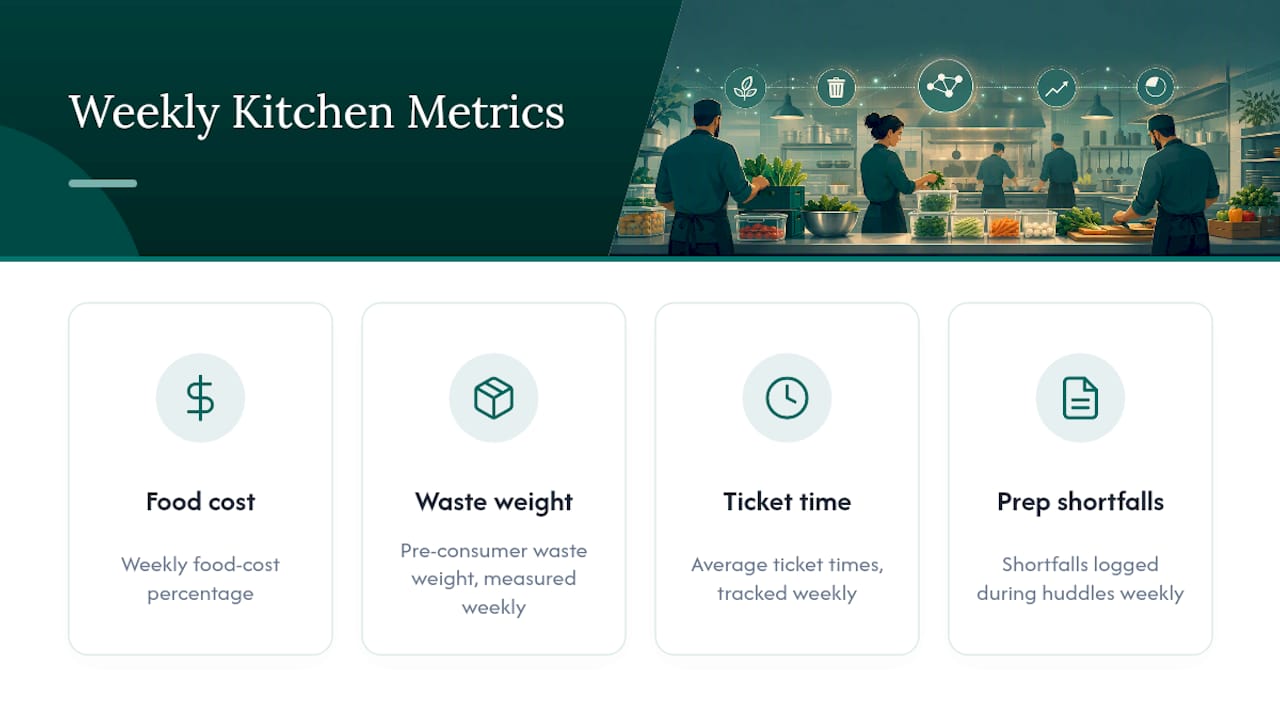
Track these four metrics weekly: food-cost percentage, pre-consumer waste weight, average ticket times, and prep shortfalls logged during huddles. Small gains in prep accuracy compound fast once you're measuring them.
Rolling Prep Cycles and When to Go Digital
Not everything belongs on the daily sheet. Long-hold items like stocks, braises, and pickled garnishes should run on their own rolling schedule, separate from the daily grind, so your team isn't rebuilding a 12-hour braise every morning out of habit.
- Schedule stocks, sauces with long shelf life, and slow-cooked proteins on a 3 to 7-day rolling cycle, tracked on a separate sheet.
- Keep the daily sheet focused on short-hold mise and items that turn over in a single service.
- Move toward digital tools when waste stays high despite good par discipline, when specials rotate often enough that manual math becomes error-prone, or when you're running multiple locations with different volumes.
- Automation formulas that combine covers, menu mix, portion size, and live inventory counts remove the human memory error that creeps in during a busy Friday.
High staff turnover is another signal. A paper sheet depends on institutional knowledge walking around the kitchen. A digital system holds that knowledge in the tool itself.
Common Challenges in Keeping a Prep List Current
The sheet that worked in January is often wrong by March, and most kitchens don't notice until the walk-in tells them. The biggest failure point isn't building the list. It's maintaining it once the opening rush of enthusiasm fades.
Menu changes are the most common culprit. A new special gets added to the board but never makes it onto the prep sheet, so nobody's tracking its ingredients until you're out of it on a Saturday night. Fix this by making menu updates and prep-sheet updates the same task, done by the same person, at the same time.
Staff turnover creates a second problem. A prep list built around one cook's shorthand becomes useless the moment that cook leaves. Write items in plain language any new hire can read cold, and keep the sheet independent of any single person's memory.
Seasonal ingredient swaps quietly break par levels. A tomato sauce recipe that used fresh tomatoes in August needs a different yield calculation once you switch to canned in December. Build a seasonal review into your calendar, not just a reactive fix after waste spikes.
The last challenge is simple neglect. Sheets get photocopied, taped over, and forgotten. Set a recurring 15-minute review, weekly at minimum, where a manager checks the sheet against actual sales and waste logs. If nobody owns that review, the sheet decays no matter how well it was built.
Customizing a Prep List for Your Type of Restaurant
A prep list for a 200-seat banquet hall and one for a 12-table ramen shop shouldn't look the same, even though the underlying formula is identical. The structure bends to fit how the kitchen actually cooks.
High-volume casual dining benefits from station-grouped sheets: grill, saute, cold line, each with its own column block, because multiple cooks are working simultaneously and need to scan only their section. Fine dining, by contrast, often needs finer time granularity, since a tasting menu depends on components finishing in a precise sequence rather than just being ready by a general deadline.
Cuisine type matters too. A sushi program needs a rice and fish prep sheet built around same-day freshness windows, sometimes measured in hours rather than a full shift. A barbecue operation runs the opposite way, with smoked meats requiring multi-day rolling prep that has almost nothing in common with a daily mise sheet. A pizza shop leans heavily on dough proofing schedules that need to be tracked in a completely separate time block from sauces and toppings.
Fast casual and quick service concepts often do better with simplified sheets that track fewer, higher-volume items, since the menu itself is narrower. A catering kitchen needs an event-specific version of the sheet built fresh for every job, since covers and menu mix change completely from one event to the next.
The formula stays constant. What changes is how granular the time blocks need to be and how the sheet groups tasks to match your actual kitchen layout.
Connecting Prep Lists to Inventory and Ordering
A prep list that ignores your inventory count is only doing half its job. The quantity formula already asks for "current inventory" as the number you subtract, which means your prep sheet and your stock counts have to talk to each other, at least once a day.
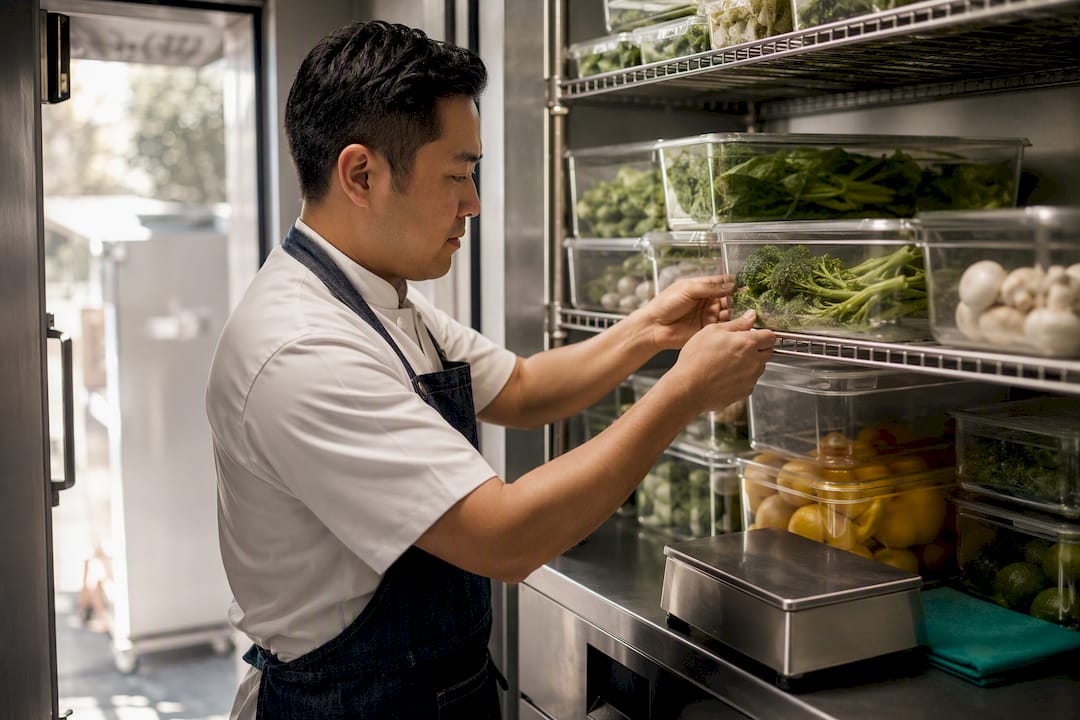
In a paper-based kitchen, this usually means someone doing a quick walk-through of the walk-in and dry storage before filling in the "on hand" column. It works, but it's only as accurate as the person doing the walk and how recently they checked. In kitchens running digital inventory tools, that on-hand number can pull automatically from the last stock count, removing a step that's prone to human error on a rushed morning.
The bigger payoff shows up on the ordering side. When your prep list consistently tracks what's actually being used against what's on hand, you start seeing real usage patterns instead of ordering by habit. That data feeds directly into smarter purchasing, including the kind of supplier collaboration the National Restaurant Association highlights, where buying pre-prepped items or negotiating case sizes cuts both labor and waste at the same time.
A platform like Bossy that links inventory counts directly to task and checklist workflows can close this loop automatically, so the prep sheet and the order sheet are pulling from the same real numbers instead of two separate guesses.
Training Your Team to Use the Prep List Correctly
The best prep sheet in the world fails if only one person on your team knows how to read it. Training has to happen the same week you launch the sheet, not weeks later after habits have already formed the wrong way.
Start with a five-minute walkthrough during a slow prep shift, not a rushed explanation during dinner rush. Show the team exactly how to read each column, where the deadline lives, and what "done" actually means, meaning labeled, initialed, and stored correctly.
New hires need this built into their first week, not picked up by watching someone else. Pair them with an experienced prep cook for their first two shifts specifically to review how the sheet gets filled out, not just how the food gets made.
Make correcting the sheet as normal as correcting a recipe. If a par level is consistently wrong, that's not a failure, it's information. Build a quick habit where any team member can flag a par that feels off, and a manager reviews it within the week rather than letting it sit for a month.
The teams that keep prep lists working long term treat the sheet as a living document owned by everyone on the line, not a form handed down from management that nobody feels responsible for updating.
Digital Tools for Managing Prep Lists
Paper works fine for a single-location kitchen with a stable menu and low turnover. Once any of those three things change, digital tools start paying for themselves fast.
Spreadsheet templates in Excel or Google Sheets are the natural first step up from paper, letting you build formulas directly into the sheet so the covers-times-menu-mix math calculates itself instead of needing a manager to do it by hand every morning.
Beyond spreadsheets, dedicated kitchen operations platforms add task verification, so a manager can confirm prep actually happened rather than trusting that it did. Some AI-assisted tools, like CaterFlow AI, are built specifically for smaller catering operations that need automated production planning without a full enterprise system.
For restaurants managing prep alongside scheduling, inventory, and team communication in one place, a broader operations platform like Bossy's restaurant tools folds the prep checklist into the same system that tracks stock counts and staff assignments, so nothing lives in three different tools that don't talk to each other.
The right tool depends entirely on your scale. A 12-table restaurant with one location doesn't need what a five-location group needs, and buying more software than your kitchen requires just adds a new thing to maintain.
Pilot It Before You Roll It Out Everywhere
Test a new prep list on one station for one week before touching the whole kitchen. Track waste weight and prep time against your baseline, then expand once the numbers hold up. A short daily huddle and a sheet posted where everyone can see it does more to build the habit than any policy memo. Bossy's restaurant tools exist for exactly this kind of pilot-then-scale approach.
— Christian
An Easier Way to Run Your Prep List Every Shift
Bossy is the tool that turns the paper sheet you just built into something your whole team actually follows, with photo-verified task completion instead of an honor system built on initials that sometimes get skipped. Where a spreadsheet trusts that prep got done, Bossy's task and inventory features confirm it, linking recurring prep checklists to stock counts and scheduling so your par levels, on-hand numbers, and assignments live in one place instead of three.

That matters most once you're running more than one shift a day or more than one location, since a paper sheet can't tell you which cook actually finished their station or flag a shortage before it hits the line. The Growth plan runs $25 per month and covers the core checklist, scheduling, and inventory features most kitchens need to get started. Head to Bossy's pricing page to compare plans and start a trial this week.
Sources
- Working to reduce food waste | National Restaurant Association
- Prep Sheets — Chefs Resources
- Restaurant Prep List: Template & Examples | Cucinovo
- Daily Prep Sheet | RestaurantOwner
FAQ
What Is the 30/30/30 Rule for Restaurants?
The 30/30/30 rule is a rough budgeting benchmark suggesting roughly 30% of revenue goes to food cost, 30% to labor, and 30% to overhead, leaving about 10% profit. It's a useful sanity check rather than a strict target, and most operators now track prime cost against concept-specific numbers instead of forcing every category to hit exactly 30%.
How Do I Make a Restaurant Prep List?
Start with the essential columns: item, par, on hand, prep quantity, assigned staff, and deadline. Calculate quantities using expected covers multiplied by menu mix percentage and portion size, then subtract current inventory, a formula Cucinovo lays out in detail.
What Is a Restaurant Checklist?
A restaurant checklist is a list of recurring tasks, like opening, closing, or cleaning duties, confirmed as complete rather than a production plan for food quantities. A prep list is a specific type of checklist focused purely on what to prepare, how much, and by when, kept separate from recipe instructions according to Chefs Resources.
What Does 68 Mean in a Restaurant?
"68" doesn't refer to a standard industry metric; it's typically kitchen slang specific to an individual restaurant, sometimes used as a countdown or code term, and its meaning varies by house. Ask your kitchen manager for the local usage rather than assuming it matches another restaurant's shorthand.
Should I Track Waste Separately From My Prep List?
Yes, log waste and trim weight as a distinct column or separate sheet feeding back into your par-level reviews. Since back-of-house waste makes up about 73% of total restaurant food waste, tying that number directly to your prep sheet is what turns tracking into actual cost savings.