Shift Handover Checklist That Works for Supervisors, with Ready Templates
Christian MontenegroSeptember 3, 202610 min read
A shift handover checklist works when it does one thing well: it transfers ownership of every open task to a named person with a clear next action, then gets confirmed by the incoming lead before anyone walks out the door. The format is simple, a short written record paired with a brief verbal review, and sign-off. Start there, and the rest of your checklist builds itself.
TL;DR:
- Most handovers fail when they rely on vague updates or incomplete records, increasing the risk of missed tasks and unresolved issues.
- Sign-off and accountability are critical, as unsigned handovers leave responsibilities unclear and undermine safety and task completion.
- Digital workflows with required fields, automatic alerts, and evidence attachments improve accuracy and accountability compared to paper systems.
- Focusing on updating the record during the last 15 to 20 minutes of a shift ensures details are accurate and preserved effectively.
- Starting with one team during a pilot phase and requiring strict sign-offs helps identify process gaps before wider implementation.
Table of Contents
- What Should a Shift Handover Checklist Include?
- Practical Template Examples and File-Format Choices
- How Do You Run a Shift Handover, Step by Step?
- Copy-Paste Shift Handover Template
- Common Handover Pitfalls and How to Fix Them
- Digital Workflows vs. Paper: When to Upgrade
- Author Perspective: What to Prioritize When You Pilot This
- How Bossy Turns This Checklist Into a Daily Habit
- Sources
- FAQ
What Should a Shift Handover Checklist Include?
A handover form only earns its place if it captures the things that actually cause problems when they get missed. The HSE's guidance on shift handover breaks an effective handover into three pieces: preparation by the outgoing team, a two-way exchange of information, and formal sign-off. Everything in your checklist should serve one of those three stages.
Here's what belongs on the form itself:
- Shift metadata. Date, start and end times, location, shift lead, and who's on the team. Boring, but it's what makes the record searchable later.
- Work state. Every task sorted into completed, in progress, or blocked, with a one-line status. "Blocked, waiting on part" tells the next person more than "in progress."
- Open issues and safety risks. What's the impact if this isn't addressed, and at what point does it need to go up the chain? Safety-sensitive work needs explicit escalation triggers, not vague "keep an eye on it" language.
- Equipment and system status. Downtime, pending maintenance, anything flagged but not yet fixed.
- Next actions with owners. Not "someone should check the walk-in" but "Maria checks the walk-in temp log by 6 AM."
- Evidence attachments. Photos, logs, permits, wherever the backup lives.
- Sign-off. Outgoing confirms it's accurate. Incoming confirms they've read and understood it.
Skip any one of these and you've built a form that looks thorough but leaves gaps exactly where trouble tends to start.
Practical Template Examples and File-Format Choices
You don't need a complicated system. You need three small templates that cover most of what happens on a shift, plus a sensible answer to "paper or app?"
- Shift summary line. One row per open item: owner, action, due time. Example: "Fryer 2 — needs descale — Dana — before 3 PM shift start."
- Incident or exception entry. What happened, what was done immediately, current risk level, evidence attached. This is where an ISBAR-style structure (Identification, Situation, Background, Assessment, Recommendation), borrowed from clinical handover practice, works surprisingly well outside a hospital.
- Next-action card. For anything spanning multiple shifts: owner, deadline, and where things currently stand.
Role changes the details. A kitchen needs temperature logs and equipment status front and center. A front desk needs guest or customer follow-ups flagged by name. Maintenance teams need permit numbers and site access notes, since missing a single access code costs field crews real hours, not minutes.
As for format: paper works fine for a single small site with low risk. A shared spreadsheet or doc scales better once you've got multiple locations checking the same record. A mobile form or app becomes worth the switch the moment you need photo evidence, timestamped sign-off, or a way to flag overdue items automatically. Downloadable templates in Excel, Word, or Google Sheets are a reasonable starting point regardless of which route you pick.
How Do You Run a Shift Handover, Step by Step?
The paperwork is only half of it. The other half is a short, repeatable routine that turns the form into an actual conversation.
- Prepare the record while it's fresh. Update the checklist during the last 15 to 20 minutes of the shift, not from memory the next morning.
- Hold a short two-way review. Walk through exceptions and next actions out loud. Skip anything that's already routine and documented elsewhere.
- Let the incoming lead ask questions. They should be able to request evidence, a photo, a log entry, a permit number, on the spot.
- Confirm escalation thresholds. Who has authority to make the call if the blocked task turns into an emergency at 2 AM?
- Sign off and archive. Both names, both timestamps, retained somewhere searchable for audits or follow-up.
Pro Tip: Keep the live review under five minutes by only discussing what changed or broke. Anything stable and unremarkable belongs in a reference doc, not in the daily conversation.
This structure, preparation, exchange, sign-off, isn't complicated. It just needs to happen every time, not just when something obviously went wrong.
Copy-Paste Shift Handover Template
Paste this into whatever form or app you're already using. Adjust field names to match your industry, but keep the structure.
- Header: date, shift (AM/PM/overnight), location, outgoing lead, incoming lead.
- Open item row: short description, owner, next action, due time, priority (low/medium/high), evidence link.
- Incident record: summary of what happened, immediate control taken, risk level, photos or attachments, escalation owner.
- Sign-off block: outgoing name and time, incoming name and time, optional manager acknowledgement for high-risk shifts.
That's the whole skeleton. Everything else, temperature logs, cash counts, cleaning schedules, belongs in a separate reference document your team already knows how to find. Loading those into the daily handover is how a two-minute form turns into a five-page chore nobody reads carefully.
Common Handover Pitfalls and How to Fix Them
Most broken handovers fail in the same four ways.
- Relying on memory. Fix: update the record before the shift ends, while details are still accurate, and attach evidence rather than describing it from recall.
- Vague updates. "Working on it" isn't a next action. Fix: require a named owner, a specific action, and a deadline on every open item.
- Skipping acknowledgement. An unsigned handover is a handover nobody's actually responsible for. Fix: make sign-off mandatory and spot-check a sample each week.
- Overlong forms. A ten-page checklist gets skimmed, not read. Fix: move stable, rarely-changing fields to a reference doc and keep the daily form focused on exceptions.
Pro Tip: If your handover form hasn't changed in two years, that's not a sign of stability. It's a sign nobody's checking whether it still matches how the team actually works.
Digital Workflows vs. Paper: When to Upgrade
Paper and shared docs are low-friction and cheap, which is exactly why so many teams start there. The problem shows up at scale: nothing forces a required field to get filled in, and a handover can look complete while missing the one photo or permit number that actually mattered.
Digital workflows fix that by enforcing structure instead of hoping for it:
- Required fields that block sign-off until they're filled in
- Photo attachments tied directly to the incident or open item
- Owner queues so nothing sits unassigned
- Automatic overdue alerts instead of relying on someone noticing
- Escalation routing that skips the guesswork about who gets notified
Digital tools can also prefill known entries and flag missing information before sign-off, which is precisely what stops a "clean-looking" handover from hiding a gap. Worth tracking over time: handover completion rate, number of overdue follow-ups, and how often handovers get rejected for missing evidence. Those three metrics tell you more about your process than any audit ever will.
Author Perspective: What to Prioritize When You Pilot This
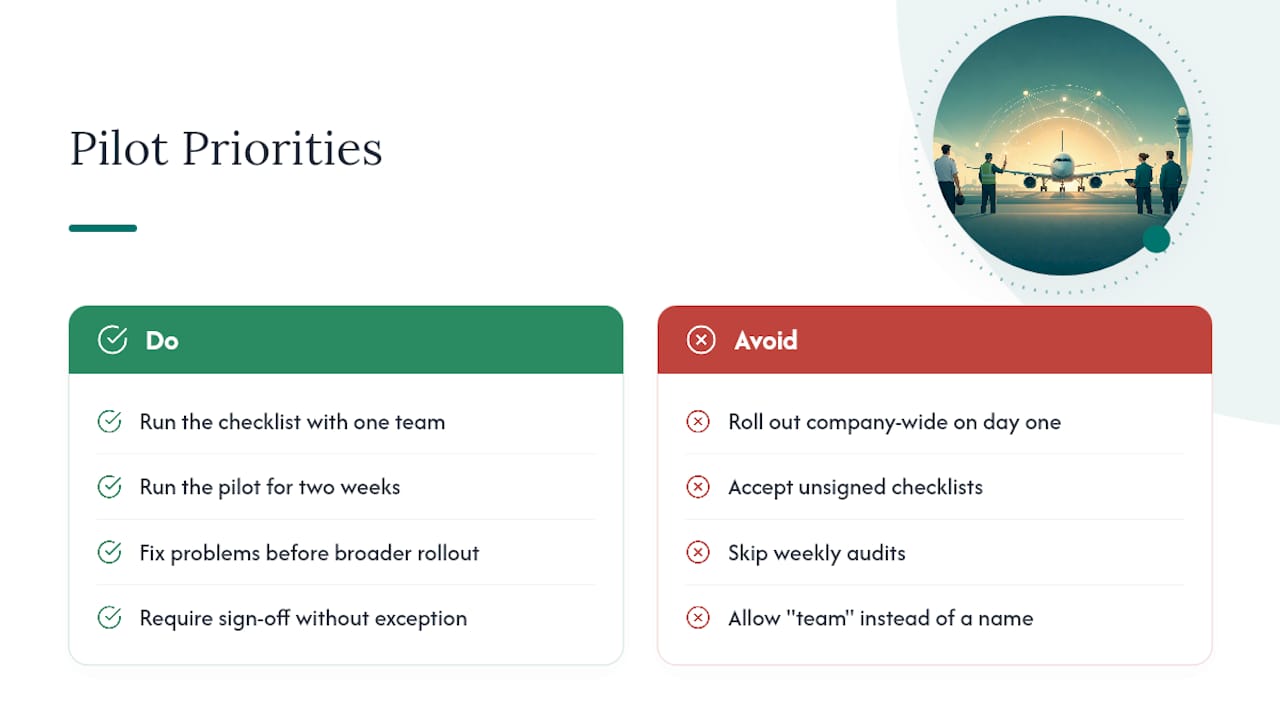
Don't roll out a new checklist company-wide on day one. Pick one team, run it for two weeks, and fix what breaks before anyone else sees it.
Leadership's job during a pilot is narrow but non-negotiable: require sign-off without exception, audit a random sample every week, and coach named ownership when someone writes "team" instead of a person's name. Success looks like fewer missed tasks, faster resolution on flagged incidents, and audits that take minutes instead of an afternoon of reconstruction.
— Christian
How Bossy Turns This Checklist Into a Daily Habit
Some platforms transform checklists from mere forms into enforced workflows by requiring key fields before completion, routing open items to owners automatically, and providing supervisors with dashboards that flag overdue actions to prevent missed tasks.

That maps directly onto the template above: required fields for owner and next action, photo evidence attached to incident records, sign-off built into the workflow, and a manager view of everything still open across every shift. If you run a restaurant, retail floor, or cleaning crew juggling this across multiple locations, the features built for scheduling, tasks, and inventory handle the parts a shared spreadsheet can't. Pilot it with one team this week, using the Bossy platform, and see whether overdue follow-ups actually drop.
Sources
For the underlying structure behind a reliable handover, the HSE's shift handover guidance is the clearest starting point, especially for safety-sensitive work. For downloadable formats, Smartsheet's shift report templates cover most industries. For field and mobile teams specifically, the Workhint field handover checklist addresses site access and permit tracking in more depth than a generic form can.
- Shift handover - HSE
- Master shift handover: A practical workflow, checklist, and template | Moxo
- Shift handover checklist for field teams - Workhint Blog
FAQ
What Should a Shift Handover Include?
At minimum: shift metadata, the status of every task (completed, in progress, blocked), open safety risks with escalation points, equipment status, next actions with named owners, and a sign-off from both outgoing and incoming leads.
How Do You Do a Handover Checklist?
Update the record near the end of the shift, hold a short two-way review with the incoming lead focused on exceptions and open items, confirm escalation authority, then both parties sign off and the record gets archived.
What Is the Standard Procedure for a Shift Handover?
The HSE frames it as three stages: outgoing staff prepare the record, both sides exchange task-relevant information in a live review, and responsibility formally transfers through sign-off.
What Information Belongs in a Clinical Handover Report?
Clinical settings commonly use a structure like ISBAR, identification, situation, background, assessment, and recommendation, which several nursing handover guidelines recommend; non-clinical teams can adapt the same framing for incident entries.
Should a Shift Handover Be Written, Verbal, or Both?
Both. A written log preserves detail and evidence for later, while a brief verbal review catches ambiguities that a form alone tends to miss, which is why sign-off should always follow an actual conversation, not just a submitted form.