10 Work Chat Etiquette Rules Managers Can Use to Verify Work Gets Done
Christian MontenegroSeptember 1, 202610 min read
Good work chat etiquette comes down to four habits: open every message with a clear purpose, acknowledge what lands in your inbox quickly, respect when your teammates are actually available, and escalate to a call the moment chat stops working. HBS Online found a large majority of business leaders rate communication as a critical managerial skill, and the Emily Post Institute frames chat channels as focused meetings, not free-for-alls. Bossy's own task verification model shows why: confirming work happened beats assuming a chat thread settled it.
TL;DR:
- Most teams fail to verify work completion in chat threads, risking tasks being left undone despite conversations appearing resolved.
- Keeping messages purpose-driven, short, and acknowledging receipt quickly helps prevent misunderstandings and keeps communication efficient.
- Escalate chat conversations to a call after four to five unproductive exchanges to avoid tone misinterpretations and unresolved issues.
- Use group channels for relevant team-wide topics, moving tangential or private discussions into DMs to maintain clarity and context.
- Managers should model norms, co-create rules, and regularly review standards to ensure consistent, effective chat etiquette across the team.
Table of Contents
- What Is Good Work Chat Etiquette? The Core Rules
- When Should You Use Chat Instead of Email or a Call?
- Group Channels vs. Private Messages: Where Each Belongs
- How to Write a Work Chat Message People Actually Read
- Setting Availability and Notifications Without Creating Friction
- How Managers Set and Reinforce Chat Norms
- Your Work Chat Cheat Sheet
- Why One-Size-Fits-All Chat Policies Don't Work
- Sources
- FAQ
What Is Good Work Chat Etiquette? The Core Rules
Chat etiquette breaks down into ten habits that separate teams who communicate well from teams drowning in unread messages. None of these require new software. They just require a little intention before you hit send.
-
Open with purpose. Say why you're messaging and what you need in the first line. "Can you approve the Tuesday schedule by 3pm?" beats "Hey, quick question" every time. Readers shouldn't have to scroll to find your ask.
-
Keep it short and scannable. Break long updates into bullets, bold the key line, and attach documents instead of pasting paragraphs into the chat box. The Emily Post Institute points out that long, unformatted messages get skimmed at best, ignored at worst.
-
Acknowledge quickly, even without an answer. A one-line "Got it, checking now" prevents a task from stalling in silence. Quick acknowledgment is one of the simplest habits you can build, and the Emily Post Institute treats it as a baseline courtesy, not an extra step.
-
Keep channels on-topic; use threads for detours. If a conversation drifts, spin it into a thread so the main channel stays readable for everyone else.
-
Use @mentions sparingly. Tag someone only when you genuinely need their action or input. Tagging out of habit trains people to ignore notifications altogether.
-
Know your escalation triggers. If a thread hits four or five back-and-forth messages without resolution, stop typing and pick up the phone.
-
Take criticism offline. Public callouts in a group channel embarrass people and rarely fix anything. Sensitive feedback belongs in a DM or a call.
-
Match tone to the channel. A quick emoji in a casual team channel is fine; sarcasm in a client-facing thread is not. Read the room before you type.
-
Respect status indicators and time zones. If someone's status shows they're offline or in a meeting, don't expect an instant reply. Microsoft's chat etiquette guidance recommends setting notifications to reflect real availability rather than leaving them on by default.
-
Clarify instead of editing. If your message gets misread, send a follow-up instead of quietly editing or deleting the original. Silent edits erase context for anyone catching up later.
When Should You Use Chat Instead of Email or a Call?
Chat, email, and calls each solve a different problem. Mixing them up is where most confusion starts.
- Use chat for quick questions, status checks, and anything that needs a fast yes or no.
- Use email for anything that needs a paper trail, involves multiple external parties, or can wait a day.
- Use a call or video meeting when tone is at risk of being misread, when a decision affects multiple people, or when you've traded more than four messages without resolving anything.
Escalation follows a simple three-step move: decide the chat isn't working, signal it, then set up the call. A clean way to do that: "This is getting complicated over text. Let's hop on a quick call. I'll send an invite for 2pm." Face-to-face conversation is far more effective than email for working through complex issues, according to HBS Online, which is exactly why chat has limits.
Group Channels vs. Private Messages: Where Each Belongs
Treat a group channel like a meeting with an agenda. It has a name, a purpose, and a defined audience, and everyone in it should be able to tell what belongs there just by reading the channel name.
- Post anything relevant to the whole team in the channel, not a DM, so context isn't lost to a private conversation nobody else can see.
- Move a tangent that only concerns two people into a DM, then summarize the outcome back in the channel if it affects the group.
- Pin key decisions or files so new members can catch up without asking someone to scroll back three weeks.
- Avoid parallel side chats about a topic that's already being discussed in the main channel. It fragments the conversation and doubles the work of tracking it.
How to Write a Work Chat Message People Actually Read
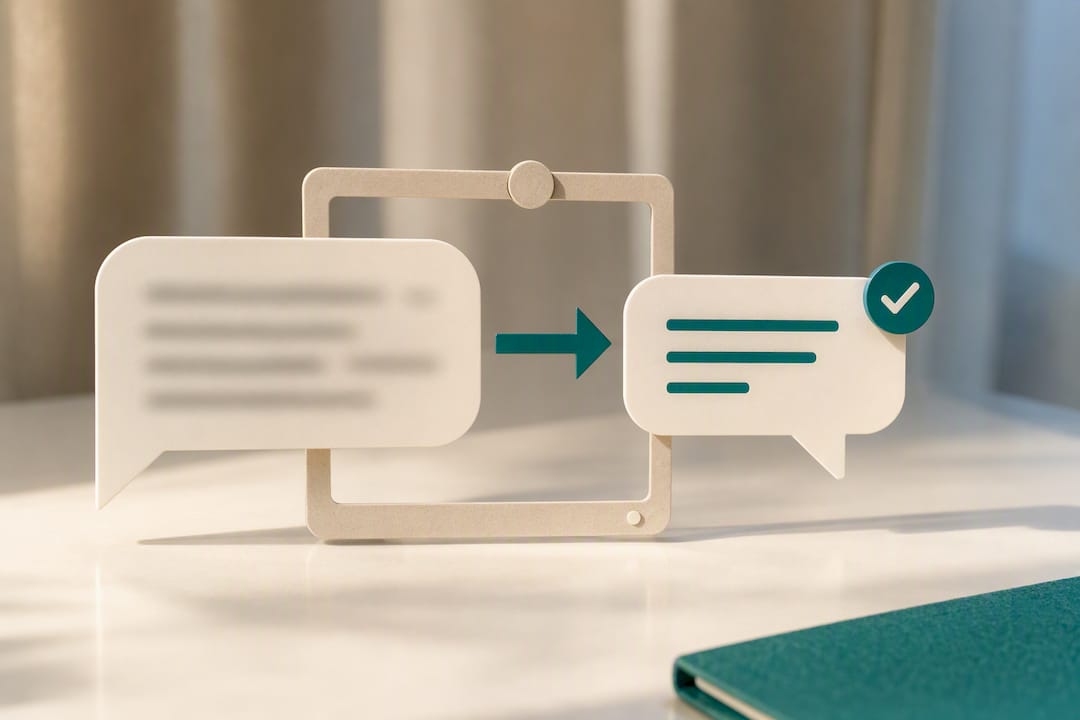
A well-structured message has four parts: the opener (why you're writing), context (one or two lines of background), the ask (spelled out, not implied), and a deadline or next step.
- Quick question: "Do we have the vendor's updated price sheet? Need it before I finalize Friday's order."
- Request with attachment: "Attached is the revised floor plan. Can you confirm the layout works for your section by end of day?"
- Status update: "Inventory count done for aisle 3. Two items short, restocking Thursday."
- Escalation: "We've gone back and forth a few times on this schedule conflict. Let's talk it through. Free at 4pm?"
Swap sarcasm for neutral phrasing whenever tone could be misread. "Interesting choice" reads very differently than "Can you walk me through the reasoning here?"
Pro Tip: End any message with an unclear ask by restating what you need in one short sentence. If you can't summarize your own ask in one line, the person reading it won't be able to either.
Setting Availability and Notifications Without Creating Friction
Notification overload is often a settings problem, not a discipline problem. Microsoft recommends setting status and notifications to reflect actual availability, and treating those signals as real boundaries rather than suggestions.
- Set your status to reflect reality: available, in a meeting, or offline, and update it as your day changes.
- Agree as a team on what counts as urgent (needs a reply within the hour) versus non-urgent (same day is fine).
- Establish tagging rules so notifications aren't triggered for messages that don't need a response from that person.
- For distributed teams, document expected response windows and a fallback contact for anything genuinely time-sensitive. A predictable scheduling structure makes those windows easier to hold to.
How Managers Set and Reinforce Chat Norms
Etiquette rules don't stick because someone wrote them in a handbook. They stick because managers use them, reference them, and follow up when they slip.
- Co-create norms with the team instead of dictating them, then pin the list somewhere visible and revisit it every quarter.
- Model the behavior yourself. If you expect quick acknowledgments, acknowledge messages quickly.
- Run short check-ins or one-on-ones to surface friction points. HBS Online notes that leaders tend to undercommunicate key messages, so repeating norms across meetings and chat isn't redundant, it's necessary.
- Use verification steps, not just conversation, to confirm work actually happened. A photo-proof or approval-queue system, like the one built into Bossy, removes the guesswork chat threads often leave behind, and pairs well with the kind of manager habits covered in building managers you can actually trust.
Your Work Chat Cheat Sheet
Print this, pin it, or drop it in your team channel today.
| Rule | Quick reminder |
|---|---|
| Purpose first | Say why you're messaging in line one |
| Acknowledge fast | "Got it, checking now" beats silence |
| Use threads | Keep the main channel readable |
| Respect status | Offline means offline |
| Escalate at four messages | Move to a call before tone breaks down |
| Document decisions | Don't let chat history be the only record |
Two openers worth stealing: "Quick ask: [what you need] by [when]." and "Heads up, this needs a decision from you by [time]." One acknowledgment template: "Saw this, working on it, will update you by [time]."
Why One-Size-Fits-All Chat Policies Don't Work
Most chat policies fail because they try to cover every scenario instead of teaching people to recognize the four or five that actually matter: purpose, timing, tone, and escalation. Teams that write their own norms, based on how they actually work, tend to stick to them longer than teams handed a generic rulebook.
What gets missed most often is verification. A thread can look resolved and still leave a task undone. That gap between "we talked about it" and "it happened" is where most operational breakdowns start...
— Christian
Sources
For deeper background on the research behind these rules, see HBS Online on managing remote employees, the Emily Post Institute's guidance on message channels, Microsoft's chat etiquette guide, and Indeed's remote team communication methods.
- Managing remote employees | HBS Online
- Etiquette Today: Communicating via message channels | Emily Post Institute
- Your guide to chat etiquette in the workplace | Microsoft
FAQ
What Are Some Etiquette Rules for a Work Group Chat?
Keep the channel on-topic, use threads for tangents, tag people only when you need their action, and take sensitive feedback to a private message instead of the group.
Am I Required to Join a Work Group Chat?
Most workplaces treat group chat participation as part of normal job communication, similar to checking email, though specific requirements depend on your employer's own policies.
What Are Some General Chat Etiquette Rules?
Acknowledge messages quickly, write with a clear purpose, match your tone to the audience, and escalate to a call when a text thread stops making progress.
What Are the Core Rules of Office Communication Etiquette?
Common ground rules include being concise, responding within a reasonable window, respecting others' status and availability, avoiding public criticism, and documenting decisions somewhere other than chat history.
When Should I Move a Conversation From Chat to a Call?
Move to a call once a thread passes four or five back-and-forth messages without resolving, or if tone starts to feel tense, since face-to-face conversation resolves complex issues far more effectively than text.