Retail Store Checklist: Opening, Closing and Inspection
Christian MontenegroNovember 13, 202611 min read

A good retail store checklist covers five moments: opening, the trading day, closing, the store walk, and the weekly inspection. It names one owner per task and asks for proof that the task is done. The list itself is the easy part. Getting your team to do every line, every day, in every store, is the hard part. This guide gives you the lists first, then the system that makes them stick.
TL;DR
- Build your checklist around five areas: security, safety, cash and POS, merchandising and a short team huddle.
- Assign each task to a role, not to "the team". Shared ownership is the quickest way for a task to slip.
- Closing is where the next morning is won: reconcile cash, record issues, leave a handover note.
- A checkbox only shows someone tapped it. Photo proof and a manager approval step show the work happened.
- For multiple stores, write one standard, then check it with the same questions in every location.
Table of Contents
- What a retail store checklist should cover
- Retail opening checklist: before the doors unlock
- Retail closing checklist: setting up tomorrow
- Store inspection checklist: what to check and how
- The store walk: what to review on a visit
- Why checklists fail, and what fixes them
- Standardizing the checklist across multiple stores
- Where Bossy fits
- Our perspective
- FAQ
- Sources
What a retail store checklist should cover
Start with the areas that cause the most trouble when skipped. One security guide groups the core items into security (exterior inspection, alarm, CCTV), safety (fire exits, extinguishers, floor hazards), cash management (float verification, register setup), POS and IT (terminal power-on, payment connection tests), merchandising (facing, restocking, price and promo signage) and a team huddle before doors open.
That is a solid skeleton. Your store will add its own: fitting rooms for apparel, refrigeration for a food retailer, a stockroom for anyone with backstock.
Two habits keep the list useful:
- Keep each item observable. "Fitting rooms clear of hangers and trash" can be checked. "Store looks good" cannot.
- Keep it short enough to finish. If your team can't describe the standard back to you from memory, it is probably too long.
If you want the longer version of this idea, we wrote about opening and closing checklists that actually get followed.
Retail opening checklist: before the doors unlock

The half hour before opening sets the tone for the day. Here is a practical order, built from the steps Shopify's opening and closing guide recommends: security and safety inspection, housekeeping, electronics, merchandising, signage, then a huddle.
Security and safety first
- Check the exterior and every entry point for signs of forced entry before you go in.
- Disarm the alarm and do a quick walk for overnight issues.
- Confirm emergency exits are clear and floors are free of hazards.
- If you sell anything refrigerated, confirm units are at the right temperature.
Security matters most here, and the opening walk is also where a manager catches small errors before they become losses. This piece on retail loss prevention for store managers makes the same point about fixing mistakes at the store level.
Power up and prepare to sell
- Turn on lights, music, HVAC, TVs and computers.
- Power on the POS and registers, and run a test transaction to confirm payments connect.
- Check receipt paper and card readers.
- Verify the opening cash float in each drawer. Keeping this a two-person task, as RetailToolkit advises, protects both the employee and the business.
If a terminal won't connect, a shift manager needs a calm routine, not a guessing game. This guide on how to fix POS network issues covers the first checks.
Floor, displays and signage
- Clean windows, entrance, fitting rooms and restrooms.
- Face shelves, restock gaps and unpack deliveries.
- Check that price tags and promo signs match the current promotions.
- Walk the storefront from the street as a customer would.
Huddle
Finish with two minutes: today's promotions, who covers what, and any open issues from last night. That last point is only possible if closing was done properly.
Retail closing checklist: setting up tomorrow
Closing is more than locking up. It is the handover to the morning team. A documented closing checklist lets staff record maintenance problems, safety hazards, stock shortages and equipment faults so the opening team can confirm they were resolved before the store gets busy.
Sales floor and back room
- Clear the floor of customers and do a final sweep, including fitting rooms and restrooms.
- Restock and reset displays for the morning.
- Run daily housekeeping: trash, floors, counters.
- Note any incomplete duties in the handover log.
Cash and POS
This is the section with the least room for error. A POS reconciliation checklist describes a 10 to 15 minute routine:
- Close the trading period in the POS.
- Print the key reports, including refunds, voids and discounts.
- Count each drawer by denomination.
- Close the card batch and match it against POS totals.
- Investigate and document variances, with supervisor sign-off.
- Secure the cash, back up and lock up.
Lock up
Turn off lights and electronics, set the alarm, lock every door and do a last perimeter check. Then log who closed and when.

For a deeper look at passing information between shifts, see our shift handover checklist.
Store inspection checklist: what to check and how
An inspection is a slower, scored version of the daily walk. Do it weekly, or whenever a district or owner visits. The best structure mirrors how someone actually walks the store. One published walkthrough checklist uses five areas that translate well to most retailers:
| Area | What to check |
|---|---|
| Appearance and cleanliness | Exterior signage, windows, floors, shelves dust-free, checkout area, restrooms, lighting, temperature |
| Team presentation | Dress code followed, customers greeted |
| Operations and merchandising | Displays stocked and appealing, end caps fronted, pricing labels accurate and visible |
| Safety and compliance | Safety signage, extinguishers and first-aid kits accessible, exits clear, required labor posters and schedule posted |
| Inventory and stockroom | Stockroom organized and clean, stock labeled and stored efficiently |
Score each line pass or fail, and add a photo for every fail. A written note says "displays need work". A photo shows which display, and the next shift can fix exactly that.
The store walk: what to review on a visit
A store visit or daily floor walk is shorter than an inspection and more about people. Walk it the same way every time so you can compare visits. A simple route:
- Outside first. Look at the storefront from the curb. Is the sign clean, lit and correct?
- Entrance and front of store. Is the first thing a customer sees the best thing you sell? Are promotions current?
- Sales floor. Are shelves full, faced and priced? Are staff on the floor, not clustered at the register?
- Checkout. Is the register area tidy? Does the POS work? Is cash handled per procedure?
- Fitting rooms and restrooms. These are the places a rushed team skips.
- Stockroom. Is it organized, with deliveries put away?
- Open tasks. Review what the team marked done today. Pick two and look at the real result.
That last step is the one that changes behavior. Once your team knows completed tasks get looked at, they get done properly.
Why checklists fail, and what fixes them
Most retail checklists end up as a clipboard by the back door. Someone ticks everything at 9:05 and nothing was done. Managers call this pencil-whipping. A few things prevent it:
- One name per task. "The team owns it" is not ownership. RetailToolkit puts it plainly: one name, one KPI, one weekly review.
- Roles, not individuals. Assigning tasks to roles such as opener, closer or shift lead cuts duplication and means a critical step doesn't fall between people, as Proforce Security notes.
- Proof. A photo of the cash-wrap, the stockroom or the window display takes seconds and can't be faked with a tap.
- Review. Someone with authority looks at the proof and approves or sends it back.
- Follow-up. Missed tasks should surface to a manager the same day, not at the next visit.
Standardizing the checklist across multiple stores
With two or three locations, the same store ends up run three different ways. Standardizing is mostly about choosing what must be identical and what can vary.
- Write the core list once. Opening, closing, cash, safety and walk-through items that apply everywhere.
- Add store-specific items. A store with a stockroom freezer or a fitting room area adds lines for those.
- Assign by role in each store. The names change, the roles stay.
- Collect the same proof everywhere. Same photos, same questions, so you can compare stores.
- Review the exceptions. You don't have to read every item. Look at what was missed, late or rejected.
- Revisit quarterly. Remove lines nobody needs. Short lists get done.
Our retail inventory tracking guide shows how the same approach works for stock counts, and our page on SOP software for frontline teams covers how to capture and verify procedures.
Where Bossy fits
Paper and spreadsheets can hold your lists. Bossy is built for the next part: making sure the list gets done. Our platform assigns tasks with photo proof and a manager approval queue, runs recurring operational checklists, and handles scheduling, geofenced time clocks, inventory counts and transfers, team chats and announcements in one place. It also links daily tasks to company goals, so the closing checklist connects to what the business is trying to achieve. Task assignment and verification are on the Free plan. Checklists, photo proof, scheduling, the time clock, inventory and goals come with Operations, team chat (Loop) comes with Growth, announcements are on every paid plan, and Scale + includes all of it.
Bossy is designed for businesses with 3 to 150 frontline employees, and our retail page shows how it works for stores. The Free plan is $0 for up to 10 users. Paid plans on our pricing page are Growth at $25 per month and Operations at $30 per month, each with 15 users included, and Scale + at $50 per month with 35 users included. Each additional user on a paid plan is $5 per month. Bossy through Shopify is $79 per month, with everything in Scale +, billed through your Shopify account. Enterprise is priced on request.
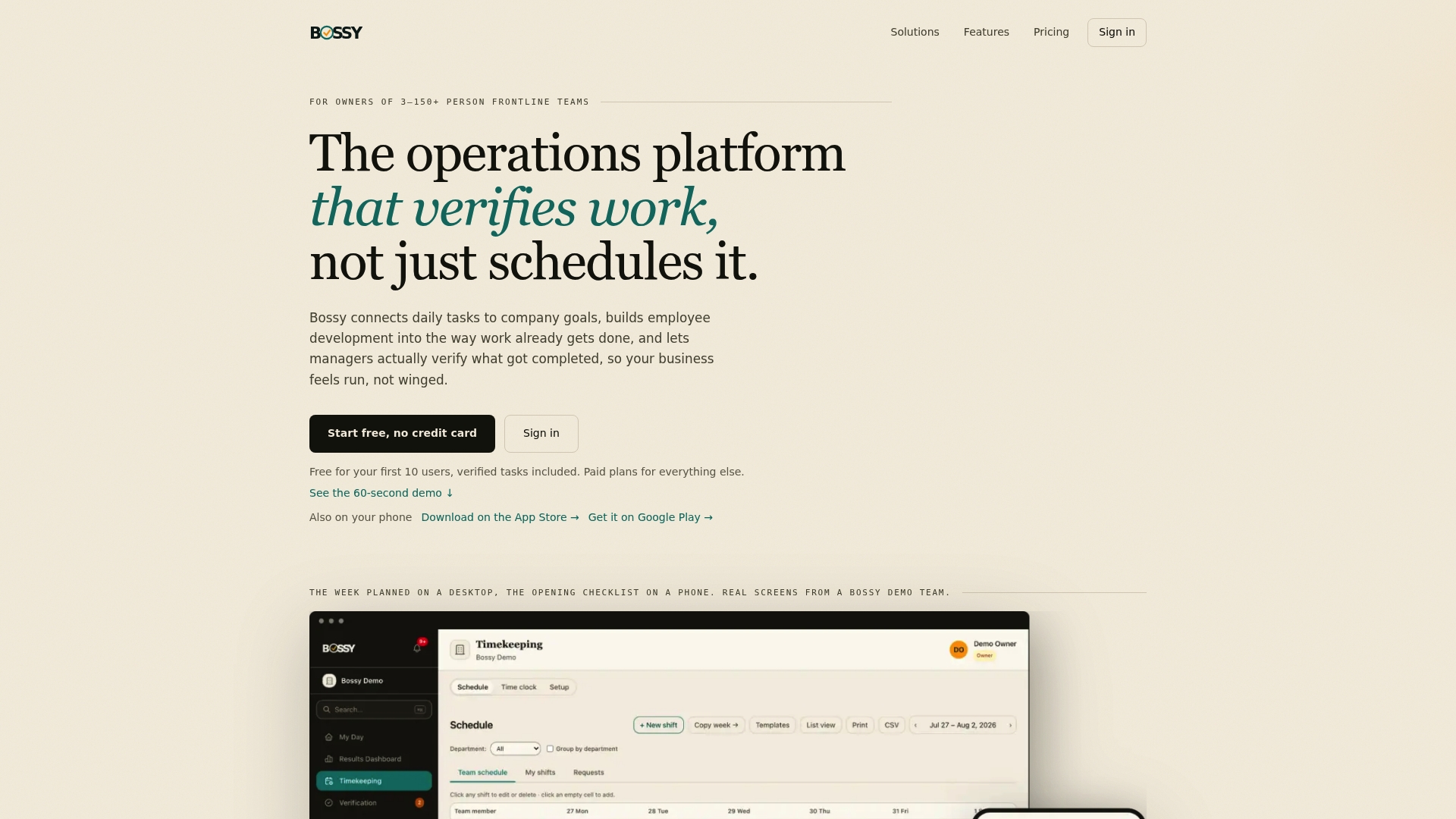
If you run a store and want your opening and closing lists to be proven rather than assumed, start on Operations, where checklists and photo proof live, and build your first checklist from this article. If you only need to assign tasks and approve them, the Free plan covers that.
Our perspective
We built Bossy for owners and managers who can't be in every store at once. Trust runs on your presence, and when you step away, a checklist alone can't hold the line.
What we have found matters is simple. A task is done when someone can see it is done. That is why we pair every checklist with photo proof and an approval queue, so you review results instead of chasing people.
We also believe a checklist should connect to something bigger. When the closing routine ties back to a goal, such as cleaner stores or fewer cash variances, your team understands why it matters, and that is when habits form.
Finally, the same system should help people grow. One-on-ones, feedback and growth tasks sit next to daily operations because a team that is developing stays longer, and a team that stays does the work better.
FAQ
What should be on a retail store checklist?
Cover security, safety, cash and POS, merchandising and a short team huddle at opening. At closing, add a final walkthrough, register reconciliation, restocking, handover notes and lock-up. Assign every task to a role and ask for proof.
How often should I do a store inspection?
Use a quick daily floor walk for the basics and a scored inspection weekly. The walk catches today's problems. The inspection shows trends, such as the same display slipping every week.
How long should closing take?
The cash reconciliation portion can run 10 to 15 minutes when the routine is clear. Total closing time depends on store size and how much restocking and cleaning is needed.
Who should own the checklist?
One named person per store, usually the store manager or shift lead, with a weekly review. Individual tasks go to roles such as opener and closer.
Can the same checklist work for every store?
Yes for the core items. Keep one standard for security, cash, safety and presentation, then add store-specific lines where layouts differ.
Sources
- Retail Store Opening and Closing Checklist: Security Guide
- Retail Opening and Closing Procedures: Checklist
- The Ultimate Store Opening Checklist for Retail Managers
- End-of-Day POS Reconciliation: A Checklist for Retailers
- Walkthrough Checklist
- Retail Loss Prevention: Store Managers Fix Errors Before Guards
- Fix POS Network Issues in Under 10 Minutes for Shift Managers