Best Goal Tracking Software for Teams in 2026
Christian MontenegroOctober 30, 202613 min read

The best goal tracking software depends on one question: whose goals are you tracking? If it's your own habits, a personal app will do. If it's a team of 3 to 150 people who do the actual work while you're somewhere else, you need a tool that connects the goal to the daily task and shows you the task got done. That's the gap we built Bossy to fill, and it's the lens we use for this comparison.
Below we sort the options into three groups, say plainly what each is good at, and show where the usual picks fall short for restaurants, salons, fitness studios, agencies, retail shops and warehouses.
TL;DR
- Personal goal and habit apps (Strides, GoalsOnTrack, Griply and similar) are great for one person and weak for managing a team.
- OKR platforms (Tability, Weekdone, Profit.co, Workboard and others) track company goals well, but they usually stop at the dashboard. The shift floor never sees them.
- Frontline teams need goals tied to tasks, plus proof of completion. That's Bossy's approach: cascading goals, photo-verified tasks and a manager approval queue.
- Bossy has a free plan for task verification, and paid plans run from $25 to $50 per month, or $79 per month through Shopify, with additional users at $5 per month each. Cascading goals start on the Operations plan at $30 per month.
- Pick by team type and by who has to open the tool every day, not by the longest feature list.
Table of Contents
- What "goal tracking software" actually means
- Personal goal trackers: good for you, not for your crew
- OKR platforms: strong on strategy, thin on the floor
- Bossy: goals that turn into verified daily work
- Side-by-side comparison
- How to choose: five questions to ask before you pick
- Common mistakes when rolling out goal tracking
- Our perspective: goals fail at the handoff
- Try goal tracking that connects to real work
- FAQ
- Sources
What "goal tracking software" actually means
Search this phrase and you get a mix of things that have little in common. Some results are phone apps for New Year's resolutions. Others are OKR platforms for executive teams. A few are performance review tools with a goals tab bolted on.
They solve different problems:
- Personal goal and habit trackers. One user, one set of goals, streaks and reminders.
- OKR and strategy platforms. Objectives and key results across a company, with check-ins and progress roll-ups.
- Operations platforms with goals built in. Goals sit next to the tasks, schedules and checklists that move them forward.
Most "best of" lists mash these together. That's how a restaurant owner ends up trialing a habit app and wondering why the dishwashers never open it.
So start with an honest question. Is your problem that you forget to set goals? Or is it that you set them, and nothing changes on Tuesday at 3 p.m. when nobody is watching? If it's the second one, keep reading.
Personal goal trackers: good for you, not for your crew
These are the apps that dominate the first page of results, including Reddit threads full of app suggestions. Strides tracks goals and habits with several tracker types, charts and reminders. GoalsOnTrack gives each goal fields for vision, purpose and obstacles, and one review of goal apps lists it at $68 a year. Griply puts goals, habits, tasks and a calendar in one phone app.
What they do well:
- Low cost, often with a free tier.
- Fast to start. No admin, no setup.
- Good for personal habits, fitness targets and side projects.
Where they stop:
- No team structure. There's no way to hand a goal down to a shift lead and have it show up as work.
- No verification. The app trusts you when you tick a box. For a team, that's the whole problem.
- No schedule, time clock or inventory. Goals live in a bubble, away from the work.
Use them for yourself. Don't expect them to run your business.
OKR platforms: strong on strategy, thin on the floor
If you manage a team, the next stop is usually an OKR tool. There are plenty: Tability, Weekdone, Profit.co, Workboard, Lattice-style performance suites and others. They let leadership write objectives, attach key results, run weekly check-ins and see a roll-up of progress.
This is a real strength. If you have a leadership team of ten people who sit at laptops, these tools give you a clean view of company priorities. Many also have integrations with the apps office teams already use.
The limits show up with frontline teams:
- Check-ins depend on people logging in. A line cook or a stylist on a shift is not opening a strategy dashboard.
- Progress is self-reported. A key result moves because someone typed a number, not because work was verified.
- The goal and the daily job are separate systems. You'd still need another tool for the schedule, another for checklists and probably another for chat.
- Setup can be heavy. Writing good objectives takes time. For a ten-person salon, that overhead can outweigh the benefit.
None of that makes OKR tools bad. They suit office-based teams and larger companies with a dedicated person to run the process. For a business where the owner can't watch every worker, they only solve half the problem.
Bossy: goals that turn into verified daily work
Bossy is an operations platform for businesses with frontline teams of 3 to 150 people. Goal tracking is one part of it, and that's deliberate. A goal that isn't attached to tasks is just a wish on a wall.
Here's how it works in practice:
- Cascading goals. You set a yearly goal, break it into quarterly and monthly goals, and attach the tasks that move it, so people can see how their shift connects to the bigger picture.
- Tasks with photo proof. Assign a task, and the person completes it with a photo. It lands in a manager approval queue. You see what's done, not just what's scheduled.
- Recurring checklists. Opening, closing, cleaning and safety routines run on schedule, so goals around consistency have something real behind them.
- Scheduling and geofenced time clocks. The same system that says who's working also shows who actually showed up on site.
- Inventory control. Stock counts, ordering and transfers, useful for goals around waste, shrink or ordering accuracy.
- Team communication. Chats, announcements, voice notes and polls in one place.
- Employee development. One-on-ones, feedback and growth tasks sit inside the same workflow, so development doesn't get lost when the week gets busy.
- Analytics and audit logs. Dashboards for performance visibility, and a record of who did what.
Not every plan includes all of this. The Free plan covers task assignment and verification. Operations adds cascading goals, photo proof, checklists, scheduling, the time clock and inventory. Growth adds team chat (Loop), 1-on-1s, feedback and growth tasks. Scale + includes both.
The point is simple. When a goal says "cut opening-time misses in half," the checklist, the photo proof and the approval queue are what move it. Progress comes from verified work, not from a number someone types in.
If you're curious how the pieces fit, our features page lays them out, and restaurant owners can see a task and team management setup for restaurants.
What Bossy costs
Bossy has a free plan. Paid plans as published on our pricing page:
| Plan | Price |
|---|---|
| Free | No charge, 10 users included |
| Growth | $25 per month, 15 users included |
| Operations | $30 per month, 15 users included |
| Scale + | $50 per month, 35 users included |
| Bossy through Shopify | $79 per month, everything in Scale +, billed through your Shopify account |
| Enterprise | Custom, not published |
Pricing is a base rate per organization for a set number of users. Above the included thresholds you add users at $5 per month per additional user. On the Free plan, extra users are $10 per month for each block of 10. Check the pricing page for what each plan includes today.
Who Bossy is not for
Be honest with yourself here. Bossy is built for owners and managers running teams. If you want a personal habit streak or a private journal of goals, a personal app is simpler and cheaper. And if your company is a 500-person office that lives in strategy documents, a dedicated OKR platform may fit your process better.
Side-by-side comparison
Here's how the three categories stack up on the things frontline managers care about.
| Criteria | Personal goal apps | OKR platforms | Bossy |
|---|---|---|---|
| Built for | One person | Office and leadership teams | Frontline teams of 3 to 150 |
| Goals cascade down | No | Yes | Yes, from yearly goals down to tasks |
| Goals linked to daily tasks | Loosely | Usually separate | Yes, in one system |
| Proof that work was done | Self-reported | Self-reported check-ins | Photo proof and approval queue |
| Scheduling and time clocks | No | Usually no | Yes, with geofencing |
| Inventory and checklists | No | No | Yes |
| Employee development tools | No | Sometimes, in suites | 1-on-1s, feedback, growth tasks |
| Best for | Personal habits | Strategy alignment | Operations and accountability |
If you also want to see how Bossy stacks up against a neighboring field, our Connecteam comparison goes feature by feature, and our guide to 15Five alternatives covers the ops-versus-OKR question from the performance management side.
How to choose: five questions to ask before you pick
A feature checklist won't pick the right tool for you. These questions will.
1. Who has to open it every day?
If the answer is "hourly staff on their phones between tasks," the tool has to be quick and mobile-friendly, and it has to be where their work already lives. A standalone goals dashboard won't survive that test.
2. How will you know the work was done?
Ask each vendor to show you how completion is verified. A checkbox is a claim. A photo with a manager's approval is evidence. For restaurants and cleaning crews, that difference is the whole job.
3. Can a goal reach a shift?
Take one real goal, say reducing waste on closing counts. Trace it through the tool. Does it turn into a task someone gets assigned, and can you see the result? If not, you're buying a poster.

4. How much setup can you take on?
An OKR process needs someone to keep it running. In a 12-person shop, that someone is you, between everything else. Favor tools you can set up in an afternoon and improve as you go.
5. What will it cost at your size?
Per-seat pricing grows fast with a big hourly team. A base rate per organization with a set number of users, plus a fee per additional user, is easier to predict. Whatever you choose, price it at your headcount today and at the headcount you expect next year.
Common mistakes when rolling out goal tracking
Even the right tool fails if the rollout is sloppy. These are the patterns we see most.
- Too many goals. Three to five at the company level is plenty. Every goal you add dilutes the others.
- Goals nobody can influence. "Grow revenue 20%" means nothing to a barista. "Upsell a pastry on every third order" does.
- No review rhythm. A goal you look at once a quarter is a goal you've forgotten. Weekly is better. Short one-on-ones help here.
- Tracking without feedback. Numbers alone don't change behavior. A short note on a completed task does more than a dashboard.
- Skipping the team. If people learn about goals only when you're unhappy, they'll associate goals with trouble. Share wins early.
For more on aligning day-to-day work with company direction, team efficiency strategies for business leaders is a good place to start thinking about priorities.
Our perspective: goals fail at the handoff
We talk to a lot of owners who run restaurants, salons, studios and shops. The story is nearly always the same. They know what they want. They've said it in a meeting. And two weeks later, nothing looks different.
The goal wasn't wrong. The handoff was. Somewhere between "here's what we're aiming for" and "here's what you do on your shift," the link broke. Nobody was lazy. Nobody could see how their Tuesday mattered.
That's why we built Bossy as one system rather than a goals tool with extras. We believe three things:
- A goal needs a task. If it can't be turned into something a person does today, it isn't ready.
- A task needs proof. Trust matters, but trust runs on your presence, and you can't be everywhere. Photo proof and an approval queue let you hold the line when you're not in the room.
- People need to grow, not just comply. The best retention tool we know is a manager who gives feedback and helps someone build a skill. That's why one-on-ones and growth tasks live next to the daily work.
If you're a solo operator after a personal productivity app, we're not your tool, and we'd rather say so. If you're a manager who can't watch every worker, this is what we built it for.
Try goal tracking that connects to real work
If your goals keep stalling between the meeting and the shift, start small. Bossy's Free plan lets you assign tasks, run them through the approval queue and judge the fit before paying anything. Cascading goals, photo proof and checklists come with the Operations plan at $30 per month.
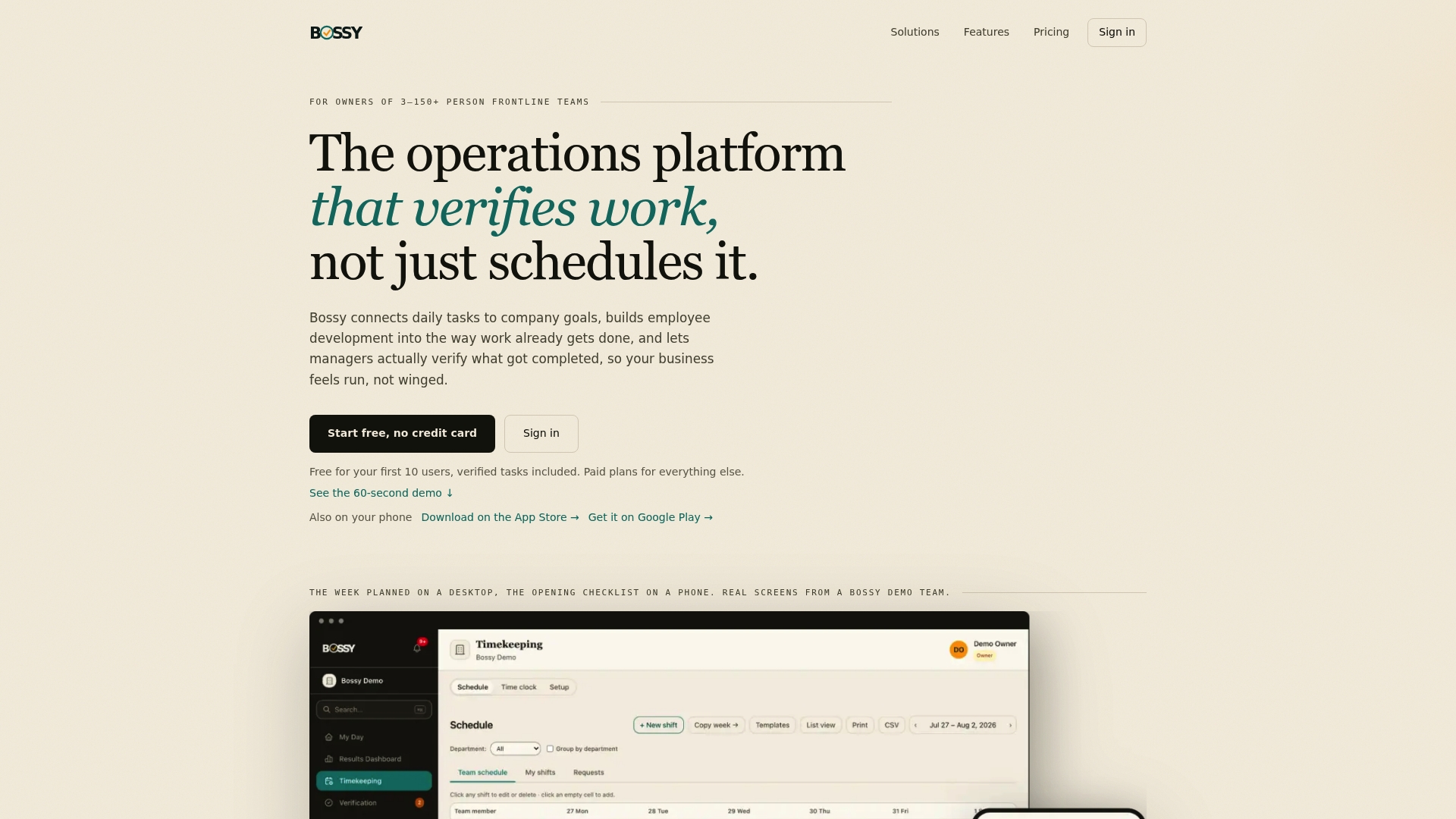
See the plans and what each one includes on our pricing page, or look around Bossy's home page to see how the whole platform fits together.
FAQ
What is the best goal tracking software for small businesses?
It depends on your team. For personal goals, a habit app is enough. For a small business with frontline staff, pick a tool that links goals to daily tasks and verifies completion. Bossy is built for that, for teams of 3 to 150 people.
Is there free goal tracking software for teams?
Yes, several tools offer free tiers, though limits on users and features vary, so check each vendor's page. Bossy has a Free plan for task assignment and verification, and extra users on it cost $10 per month for each block of 10. Bossy's cascading goals start on the Operations plan at $30 per month.
What's the difference between OKR software and goal tracking software?
OKR software is one kind of goal tracking, built around objectives and measurable key results, usually for office teams. Goal tracking is the broader term and includes personal apps and operations platforms that tie goals to tasks and schedules.
Can goal tracking software replace my checklists and schedules?
Only if it includes them. Most goal and OKR tools don't. Bossy combines recurring checklists, scheduling, geofenced time clocks and goals in one system on its Operations plan, so you aren't juggling several apps.
How many goals should a team track at once?
Fewer than you think. Three to five company-level goals is a workable range, each broken into tasks people can finish in a shift or a week. If you can't explain a goal in one sentence to a new hire, trim it.