Best Time Clock App for Small Teams: 8 Options Compared
Christian MontenegroOctober 29, 202613 min read

The best time clock app is the one your team will actually use every shift, and that your payroll can trust at the end of the week. For most small businesses that means a mobile clock-in with accurate timestamps, clean timesheets and a price that doesn't balloon as you hire. Below we compare eight real options, with the prices we could verify, and tell you who each one suits. We make one of them, and we'll be upfront about where it fits and where it doesn't.
TL;DR
- Pick by workforce first: phones with GPS for field crews, a shared kiosk with PINs or QR codes for warehouses and back rooms.
- Price models differ a lot: free tiers, per-user fees, flat base fees and monthly minimums. Compare the total for your headcount, not the headline number.
- Pure time trackers (Jibble, Deputy, QuickBooks Time, Workyard) record when people were there. Bossy also checks what they did, with photo proof and approvals.
- Agencies billing by the hour should look at Everhour or Timely. Frontline shift teams usually don't need project-level tracking.
- Always test with a real week of shifts before you commit.
Table of Contents
- What a time clock app has to do
- The eight apps at a glance
- Bossy: when you need to know the work got done
- Jibble: the free starting point
- Connecteam: all-in-one for small teams
- Deputy: built around the schedule
- QuickBooks Time: the accounting-first pick
- Workyard: crews across job sites
- Everhour and Timely: for billable hours
- What the pricing really looks like
- Our perspective: a punch is not proof
- Mobile, GPS and shared-device setups
- How to pick in five steps
- Try Bossy on your own team
- FAQ
- Sources
What a time clock app has to do
A punch is simple. Trusting the punch is where apps differ. The U.S. Chamber of Commerce says a small business should compare accurate timekeeping, timesheet management, overtime and break compliance, reporting, payroll and accounting integrations, and punch methods that fit its workforce. It also points to audit trails, edit history, timestamps, approvals, locked timesheets and role-based permissions.
That list is a good filter. Here is how we'd turn it into questions you can ask in a demo:
- How do people clock in? Phone, shared tablet, PIN, QR code, or biometrics. Pick what your people already have in their pockets or on the wall.
- Can a manager see who changed a time entry? If edits aren't logged, you have a dispute waiting to happen.
- Can you lock a pay period? Once payroll is run, nobody should be able to quietly change last week.
- Does it connect to payroll or accounting? Retyping hours is where errors creep in.
- What does it really cost? The same source tells you to count plans, add-ons, hardware and training, not just the monthly fee.
The eight apps at a glance
Prices below are the ones we could confirm from the pages cited in this article. Plans change, so check each provider's pricing page before you buy.
| App | Best for | Pricing we could verify |
|---|---|---|
| Bossy | Frontline teams that need proof of work, not only punches | Time clock on Operations $30/month and Scale + $50/month, plus $5/month per additional user; free plan for task verification only |
| Jibble | Free time and attendance | Free plan for unlimited users |
| Connecteam | Small teams wanting an all-in-one mobile app | $29/month for the first 30 users |
| Deputy | Scheduling-heavy shift work | $5 to $9 per user/month, $30 monthly minimum |
| QuickBooks Time | Teams already in QuickBooks | $8 per user/month plus $20 base fee |
| Workyard | Crews across multiple job sites | From $6 per user/month plus $50 monthly base fee |
| Everhour | Project and billable-hour tracking | Free up to 5 seats; Team $8.50 per seat/month billed yearly |
| Timely | Automatic, AI-assisted time tracking | From $11 per user/month (monthly billing) |
Bossy: when you need to know the work got done
A clock-in tells you someone showed up. It doesn't tell you the walk-in was cleaned, the shelves were counted or the opening checklist was finished. That gap is why we built Bossy.
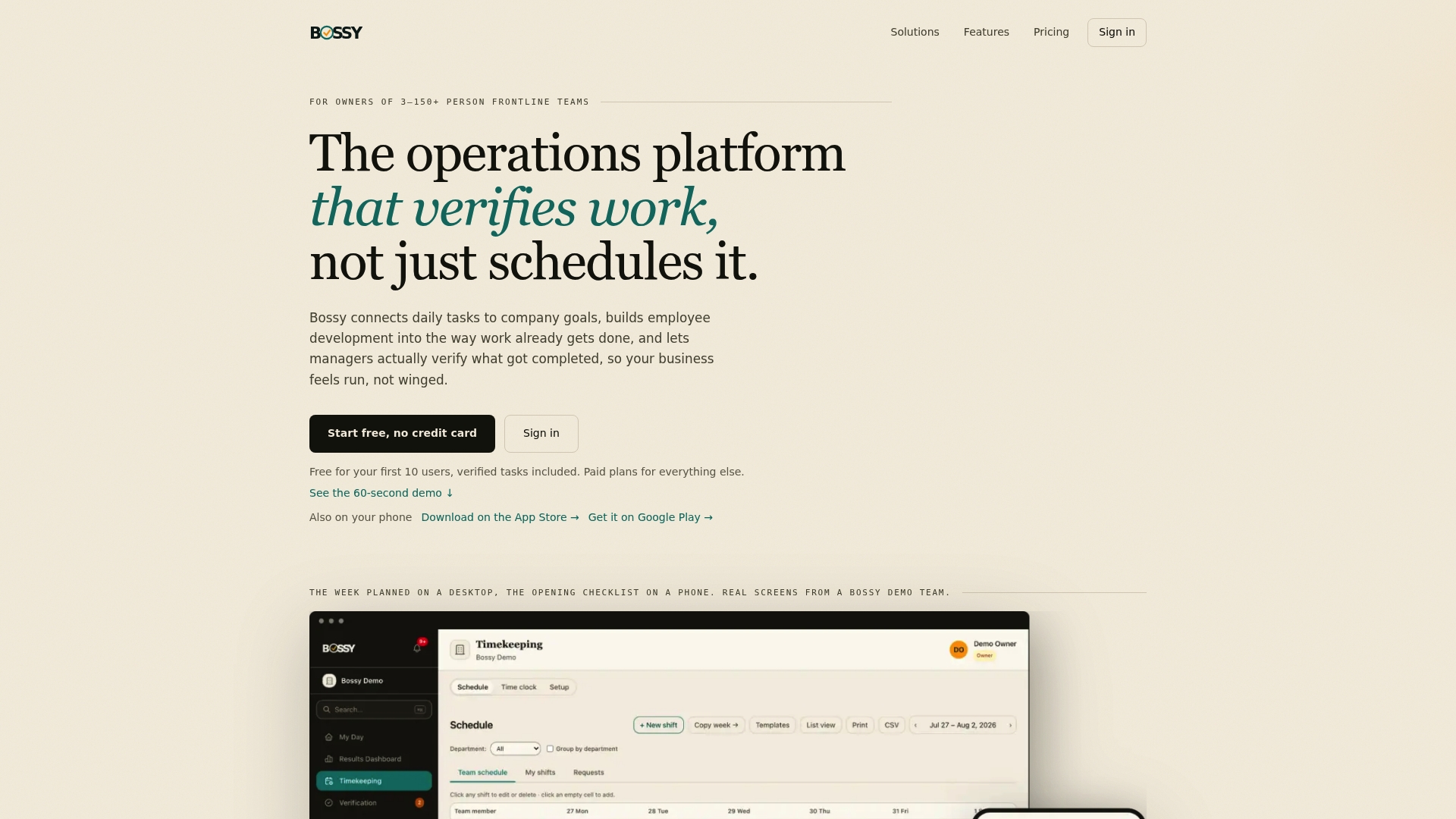
Bossy is an operations platform for businesses with 3 to 150 frontline employees. The time clock is geofenced, so punches are tied to your location. Around it sit the things that usually live in five other tools: task assignment with photo proof and a manager approval queue, scheduling, recurring checklists, inventory counts and transfers, team chat and announcements, cascading goals and analytics. Not every plan has all of it: the time clock, scheduling, checklists, photo proof, inventory and goals come with Operations, team chat (Loop) comes with Growth, and Scale + includes both.
The published plans are Operations at $30 per month (15 users included), Growth at $25 per month (15 users) and Scale + at $50 per month (35 users), with $5 per month for each additional user and an Enterprise plan without a published price. Bossy through Shopify is $79 per month, with everything in Scale +, billed through your Shopify account. There is also a Free plan for up to 10 users that covers task assignment and verification, but not the time clock. See the Bossy pricing page for what each plan includes.
Good fit: restaurants, salons, fitness studios, multi-shop retail, cleaning crews and warehouses where the owner isn't standing over every worker. If that's you, our guides on geofencing time clocks and stopping time-clock fraud without micromanaging go deeper.
Less of a fit: if you only want a stripped-down punch tool with nothing else, a single-purpose app may feel simpler. And if you bill clients by the hour on projects, look at the project trackers below.
Jibble: the free starting point
Jibble offers a free plan for unlimited users, according to Employsome's 2026 attendance software ranking. That makes it the obvious trial for a very small team that just wants to stop using paper or a spreadsheet.
The tradeoff is the usual one with free: you're getting attendance, and anything beyond that is somewhere else. If you later need task checks, inventory or goals, you'll be stitching tools together.
Connecteam: all-in-one for small teams
Connecteam charges $29 per month for the first 30 users, per the same Employsome ranking. A flat price for a block of users is easy to budget, and for teams under 30 it's competitive.
It covers a similar territory to Bossy: communication, scheduling and tracking. If you're deciding between the two, our Bossy vs Connecteam comparison lays out the differences. Our main one is what happens after the punch: task verification with photo proof and an approval queue, plus goals and development tools that tie daily work to what the business is trying to achieve.
Deputy: built around the schedule
Deputy's 2026 tiers are Lite at $5, Core at $6.50 and Premium at $9 per user per month, with a $30 monthly minimum on monthly billing, according to Employsome. Shift-based businesses like it because the schedule and the clock sit together.
Do the math at your size. With a $30 minimum, a team of three on Lite still pays $30, not $15. At 15 people on Core you'd be near $97.50 a month. Per-user pricing is great while you're small and gets heavier as you grow.
QuickBooks Time: the accounting-first pick
QuickBooks Time costs $8 per user per month plus a $20 base fee, and its draw is native integration with the QuickBooks ecosystem, according to tinyteam's 2026 roundup. If your books and payroll already run through QuickBooks, that tight link saves real retyping.
For ten employees that works out to $100 a month. If you're weighing it against other tools, we wrote a separate guide to QuickBooks Time alternatives for frontline teams.
Workyard: crews across job sites
Workyard starts at $6 per user per month plus a $50 monthly base fee on its Starter plan, and it's designed for multi-jobsite crews, according to Construction Links Network's 2026 review. If your people move between sites all day and you need location records for each, it's a natural candidate.
For a deeper look at location-based options, see our guide to GPS time clock apps.
Everhour and Timely: for billable hours
These two sit in a different category. They track time against projects and clients, which suits agencies and consultancies more than a restaurant floor.
Everhour lists a free plan at $0 for up to 5 seats with basic tracking, projects, tasks, reports and exports. The Team plan is $8.50 per seat per month billed yearly, with a five-seat minimum and all features, and a custom plan starts at 50 seats. The paid plan comes with a 14-day trial with no credit card, per Everhour's pricing page.
Timely is an automated time-management tool. Its official pricing page lists monthly prices of $11 per user for Starter (up to 5 users and 20 projects), $20 for Premium (up to 50 users) and $28 for Unlimited. Billed annually, those become $9, $16 and $22 per user per month. Features include automatic tracking, AI categorization and billable-hour reporting.

If your goal is to know whether a client project is profitable, hours are only half the picture. This walkthrough on project profitability reporting shows how to connect time to margins.
What the pricing really looks like
Headline prices hide the shape of the bill. Some apps charge per user, some add a flat base fee, and some enforce a minimum. Here's the monthly cost for a 10-person team, using only the listed numbers and monthly billing where there's a choice:
| App | Math | Monthly total |
|---|---|---|
| Jibble | Free plan | $0 |
| Connecteam | First 30 users | $29 |
| Deputy (Lite) | 10 × $5 | $50 |
| QuickBooks Time | 10 × $8 + $20 | $100 |
| Workyard | 10 × $6 + $50 | $110 |
| Everhour (Team) | 10 × $8.50, billed yearly | $85 |
| Timely (Starter) | Capped at 5 users, so Premium: 10 × $20 | $200 |
These are plan-entry numbers, and features differ a lot between them. A cheap clock that needs three other tools isn't cheap. Our Operations plan at $30 per month bundles the clock with tasks, scheduling and checklists, which is the comparison we'd ask you to make. If you're still sorting out how vendors structure their fees, this guide to software pricing models is a useful way to read a quote.
Our perspective: a punch is not proof
We talk to owners who've tried a time clock and still feel blind. Everyone clocked in on time. The store still opened late, the prep list was half done and nobody can say why.
Here's what we've come to believe. Time and attendance is the easy part of running a frontline team. The hard part is the gap between presence and results. A schedule says who should be there. A punch says who was. Neither says what got done.
So we think the right question isn't "which clock is cheapest." It's "what do I need to see without being in the room?" For most owners it's three things: did people arrive, did they do the work, and does the work connect to what we're trying to hit this month. That's why Bossy pairs the geofenced clock with photo proof, an approval queue and goals that cascade down to daily tasks.
If you only need hours for payroll, a simple tracker is fine, and we'd say so. If you're the owner who can't be everywhere, trust runs on your presence, and the point of the software is to make that presence unnecessary.
Mobile, GPS and shared-device setups
Phones with GPS. Best for field crews, delivery, cleaning and mobile services. Geofencing ties a punch to a place, so people can't clock in from the couch. Ask what happens with weak signal and whether offline punches sync later with the original timestamp.
Shared kiosk. Best for warehouses, kitchens and back-of-house. The Chamber's guidance for warehouse teams is to compare kiosk or physical-device punch methods, PINs, QR codes or biometrics, reporting, approvals, locked timesheets and offline mode where needed (source). Watch for buddy punching on PIN-only setups, and think about how a shared tablet will be mounted and charged.

Both. Many businesses use a mix: managers on phones, floor staff on a kiosk. Check that the same account handles both without extra fees.
How to pick in five steps
- Count your people and growth. Run the cost for your headcount today and in twelve months.
- Choose the punch method. Phone, kiosk or both, and decide on GPS rules.
- List your payroll and accounting tools. Confirm the integration exists and check how hours export.
- Test the manager side. Approving, editing and locking timesheets should take minutes, not an afternoon.
- Run one real week. Use real shifts with real staff, then see where people got stuck.
Try Bossy on your own team
If you want the clock, the checklists and the proof in one place, that's the Operations plan at $30 per month. You can also start on the free plan to see how your team takes to task verification, then move up when you want the clock. The paid plans are listed at the prices on our pricing page, and the features overview shows the full set.
Restaurant owners can also see how this works for restaurant teams, and cleaning companies can look at the cleaning setup.
FAQ
What is the best time clock app for a small business?
It depends on what you need beyond hours. Jibble is the lowest-cost start, Deputy suits schedule-heavy teams, QuickBooks Time suits QuickBooks users, and Bossy suits owners who want to verify the work as well as the punch. Price your headcount in each before choosing.
Is there a free time clock app?
Yes. Jibble offers a free plan for unlimited users, and Everhour's free plan covers up to 5 seats. Bossy also has a free plan, but it covers task assignment and verification; the Bossy time clock starts on the Operations plan at $30 per month. Free tiers usually limit features, so check what you'd have to pay for later.
What should a warehouse look for in a time clock?
Shared-device punching matters most: kiosk, PINs, QR codes or biometrics, plus approvals, locked timesheets and offline mode if connectivity is patchy. Decide how you'll prevent one person punching for another before you pick a method.
Do time clock apps handle overtime and payroll?
Most good ones track overtime and breaks and export hours to payroll or accounting software, but depth varies. Ask for a demo of your exact overtime rules, and check which payroll tools connect directly.
Sources
- Compare Small Business Time and Attendance Software, U.S. Chamber of Commerce
- Attendance Tracking Software for 2026: Top 20 Tools Ranked, Employsome
- Timely Pricing & Plans
- Everhour Pricing
- 4 Best Mobile GPS Time Clocks for US Contractors (2026), Construction Links Network
- Best Time and Attendance Software (2026), tinyteam