Best Pulse Survey Tools for Frontline Teams in 2026
Christian MontenegroNovember 7, 202612 min read

The best pulse survey tool is the one your team actually answers, and then acts on. For desk-based HR teams that often means a dedicated engagement platform. For managers running shift-based crews of 3 to 150 people, it usually means something lighter, faster and tied to the work itself. Below we compare the options people shortlist most, explain where each fits, and show how Bossy handles regular feedback for frontline teams.
TL;DR
- Pulse survey software collects short, frequent feedback (weekly, bi-weekly or monthly) so you can spot problems before the annual survey does.
- Big engagement platforms such as Culture Amp, Qualtrics and Lattice suit HR-led companies with analysts. Smaller per-seat tools such as Officevibe and 15Five suit lean people teams.
- Frontline teams answer short pulses far more often than long ones, so keep yours to a handful of questions and deliver them where people already are.
- Bossy pairs polls, chats, 1-on-1s and feedback with verified tasks, so every answer can become a job someone owns.
Table of Contents
- What pulse survey software does (and how it differs from an annual survey)
- How we compared these tools
- The best pulse survey tools, compared
- Why frontline teams need a different kind of pulse
- Anonymous or not? Decide before you send
- What to check before you pick a tool
- Turning pulse results into action
- Our perspective
- Bossy plans for teams that want to listen and follow through
- Which tool for which team
- FAQ
- Sources
What pulse survey software does (and how it differs from an annual survey)
A pulse survey is a short check-in you send on a regular rhythm. Qualtrics describes it as feedback collected weekly, bi-weekly or monthly rather than only once a year, so leaders can act before issues escalate. An annual engagement survey goes deep. A pulse goes narrow and fast.
That difference matters in practice:
- Length: Pulses are often 10 to 20 questions in the corporate world, per Qualtrics. Frontline teams need far fewer, more on that below.
- Cadence: Monthly, quarterly or weekly, depending on how quickly your business changes.
- Purpose: Tracking sentiment on specific issues, not measuring every driver of engagement.
One caution from Gallup: pulses work best alongside a validated engagement survey, and the real value comes from the conversations they start. So a pulse is a starting point for a talk, not a finished report.
How we compared these tools
We looked at five things a manager actually feels:
- Who it was built for. Office workers with email, or crews on their feet with a phone?
- How people answer. Email link, app, text, QR code, chat?
- What happens after. Dashboards are easy. Turning an answer into a fixed problem is hard.
- Team size fit. A tool designed for 5,000 people can feel heavy at 30.
- Cost shape. Per seat, per organization, or annual minimum.
We only quote prices where we found a published figure, and prices change, so check each vendor's pricing page before you buy.
The best pulse survey tools, compared
| Tool | Best for | How it fits frontline teams | Published pricing shape |
|---|---|---|---|
| Bossy | Owners and managers of 3 to 150 frontline employees | Polls and chats in the team's daily workspace, plus 1-on-1s, feedback and tasks with photo proof | Free plan, then paid plans from $25 per month (see below) |
| Culture Amp | Mid-market and larger HR teams that want benchmarking | Full employee experience suite, strongest with an HR owner | Enterprise, Standard and Self-starter tiers |
| Qualtrics | Large organizations with analytics needs | Deep analysis and manager action planning | Quote-based |
| Lattice | Companies that already run performance reviews | Pulses inside a people-management platform | Quote-based |
| Workleap Officevibe | Small to mid-size teams that want simple pulses | Lightweight weekly check-ins | Starts at $5 per user per month |
| 15Five | Managers who run regular check-ins | Check-ins and pulses in one flow | Starts at $4 per user per month |
| CultureMonkey | Distributed and deskless workforces | Built with multi-channel delivery in mind | Quote-based |
| Pulse Feedback | Teams that want a simple survey library | Question bank and templates | Per-user monthly pricing |
The two per-user prices above come from HRFuture's comparison of pulse tools for distributed and deskless teams, which lists Officevibe at $5 and 15Five at $4 per user per month.
Bossy: feedback that turns into verified work
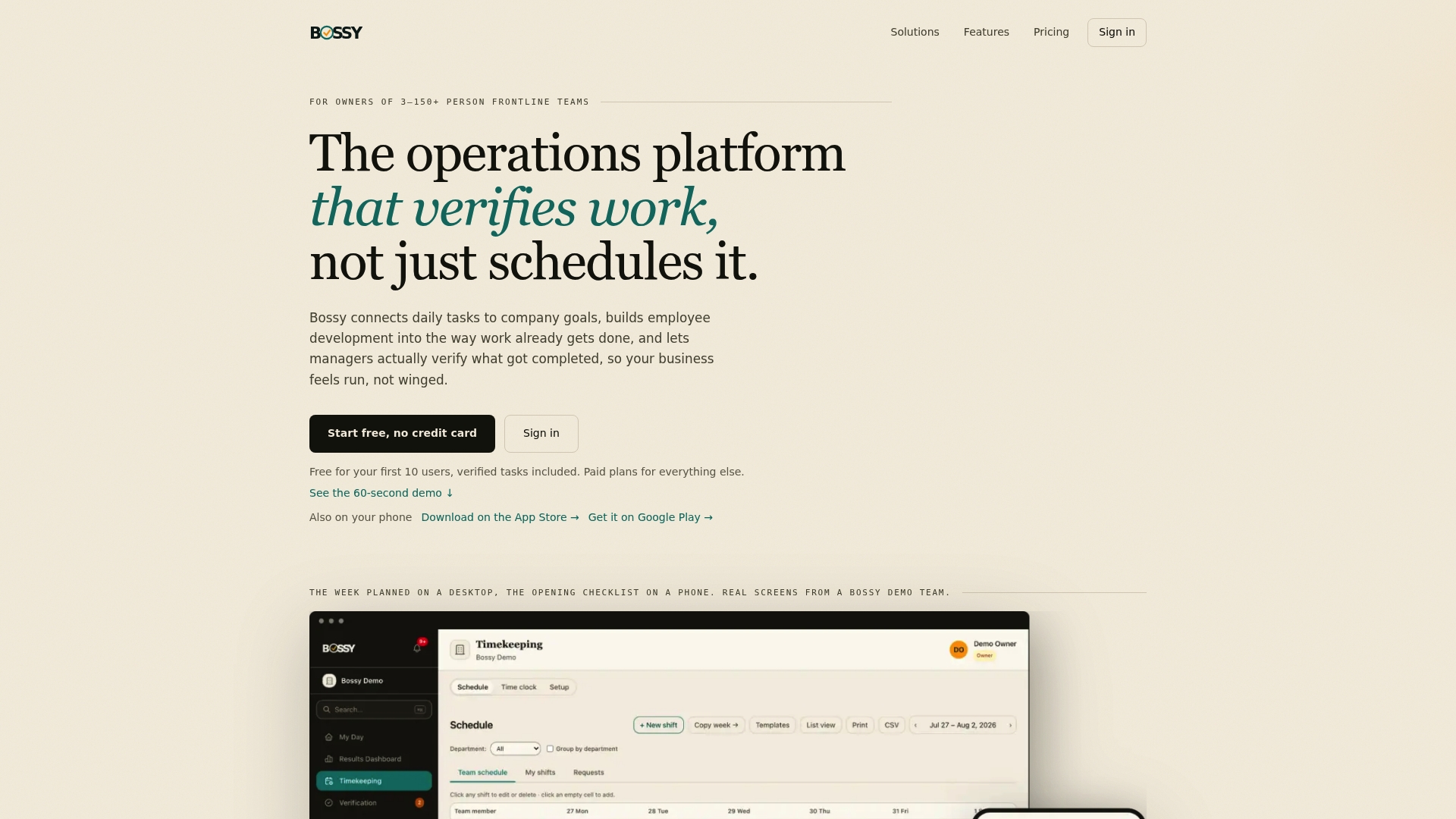
Bossy is an operations platform for businesses with frontline teams, and feedback is built into how the team works. You can run polls and announcements in team chat, record voice notes, hold 1-on-1s, give feedback, and assign growth tasks. When a pulse reveals a problem, say the closing shift feels rushed, you assign the fix as a task and check it with photo proof and an approval queue.
That is the point of difference: the answer does not sit in a report. It becomes work with an owner and a finish line. Bossy also covers scheduling, time clocks, checklists, inventory and cascading goals, so you are not paying for a survey tool on top of three other apps. Bossy is not a dedicated survey platform, though: polls, chat, 1-on-1s and feedback are on the Growth plan, photo proof, checklists and scheduling are on Operations, and Scale + has both.
If you want ready-made questions, our guide to copyable employee polls managers can run in team chat is a good place to begin.

Culture Amp, Qualtrics and Lattice: the HR-led platforms
These are the names that come up in nearly every shortlist. Culture Amp positions itself as an employee experience platform with 6,000+ customers. Qualtrics combines continuous feedback, analytics, comment theme detection and action planning. Lattice wraps pulses inside broader people management.
They shine when you have a dedicated HR or people-analytics owner, a desk-based workforce and a need for benchmarking. For a 25-person salon or a three-location restaurant group, that is often more setup than the job needs.

Officevibe and 15Five: simple, per-seat pulses
Officevibe and 15Five are popular with smaller companies because the price per seat is clear and the setup is quick. They work well when your people sit at laptops and check email. If your team clocks in at a counter or on a warehouse floor, check how they will receive and answer the survey before committing.
CultureMonkey and Pulse Feedback: specialist survey platforms
CultureMonkey is aimed at distributed, deskless and multi-business-unit workforces, with delivery by text and QR code and support for 100+ languages. Pulse Feedback, from Switzerland, offers a scientifically developed question bank and unlimited surveys with templates. Both are survey-first products: strong at asking, with the follow-through living elsewhere.
Why frontline teams need a different kind of pulse
Most pulse tools were designed around the office worker. Frontline teams have different habits, and the numbers show it. HRFuture reports an average 34% participation gap between frontline and desk-based workers on email-only tools, and 2.3 times higher participation when frontline teams are surveyed over WhatsApp.
Length matters too. The same report says shorter frontline pulses reach a 63% completion rate, while lengthy surveys fall to 37%, with completion dropping sharply beyond three to five questions.
So for a crew on shift, the rules are simple:
- Three to five questions, max. One tap each, if you can.
- Ask where they already are. If your team lives in a chat, ask in the chat.
- Ask at a calm moment. End of shift, not the middle of the lunch rush.
- Close the loop fast. Tell people what changed within a week or two.
Anonymous or not? Decide before you send
This trips up a lot of managers. Anonymous, confidential and identified surveys are not the same thing. Anonymous means no one can trace an answer. Confidential means results are shielded from individuals but may still be split by group. Tools handle this differently, and an aggregator comparison notes that some tools running "confidential" surveys are not truly anonymous.
In a small team, the risk is obvious. If you have six people on a shift and you split results by location and role, everyone knows who wrote what. A few ground rules:
- Tell people up front how answers are used and who sees them.
- Don't report results for groups so small that individuals are identifiable. One academic study of action planning after employee surveys describes generating unit reports only when there are more than five participants (Hübner and Zacher, 2021).
- Keep sensitive topics for a private 1-on-1, not a poll.
What to check before you pick a tool
Walk through the manager workflow
Don't judge a tool by its dashboard. Follow one answer from the result to the first action. Who sees it? What does the manager do on Monday morning? If the tool stops at a chart, you are paying to collect opinions, not to improve anything.
Match delivery to how your team works
Can someone answer in under 30 seconds on a phone, without logging in to anything new? If not, expect low response rates, whatever the features list says.
Look at the full cost
Per-seat pricing looks cheap until you add every part-timer. Some tools carry annual minimums. Ask what happens when you add 20 seasonal workers.
Decide what else you need
If you also need scheduling, task tracking and checklists, a single platform beats stitching together separate tools. If you only need a survey for a 2,000-person desk-based company, a specialist survey platform may be the better match.
Turning pulse results into action
Collecting answers is the easy half. A useful routine for a manager looks like this:
- Read the results within 48 hours. Look for one theme, not ten.
- Share it with the team. "Here is what you told us." Short and honest.
- Pick one fix. Assign it to a person with a date.
- Verify it happened. Don't assume.
- Ask again. The next pulse shows whether the fix landed.
That last loop is where trust gets built. If you want a practical read on getting to root causes instead of launching yet another campaign, this guide to employee engagement for managers covers it well. And if you need conversation starters for the weekly check-in itself, see our 15 minute weekly employee feedback examples.
Regular feedback also ties directly to keeping people. For ideas on that link, this practical guide on improving employee retention is worth your time, and our own piece on quick wins to reduce staff turnover is written for frontline managers.
Our perspective
We built Bossy for managers who can't be everywhere. When the owner doesn't oversee every worker directly, trust runs on your presence, and presence has limits.
Most pulse tools stop at the question. They ask how the team feels, show you a chart, and leave you to figure out the rest. We think that is only half a system. Hearing that the team feels unheard is not the same as fixing it.
That is why we link feedback to the work. A poll in the team chat, a 1-on-1, a note about a rough closing shift: each can become a task with an owner, photo proof and a manager approval. Goals cascade down, so people see how their day connects to what the business is trying to do. And development tools sit inside the same workflow, so growth isn't a separate project you never get to.
If you run a restaurant, salon, studio, shop or warehouse team of 3 to 150, we think this is the simplest way to listen and then hold the line on what gets done.
Bossy plans for teams that want to listen and follow through
Bossy has a Free plan to start, so you can try assigning and verifying tasks with your team before you spend anything. Polls, team chat, 1-on-1s and feedback come with Growth at $25 per month; photo proof, checklists and scheduling come with Operations at $30 per month; Scale + is $50 per month and has both. There is also a Bossy through Shopify plan at $79 per month, with everything in Scale +, billed through your Shopify account. Each additional user beyond a paid plan's included users costs $5 per month. Enterprise pricing isn't published. See the current plans to find your fit.
If you're weighing broader options, our guide to photo verified employee engagement software and our roundup of employee feedback tools that turn feedback into tasks show how the pieces fit. You can also see what we offer on the Bossy home page.
Which tool for which team
- Under 150 frontline employees, no HR department: our pick is Bossy. You get polls, 1-on-1s, feedback and verified tasks in one place.
- Office-based team of 20 to 200 that wants a simple weekly pulse: Officevibe or 15Five are the usual picks.
- Mid-market company with an HR lead who wants benchmarking: Culture Amp or Lattice.
- Large enterprise with analysts: Qualtrics.
- Distributed deskless workforce across many languages: CultureMonkey is built with that case in mind.
Whichever you choose, start small: one pulse, three questions, one fix, one follow-up.
FAQ
How often should I send a pulse survey?
Monthly is a good default, and weekly works if your questions are short and the team sees changes quickly. Gallup notes pulses are typically run monthly or quarterly. For frontline teams, a quick weekly question can beat a long monthly form.
How many questions should a pulse survey have?
For office teams, 10 to 20 is common. For shift-based teams, aim for three to five. HRFuture's data shows completion falling sharply beyond that, so shorter is better.
Is a pulse survey the same as an engagement survey?
No. A pulse is shorter and more frequent and tracks specific issues. An engagement survey is longer and looks at deeper drivers. Gallup suggests using pulses alongside a validated engagement survey, not instead of one.
Can a small business get by without dedicated survey software?
Often, yes. If you have 3 to 150 frontline people, polls in your team chat plus regular 1-on-1s can cover the basics. What matters is asking consistently and acting visibly. Bossy puts those pieces in one workspace, with tasks to carry the fixes.
Sources
- Best employee pulse survey tools for distributed and deskless teams, HRFuture
- Effects of action planning after employee surveys, Journal of Personnel Psychology
- Employee engagement for managers: start with causes, not campaigns
- How to improve employee retention: a practical guide