Best Store Operations Software: 5 Options Compared for 2026
Christian MontenegroNovember 5, 202613 min read

The best store operations software depends on which problem you are solving. If you need to ring up sales and track stock, a retail POS is the center of your setup. If you need to know that the shelves got reset, the opening checklist got done and the stock count was real, you need an operations platform. We built Bossy for that second problem, and below we compare it with four widely used retail systems so you can see where each one fits.
This is for owners and managers who can't stand behind every employee all day. That includes single stores, multi-shop retailers and anyone with a team of 3 to 150 people.
TL;DR
- Store operations software covers daily tasks, schedules, checklists, communication and inventory routines. A POS covers the sale itself. Many stores need both.
- Bossy is built for teams of 3 to 150 and verifies work with photo proof and a manager approval queue. Its Free plan covers task assignment and the approval queue, and paid plans are listed at $25, $30 and $50 per month; photo proof, checklists, scheduling and inventory start on Operations at $30.
- Shopify POS, Square for Retail, Lightspeed Retail and Epos Now are strong on selling, payments and inventory, with plans from $0 to $399 per month depending on the vendor and tier.
- Choose the tool your staff will actually use on the busiest shift, not the one with the longest feature list.
Table of Contents
- What store operations software actually does
- The options at a glance
- Bossy: operations that get verified
- Shopify POS: selling in store and online
- Square for Retail: a low-cost starting point
- Lightspeed Retail: depth for complex inventory
- Epos Now: POS plus reporting
- How to choose without regret
- Which one fits which store
- Our perspective
- Try the operations side for free
- FAQ
- Sources
What store operations software actually does
People use "retail operations software" and "store operations software" for a few different tools. It helps to separate them.
A POS system takes payments, tracks sales and usually manages product catalogs. Inventory software handles counts, purchase orders and reorder points. Store operations software is about the work between the sales: who opens, who counts the back room, who cleans the fitting rooms, who checks the display, and whether it was done properly.

That last part is where owners lose sleep. A schedule tells you who was supposed to be there. It doesn't tell you what got done. That gap is why we put task verification at the center of Bossy: a task is done when there is proof it is done.
A good operations tool usually covers these areas:
- Task assignment and verification, so "done" means checked
- Recurring checklists for opening, closing and weekly resets
- Scheduling and time tracking
- Team communication such as announcements and chats
- Inventory routines like counts, orders and transfers between locations
- Goals and performance visibility, so daily work ties back to what the business wants
No single product leads in every one of these. The comparison below shows where each option is strongest.
The options at a glance
Prices are the ones published on each vendor's pricing page in 2026. They change, so check the vendor for the current figure before you decide.
| Option | Best for | Published starting price | Strongest at |
|---|---|---|---|
| Bossy | Teams of 3 to 150 that need verified daily work | Free plan; paid plans $25, $30 and $50 per month; $5 per month per additional user | Task verification, checklists, scheduling, goals, team development |
| Shopify POS | Stores selling in person and online | $39 per month (Basic) | Omnichannel selling and a central back office |
| Square for Retail | Small shops that want a free entry point | $0 per month per location | Payments, inventory counting and an online store |
| Lightspeed Retail | Established stores with complex inventory | $89 per month (Basic) | Variants, purchase orders, reorder points |
| Epos Now | Retail and hospitality businesses | Complete POS system from $399 | Real-time reporting and integrations |
Bossy: operations that get verified
Bossy is an operations platform for businesses with frontline teams between 3 and 150 employees. It is aimed at managers whose owner doesn't oversee every worker directly, which describes most multi-shop retailers.
Here is what you get:
- Task assignment with proof. Staff complete a task and attach photo proof. Managers approve or send it back from an approval queue. If you want to see how that works in practice, our guide to approval workflow software with photo proof walks through it.
- Recurring checklists for opening, closing and any routine you want repeated the same way in every shop.
- Scheduling and geofenced time clocks. You can read more in our look at retail scheduling software that verifies work.
- Inventory control. Stock counts, ordering and transfers between locations.
- Team communication. Chats, announcements, voice notes and polls.
- Cascading goals. Company goals link to the daily tasks that move them.
- Development tools. 1-on-1s, feedback and growth tasks sit inside the same workflow, so coaching doesn't live in a separate tool.
- Analytics dashboards and audit log export for visibility into how the team is performing.
Pricing. Bossy has a Free plan with 10 users included, covering task assignment and the approval queue. The paid plans are listed on our pricing page at $30 per month for Operations (scheduling, time clocks, photo proof, checklists, inventory and goals), $25 per month for Growth (team chat, 1-on-1s, feedback and growth tasks) and $50 per month for Scale + (both). Each additional user beyond a paid plan's included users is $5 per month. Bossy through Shopify is $79 per month, with everything in Scale +. Enterprise is quoted individually.
Who it fits. Owners and managers who want to run a store, or several, without relying on memory and walk-throughs. Bossy is not a POS, so you would run it alongside the register system you already use, such as one of the tools below.
Shopify POS: selling in store and online
Shopify POS is cloud-based and designed to unify in-store and online selling. According to Shopify's POS pricing page, it supports 1,000+ locations from one central back office. Plans start at $39 per month for Basic, $105 per month for Grow and $399 per month for Advanced. POS Pro is an additional $89 per month per location.
POS Pro adds unlimited staff accounts, staff roles and permissions, inventory counts, purchase orders, low-stock alerts and retail analytics. It also covers omnichannel features such as buy online, pick up in store, and returns and exchanges at any location. In-person card rates start at 2.6% + 10¢ on Basic and drop to 2.4% + 10¢ on Advanced.
Best for: stores whose online shop and physical shop need to share one catalog and one customer record.
Square for Retail: a low-cost starting point
Square's retail plans, per Square's pricing page, are Free at $0 per month per location, Plus at $49 and Premium at $149. Card-present processing is 2.6% + 15¢ on Free, 2.5% + 15¢ on Plus and 2.4% + 15¢ on Premium.
All plans include a free online store, inventory counting tools, and vendor and purchase order management. Payment options include tap, dip or swipe, Tap to Pay on iPhone and Android, Afterpay and Cash App Pay. Higher tiers add cross-location returns and fulfillment, aging inventory reports, cost of goods sold reports and projected profit reports. Hardware runs from a free card reader to a Square Register kit at $1,189 and up.
Best for: small shops that want to start with no monthly fee and add features as they grow.
Lightspeed Retail: depth for complex inventory
Lightspeed's pricing page lists Basic at $89 per month, Core at $149 per month and Plus at $289 per month. Every plan includes the retail POS, one register, integrated payments and inventory management. Card-present processing through Lightspeed Payments is 1.5% on each plan.
According to a 2026 review from POS USA, the product supports matrix inventory with variants, purchase orders, reorder points and vendor catalog access. Built-in eCommerce is on every plan, loyalty starts at Core, and API access is on Plus. Extra registers cost $59 per month each. The same review sees it as best suited to established businesses with complex inventory, such as apparel, sporting goods and bike shops, and notes that loyalty, advanced reporting and 24/7 phone support sit in higher tiers.
Best for: stores with many SKUs, sizes and variants that need detailed purchasing control.
Epos Now: POS plus reporting
Epos Now says it powers more than 80,000 business locations globally and serves retail and hospitality. Its features include real-time reporting on staff, customers, sales, margin and stock, along with integrations with hundreds of apps. A complete POS system starts at $399 on its US site.
Best for: businesses that want a hardware-and-software bundle with strong reporting and a wide app ecosystem.
How to choose without regret
Feature lists are the wrong place to start. The U.S. Small Business Administration warns in its software checklist that complexity can eat time a small team doesn't have, leading to resentment and failure. It also advises looking for software that integrates with your other systems, so nobody re-enters data by hand.
One restaurant-software guide from Nolemon.io, published in September 2026, frames the central question well. The point is which system staff will use accurately on their busiest shifts, without creating extra work. It suggests a 2- to 4-hour trial with at least three viewpoints: an owner or general manager, an employee who will use it, and someone responsible for finance or compliance. That advice carries over to retail.
Here is a simple way to apply it:
- Write down the three failures that cost you most. Late openings? Wrong counts? Tasks marked done that weren't? Match the tool to those, not to a feature grid.
- Separate the sale from the work around the sale. Decide whether you need a POS, an operations tool or both.
- Check what you control. Look at contract terms, cancellation rights, how you export your records and what help you get with setup.
- Run a real shift. Have the person who closes the store do the closing checklist in the tool, on their phone, while it's busy.
- Count the seats. Pricing models differ. Some charge per location, some per user, some per register. Add up your real team before comparing.
Which one fits which store

A single shop with a small crew. Start with a POS that has a free or low-cost tier, and add an operations tool for opening and closing routines. Bossy's Free plan is a no-cost way to begin assigning and verifying tasks; recurring checklists for opening and closing come with Operations at $30 per month.
A multi-shop retailer. The challenge is consistency: shop two should open the way shop one does. Verified checklists, goals that cascade down to daily tasks and an audit trail matter more here than a deeper POS feature set. Run Bossy alongside whichever POS handles your sales and inventory best.
A store with a large, complex catalog. Variants, reorder points and purchase orders point toward a deep inventory system like Lightspeed. Use an operations tool alongside it for the human side of the work.
A store that sells mostly online. Shopify's unified in-store and online selling is the natural fit. Bossy also offers a plan through Shopify at $79 per month, billed through your Shopify account, if you want the operations layer inside that ecosystem.
Warehouses, salons, studios and restaurants. The same logic applies: tasks that must be proven, schedules that match the work and communication in one place. Our pages on restaurant scheduling software and SOP software for frontline teams show how this looks in other industries.
If inventory is your main worry, our breakdown of inventory software costs for SMBs gives a first-year example so you can budget for it.
Our perspective
Most store problems aren't sales problems. They are "I wasn't there" problems. The delivery was never put away. The cooler was never checked. A new hire was never shown how to do the thing, and nobody noticed for three weeks.
A schedule can't fix that, and a checklist alone can't either, because a checkbox only says someone tapped it. We think work should come with proof. A photo, a manager's approval, a record you can look back on.
We also think daily tasks should connect to something bigger. When a team member sees how a small task moves a company goal, it stops feeling like busywork. And when coaching, 1-on-1s and feedback live in the same place as the tasks, development stops being something you plan to do next quarter.
That is why we designed Bossy as one system for tasks, schedules, inventory, communication and goals, built for teams of 3 to 150, where trust can't depend on the owner being in the room.
Try the operations side for free
If your POS already works, you probably don't need another one. You may need a way to know the store runs well when you're not there. Bossy gives you verified tasks, checklists, scheduling, inventory routines and team development in one place. You can start on the Free plan with assigned and verified tasks, and add checklists, scheduling and inventory with Operations at $30 per month.
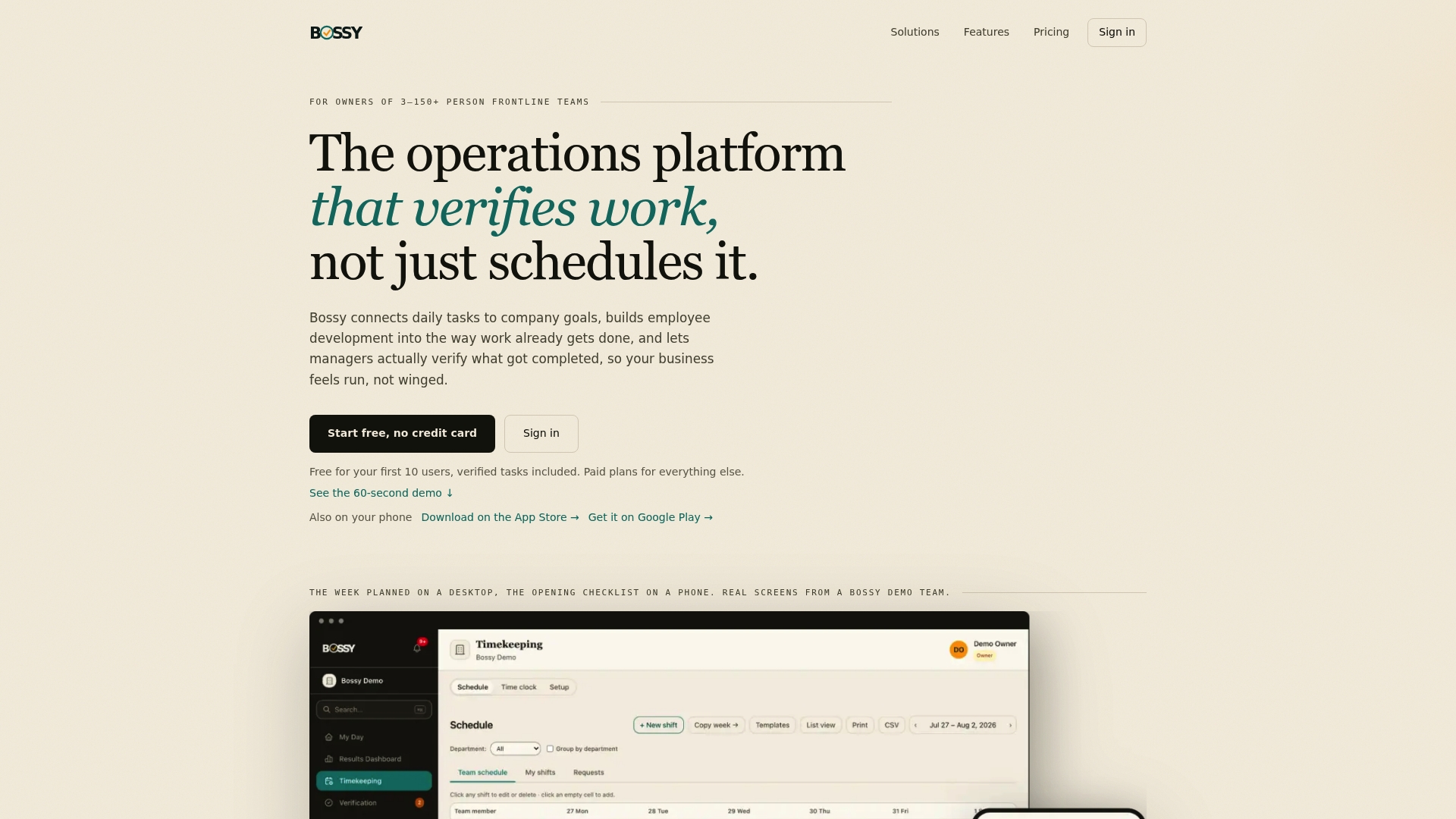
See the plans on our pricing page, or look at the Bossy homepage to see how it works for your kind of team.
FAQ
What is the difference between store operations software and a POS?
A POS handles the transaction: payments, receipts and often the product catalog. Store operations software handles the daily work around it, such as tasks, checklists, schedules, team communication and verification that work was done. Many stores run both side by side.
Is there free store operations software?
Yes, there are free entry points. Bossy has a Free plan, and Square for Retail lists a Free plan at $0 per month per location. Free tiers usually limit users or advanced features, so check what your team size needs.
How much does retail operations software cost?
It varies by what the tool does. Among the options here, published starting prices range from $0 per month on Square's Free plan to $399 per month for Shopify's Advanced plan. Bossy's paid plans are listed at $25, $30 and $50 per month, with $5 per month for each additional user. Check each vendor's page for current pricing.
How do I know a tool will work for my team?
Run it through a real shift. Have the person who opens or closes the store use it on their phone, and include a manager and whoever handles your books. If the team can use it accurately when it's busy, it's a good fit.
Sources
- Shopify POS pricing
- Square for Retail pricing and plans
- Lightspeed Retail pricing
- Lightspeed Retail review, POS USA
- Epos Now US
- SBA checklist for choosing business software
- Nolemon.io restaurant software evaluation guide