Operational Audit Checklist: A Template for Frontline Teams
Christian MontenegroNovember 10, 202613 min read

An operational audit checklist is a list of what you need to check, prove and fix so your daily operations match your own standards. The best ones cover five areas: scope, evidence, controls, findings and follow-up. Tick an item only when the proof is on file. This guide gives you the full checklist, a reusable template layout, and examples for restaurants, salons, fitness studios, retail stores and warehouses.
If you run a team of 3 to 150 people and you're not on the floor all day, this one's for you. You can't watch every shift. An audit is how you find out what really happens when you're not there.
TL;DR
- Build the checklist around five areas: scope, evidence, controls, findings and follow-up.
- Tick an item only when the supporting proof (a photo, a log, a signed record) is on file. Missing evidence is the usual reason an audit gets questioned later.
- Make every check observable and scorable, so two different people would give the same answer.
- Every finding needs an owner and a due date, or the audit turns into a score nobody acts on.
- Reuse one template across locations, with the same header fields and the same pass or action-required workflow.
Table of Contents
- What an operational audit checklist covers
- Get audit ready before anyone starts checking
- The operational audit checklist
- Tailor it to your team's daily work
- A reusable operations audit template
- Document findings and close the loop
- Keep audit evidence as you work with Bossy
- FAQ
- Sources
What an operational audit checklist covers
An operational audit looks at how work actually gets done: processes, people, controls and results. It's different from a financial audit. You're not asking whether the numbers add up. You're asking whether the daily work behind them is consistent, safe and tied to what the business is trying to achieve.
InvGate's operational audit checklist groups the evidence you collect into five areas. That structure works well for small and mid-sized teams too, so we'll use it as the backbone here:
| Area | What you collect |
|---|---|
| Scope | Signed scope document, kickoff meeting record, risk assessment |
| Evidence | Source list, sampling note, interview log, count sheets |
| Controls | Process map, permission report, exception report, policy register |
| Findings | Finding sheet, impact quantification, severity rating, management response |
| Follow-up | Action plan, verification note, escalation log, updated risk assessment |
That looks formal, and for a bank or a software company it is. For a ten-person salon or a three-location restaurant group, you scale it down. A "signed scope document" can be a half-page note saying which locations, which processes and which weeks you're checking. A "permission report" can be a list of who can open the safe, change prices or approve time-off.
The point stays the same: decide what you're checking, gather proof, test the controls, write down what you found, and make sure the fix happens.
Get audit ready before anyone starts checking
Most audit trouble is preparation trouble. InvGate notes that missing evidence is the most common reason an audit gets questioned once the report is out, and it recommends working through the checklist area by area, ticking each item only once the supporting evidence is on file.
Here's what that looks like in practice.
1. Name the purpose. Are you preparing for a landlord inspection, a franchise review, an insurance renewal, or just your own quarterly check? The purpose decides how deep you go.
2. Pick the scope. One location or all of them? Opening and closing only, or the whole day? A narrow, honest audit beats a wide, shallow one.
3. Choose who audits. For a small business, that's often a manager from another location, or you. The rule is simple: nobody should audit their own shift.
4. Pull your documents. Policies, SOPs, schedules, training records, inventory counts, incident reports. If it's not written down, an auditor can't see it.
5. Make evidence easy to find. Photos, timestamps and approvals should live in one system, not in six group chats and a binder. If your records are digital, protect them too. A backup plan for your logs and files is part of being ready, and guidance on SOC 2 backup requirements shows what auditors expect when records live on servers.
6. Run a quick self-check. Walk the checklist a week before. Fix what's cheap to fix. Write down what isn't.
The operational audit checklist
Copy this and adapt it. Each line should be answerable with yes, no or not applicable, and each "yes" should point to proof.
Scope and planning
- Purpose of the audit written down
- Locations, teams and date range defined
- Auditor named and independent of the area being checked
- Risks listed (safety, cash, stock loss, compliance, customer complaints)
- People being audited told what to expect
- Kickoff noted: who attended, what was agreed
Evidence
- List of data sources (schedules, time clock records, task history, stock counts)
- Sampling note: which days, shifts or items you checked, and why
- Interviews logged with staff at different levels
- Physical counts recorded on a sheet, with who counted and when
- Photos attached where a condition matters (clean station, display, stockroom)
Controls
- Key processes mapped, even as a simple step list
- Who can approve, edit or delete what, listed and reviewed
- Exceptions tracked (late openings, voided sales, missed tasks, stock adjustments)
- Policies current, with a date and an owner
- Recurring checklists completed on time, with proof
- Time clocks matched to the schedule
Findings
- Each finding states the condition, the cause and the business impact
- Impact has a number wherever you can calculate one
- Severity rated on a defined scale
- The audited team reviewed the finding before it was finalized
- Management response recorded
Follow-up
- Every recommendation has an owner and a due date
- Verification note added once the fix is done
- Escalation path for overdue items
- Risk list updated
- Re-check scheduled
The findings requirements above come straight from InvGate's checklist: condition, cause, business impact, a quantified number where possible, a severity scale, review by the audited area, and an owner plus due date for each recommendation.
Tailor it to your team's daily work
A generic checklist produces generic findings. Retail guidance on running a store audit stresses turning your standards into checks that are observable and consistently scorable, then assigning corrective actions with owners and due dates so the audit drives real remediation instead of ending as a score.
So don't write "store is clean." Write "floor free of debris, fitting room mirrors wiped, register area clear of personal items." Anyone can check that the same way.
The same guidance suggests a weighted scale, so critical issues count more heavily than cosmetic ones. A blocked fire exit shouldn't cost you the same as a crooked sign.
And tie each check back to a goal. If your goal this quarter is fewer customer complaints, add checks for the things that cause them: wait times, order accuracy, cleanliness at peak hours. If a check doesn't connect to something you care about, drop it.

Restaurants
High turnover is the restaurant problem. One SOP library notes that the average restaurant turns over most of its hourly staff every year, and that if the process lives in one long-tenured shift lead's head, you start from zero every time that person leaves. Audit what's written down and what's actually done. Good items to include:
- Opening and closing checklists completed with photo proof
- Food prep standards followed
- Temperature monitoring log filled in on time
- Health inspection readiness walk-through
- New server onboarding record
- Shift handoff notes
That list mirrors the core restaurant SOPs the same library recommends: opening and closing checklists, food prep standards, temperature monitoring and HACCP log, onboarding, inspection readiness and shift handoff.
Salons
- Sanitation and tool sterilization done and logged (check your state's requirements)
- Client intake forms completed
- Appointment booking workflow followed
- Rebooking offered at the end of each visit
Fitness studios
- Equipment inspection and maintenance log current
- Class check-in protocol followed
- New member onboarding completed
- Incident reports filed, with the injury response noted
- Facility cleaning checklist done between classes
The salon and studio items above follow the same SOP template library categories.
Warehouses
Warehouses add safety and inventory accuracy. One audit checklist guide says most warehouses run a full audit at least once a year, and that OSHA fines now reach $16,550 per serious violation in the US. It also cites inventory accuracy above 97 percent as the goal for most operations, with best-in-class sites aiming for 99.9 percent.
The more useful idea is how to read count differences. A good audit looks at patterns in the discrepancies to find which cause is driving the loss. The common ones are administrative errors, shipping damage, vendor short-shipments and employee theft. Each needs a different fix, so a total gap number alone won't help you.
Multi-shop retail
The challenge is consistency. Use the same checklist in every store, score it the same way, and compare. A store that scores well on displays and badly on stock counts tells you where to send help.
Agencies
Agencies don't have shelves to count, but they have processes: client onboarding, project handoffs, time tracking, review steps, and development conversations. Audit whether 1-on-1s actually happen, whether project reviews are recorded, and whether goals set at the top show up in anyone's weekly tasks.
A reusable operations audit template
If you'll audit more than one location or run the audit more than once, use one layout every time. A sample operations audit preparation template uses header fields such as facility or site, audit date and who prepared it, followed by line items with a "Pass" or "Action required" outcome. It's simple, and that's why it works.
Here's a layout you can copy:
| Field | Example |
|---|---|
| Location | Downtown store |
| Audit date | Date of the walk-through |
| Prepared by | Auditor's name |
| Area | Opening procedures |
| Check | Cash drawer counted and signed by two people |
| Evidence | Photo of count sheet |
| Result | Pass / Action required |
| Severity | Critical / Major / Minor |
| Owner | Named person |
| Due date | Set at the time of the audit |
Three rules keep it consistent:
- Don't rewrite the checks per location. Add local checks in a separate section.
- Keep the severity scale fixed. Decide once what "critical" means.
- Keep evidence requirements the same. If one store needs a photo, they all do.
Document findings and close the loop
An audit is only worth the follow-through. The simplest finding format has three parts:
- Condition: what you saw. "Walk-in cooler log blank for four of seven days."
- Cause: why. "Task not assigned to a specific role on closing shift."
- Impact: what it costs or risks. "Food safety exposure, possible inspection failure."
Then add an owner, a due date and a way to verify. Store audit guidance also advises capturing comprehensive notes during the audit itself, so you're not trying to remember details a day later.
If you want a simple cycle to hold it all together, a plan, do, audit, check, act flow works. You plan scope and auditors, gather information, review evidence, evaluate against criteria, then present a report and run a follow-up audit to confirm the fixes held.
The follow-up is the step teams skip. Put the re-check on the calendar before you close the audit.
Our take: audits shouldn't be a once-a-year scramble
We built Bossy for owners who can't be everywhere. When trust runs on your presence, every audit feels like a surprise, because you only find out what happened after the fact.
Here's how we see it. The checklist isn't the hard part. The hard part is proof. A tick box says someone says it's done. A photo with a timestamp and a manager's approval says it's done. That's why we designed Bossy around task verification, with photo proof and an approval queue, instead of checklists alone.
We also think audits go wrong when daily tasks are disconnected from company goals. If the goal is fewer stock losses, the weekly count should be a task someone owns. If the goal is better retention, the 1-on-1 should be on the calendar and checked off. Cascading goals down to daily tasks means your audit evidence builds itself as the work happens.
Do that, and an audit becomes a review of records you already have, not a hunt for them.
Keep audit evidence as you work with Bossy
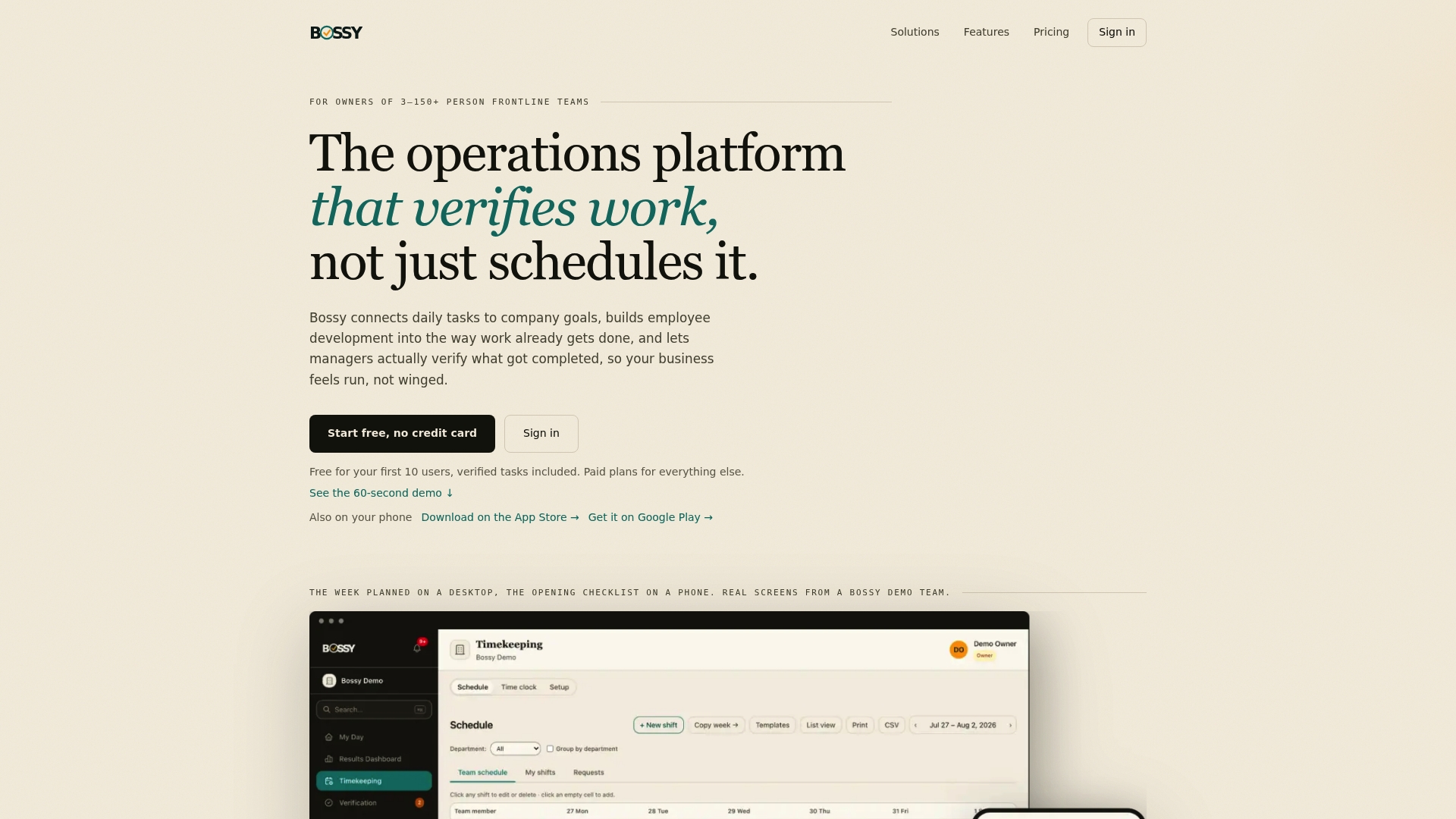
Bossy is an operations platform for frontline teams of 3 to 150 people. It combines task assignment and verification, recurring checklists, scheduling, geofenced time clocks, inventory counts, team communication, goal tracking, analytics dashboards and audit export in one place. That means the evidence your checklist asks for (completed tasks with photos, approved work, stock counts, time records) is collected as the shift happens.
There's a Free plan to start with, covering task assignment and verification. Paid plans are listed on the Bossy pricing page: Operations at $30 per month, Growth at $25 per month and Scale + at $50 per month, with each additional user at $5 per month. Recurring checklists, photo proof, scheduling, the time clock, inventory and cascading goals come with Operations (and Scale +), and every paid plan includes analytics dashboards and audit export. You can also read our look at SOP software or approval workflows with photo proof, or start from the Bossy home page.
If you're building a log trail for your systems, our guide to audit log best practices covers what to record.
FAQ
What does an operational audit include?
It includes a defined scope, the evidence you gather, a review of the controls that govern the work, written findings, and a follow-up with owners and due dates. For a small team, that can fit on a few pages.
How often should I run an operational audit?
Many warehouses run a full audit at least once a year, according to one audit guide. Frontline businesses often add lighter monthly or quarterly walk-throughs on top, especially at locations where you're not present day to day.
What is the difference between a store audit checklist and an operational audit checklist?
A store audit checklist focuses on what a customer or inspector sees on the floor: displays, cleanliness, stock, safety. An operational audit checklist goes further into process, controls and records behind the floor. Most multi-shop retailers use both.
How do I check my audit readiness quickly?
Walk through the five areas and ask one question for each item: can I show proof right now? Anything you can't back up with a record, photo or signed note goes on your fix list with an owner and a date.
Who should do the audit?
Someone who doesn't run the area being checked. That might be a manager from another location, a trusted shift lead, or you. Have the audited team review findings before you finalize them.
Sources
- InvGate: Operational Audit, process and checklist
- Shopify: Store audit checklist, how to run one
- What's the Process For: SOP template library
- LegalClarity: Warehouse audit checklist
- True Lean Solutions: Operational audit preparation checklist
- VPS Snaps: SOC 2 backup requirements