Beekeeper Alternatives for Frontline Teams: 6 Options Compared
Christian MontenegroOctober 31, 202612 min read

If you are replacing Beekeeper, the first question is what you want the new tool to do. Beekeeper is built mainly around frontline communication. If your team is already chatting fine but work still slips through, you need an operations platform that assigns tasks and checks they got done. If you need a company-wide intranet, you need a different kind of tool again. Below we sort the options by that job, show where each fits, and explain how to choose without a painful second migration.
One quick note: "Beekeeper" is also the name of a database tool, Beekeeper Studio. This article is about the frontline team app, the kind used by restaurants, shops, warehouses, salons and similar businesses.
TL;DR
- Beekeeper-style apps are strong on messaging and announcements. They are lighter on proving that a task was actually finished.
- Enterprise intranet tools such as Staffbase suit large companies with complex communication programs. Small and mid-sized teams often find them more than they need.
- If your pain is "I told them, but did it happen?", look at platforms with photo proof, approval queues and checklists, not another chat feed.
- For teams of 3 to 150 people, we think a single system for tasks, schedules, inventory and chat beats stitching four apps together.
- Published prices matter. Several communication platforms sell on custom quotes, so ask for one in writing before you commit.
Table of Contents
- Why teams look for a Beekeeper replacement
- What to assess before you switch
- The main types of Beekeeper alternatives
- Communication-first options
- Scheduling and time-clock options
- Operations platforms: where Bossy fits
- How the options differ on what matters
- How to choose for your team
- Our perspective
- Try Bossy as your Beekeeper replacement
- FAQ
- Sources
Why teams look for a Beekeeper replacement
Most owners we talk to do not leave a tool because it is bad. They leave because the job changed. Three reasons come up again and again.
The team grew past messages. At five people, a group chat holds everything together. At forty, announcements get buried and nobody can tell who read what and who did what. Beekeeper by LumApps is described as supporting secure mobile access without corporate email, and frontline learning in more than 200 languages, according to one 2026 roundup of frontline engagement software. That is real value for a communication program. It is not the same as a way to check that the walk-in cooler was cleaned.
Cost and complexity. Pricing in this category is highly variable. The same roundup notes that cost depends on user count, billing period, modules and implementation, and that buyers should ask for a written quote. If you run a few locations and just want to see a price, that is friction.
Accountability gaps. A checklist that anyone can tick off from the couch is a record of intentions, not of work. Managers who are not on site all day need proof.
What to assess before you switch
Before you book a single demo, write down answers to these. It takes twenty minutes and saves weeks.
- What problem are you actually solving? Communication, task follow-through, scheduling, training, or all of them?
- Who will use it daily? Hourly staff on their own phones, or managers at a desk?
- What do you need to export? Message history, training records, schedules. Ask how you get your data out of the old tool.
- How many users, now and in a year? Per-user and per-seat pricing changes the math fast.
- What must it connect to? Payroll, point of sale, your HR system. Larger platforms list integrations such as Workday, Microsoft 365, ServiceNow and UKG, per the same roundup. Small teams often need far less.
- Who owns the rollout? A tool nobody champions dies in a month.
A practical tip: run the new tool in parallel with Beekeeper for two weeks on one location or one shift. If adoption is poor in that pilot, it will be poor at full scale.
The main types of Beekeeper alternatives
Not every alternative does the same job. Here is how we group them.
| Type | What it does best | Typical fit | Where it can fall short |
|---|---|---|---|
| Enterprise internal communications (Staffbase-style) | Intranet, content programs, company-wide news | Large enterprises | Quote-based pricing, heavier setup, thin on daily task proof |
| Social intranet and employee engagement (Workvivo-style) | Culture, recognition, company feeds | Mid-size to large organizations | Not built to run shift-to-shift operations |
| General team chat (Slack, Microsoft Teams) | Fast messaging, integrations | Office-heavy teams | Hourly staff on personal phones, no task verification |
| Scheduling and time-clock tools | Shifts, timesheets, attendance | Hourly businesses | Limited accountability beyond hours worked |
| Operations platforms with task verification (Bossy) | Tasks with photo proof, schedules, inventory, chat, goals | Teams of 3 to 150 | Not an enterprise intranet |
The roundup we mentioned says Staffbase is primarily used by large enterprises that need complex internal communication programs and intranet functionality, with custom, quote-based frontline pricing. If that is you, it may be a fine choice. If you have 30 employees across three locations, it probably is not.
Communication-first options
If Beekeeper's chat and announcements are what you like, and you only want a different price or interface, stay in this lane.
Staffbase. Built for large organizations that want a managed communications program and an intranet. Expect to talk to sales for pricing.
Workvivo. Leans toward engagement and a social-style company feed. It suits organizations that care about culture content and recognition across many sites.
Slack and Microsoft Teams. Familiar and flexible. The catch for frontline work is that it is easy for a message to scroll away, and nothing in them proves a task was done. Hourly employees also often resist installing a work chat on a personal phone.
A good communication tool helps you say things clearly. If you also want to say them better, a short read on communication tips for hybrid-era leaders is worth a few minutes before you roll out any new channel.

Scheduling and time-clock options
Some teams realize that Beekeeper was never solving their real headache, which is who is working when. Dedicated scheduling tools handle shifts, swaps and time clocks well. If that is your main need, our comparisons of Deputy alternatives, When I Work alternatives, Homebase alternatives and Hubstaff alternatives go through the trade-offs in detail. For a wider look at what else is out there, this list of employee scheduling software alternatives covers more names.
The trade-off with scheduling-only tools is the one we keep coming back to: they tell you that someone was there, not that the work was done.
Operations platforms: where Bossy fits
This is the category we work in, so weigh our view accordingly. Bossy is an operations platform for businesses with frontline teams of 3 to 150 people. It puts the following in one place:
- Task assignment and verification. Staff attach photo proof, and managers approve or send back work from an approval queue.
- Recurring checklists for opening, closing, cleaning and compliance routines.
- Scheduling and geofenced time clocks.
- Inventory control: stock counts, ordering and transfers between locations.
- Team communications: chats, announcements, voice notes and polls.
- Cascading goals, so a daily task connects to a company target.
- Analytics dashboards and audit logs.
- Development tools: 1-on-1s, feedback and growth tasks.
These are spread across plans. The Free plan covers task assignment and verification. Operations adds photo proof, checklists, scheduling, the time clock, inventory and cascading goals. Growth adds team chat (Loop), 1-on-1s, feedback and growth tasks. Scale + includes both, and every paid plan has analytics dashboards, audit export and announcements.
The point is that communication is one feature among several rather than the whole product. A message becomes a task, the task gets a photo, a manager approves it, and the result shows up in the numbers. You can see the full list on our features page, and a side-by-side with another all-in-one tool in our Bossy vs Connecteam comparison.
What Bossy costs
These are the prices published on our pricing page as of 2026:
| Plan | Price |
|---|---|
| Free | $0, 10 users included |
| Operations | $30 per month, 15 users included |
| Growth | $25 per month, 15 users included |
| Scale + | $50 per month, 35 users included |
| Enterprise | No published price |
| Bossy through Shopify | $79 per month, everything in Scale +, billed through your Shopify account |
| Additional users on paid plans | $5 per month per additional user |
| Additional Free-plan users | $10 per month per block of 10 users |
Plans charge a base rate per organization for a set number of users, with a fee per additional user above the included thresholds. Check the pricing page for what each plan includes and the current terms.
How the options differ on what matters
Here is the comparison on the four things that decide most switches.
Task assignment and verification
Communication-first tools let you post a to-do. Few make the employee prove it. Enterprise intranets rarely touch task work at all. An operations platform treats "done" as something a manager confirms, with a photo and a timestamp, so consistency across shifts and locations stops depending on who is on duty.
Onboarding, training and development
Beekeeper-style tools handle learning content well, including multilingual training. The harder part is turning training into behavior. We tie development to the work itself: a 1-on-1 produces a growth task, the task gets completed and verified, and the progress is visible. If development is a priority for you, read our guide to frontline employee development and our roundup of employee feedback tools.
Reporting and visibility
Communication platforms report on reads and engagement. Operations platforms report on completion rates, late tasks, and which locations hold the line and which slip. For a closer look at that side, see our piece on workforce analytics software and the one on employee engagement software.
Multi-location administration
Enterprise tools are strong here but come with enterprise setup. Smaller operations platforms keep it simpler: one organization, several locations, shared checklists, transfers of stock between sites. Ask every vendor to show you how a new location is added, and how long it takes.
How to choose for your team
Match the tool to your size and your day.
- Under 10 people, one location. You probably need tasks, a schedule and a chat. Start with a free plan before paying for anything.
- 10 to 50 people, one to three locations. Accountability is the usual pain. Look for photo proof, approvals and recurring checklists.
- 50 to 150 people, several locations. Consistency and reporting become the priority. You need audit logs, goals and dashboards.
- Hundreds or thousands of employees. An enterprise communications suite may be the right call, with a quote and an implementation plan.
By industry, restaurants live and die by opening and closing routines, so see how we handle them on our restaurant page. Salons and fitness studios care about room turnover and cleaning logs. Retailers with several shops care about stock and sameness between stores. Warehouses care about counts and safety checks. In every case, ask: can a manager who is not in the building see proof?
Our perspective
We built Bossy for owners who cannot be everywhere. In those businesses trust runs on your presence, and the moment you step away, standards drift. The answer is not more messages. It is a clear system where every task has an owner, proof, and a place in a bigger goal.

We also think development belongs inside daily operations. Training that lives in a separate app gets forgotten. A growth task that sits in the same queue as opening duties gets done. That is why we put 1-on-1s, feedback and growth tasks next to the checklist, not behind a separate login.
If Beekeeper gives you what you need and your team loves it, keep it. But if you find yourself asking whether the work was done, rather than whether the message was read, that is the sign you have outgrown a communication-only tool.
Try Bossy as your Beekeeper replacement
If your team is between 3 and 150 people and you want tasks, schedules, inventory and chat in one place, Bossy is built for you. Start on the free plan, invite one location, and see whether the approval queue changes how your shifts run. Photo proof, checklists, scheduling and inventory come with the Operations plan, and team chat with Growth.
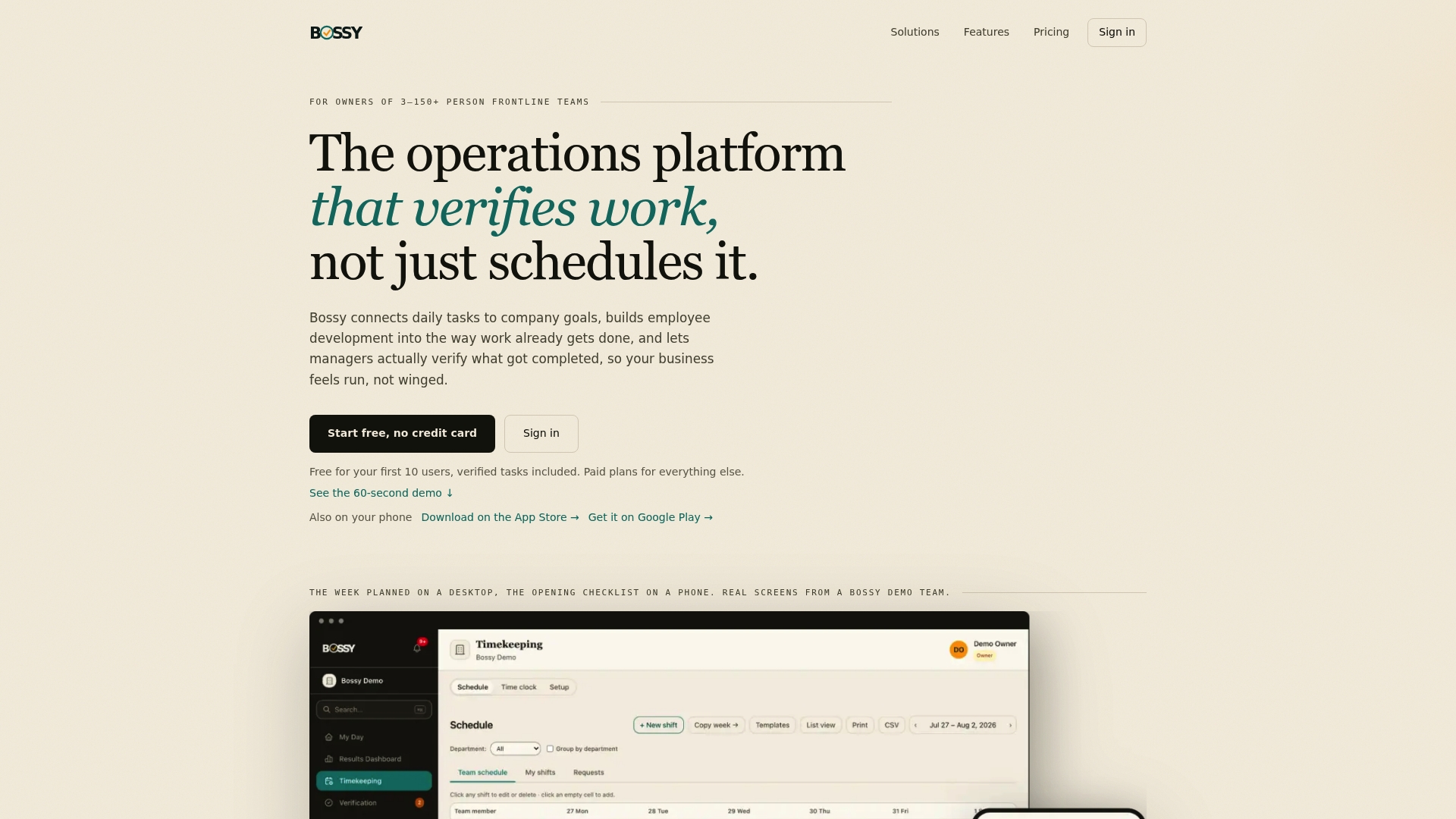
See plans and pricing, or look at the Bossy homepage for a tour of how it works.
FAQ
What is an easy-to-use alternative to Beekeeper?
Easy depends on your job. For pure messaging, a general team chat is simple but offers no task proof. For running daily operations, an all-in-one platform like Bossy keeps tasks, checklists, schedules and chat in one app, and you can start on the free plan to test task verification with your own team.
Is Beekeeper free?
Beekeeper is sold to organizations, and pricing is generally given by quote rather than published. Pricing in this category depends on user count, modules and billing period, so ask for a written quote. Bossy publishes its plan prices and has a free plan.
Should I replace Beekeeper with Slack or Microsoft Teams?
Only if your team already lives in those tools and the work is mostly communication. Hourly staff often do not want a work chat on their phones, and neither tool verifies that a task was completed. For frontline operations, a purpose-built platform usually fits better.
How long does it take to switch?
For a small team, plan on a few weeks including a two-week pilot at one location. Export your contacts and any records first, set up checklists and schedules, then move one location at a time rather than everyone on one day.
Sources
- Best Frontline Engagement Software in 2026
- Top 6 Best Employee Scheduling Software Alternatives
- 3 Thought Leadership and Communication Tips for Hybrid-Era Leaders