Best Retail Workforce Software in 2026: 8 Options Compared
Christian MontenegroNovember 3, 202612 min read

The best retail workforce software depends on the size of your business. Large chains with hundreds of stores usually end up with an enterprise suite such as Oracle, UKG, or ADP. Owners and managers running 3 to 150 frontline people are better served by a lighter tool that covers scheduling, time clocks, communication, and proof that the work got done. That last part is what we built Bossy around, and we'll show you why below.
This guide walks through what retail workforce software actually does, how the main options compare, what to check before you buy, and how to roll it out without a mutiny.
TL;DR
- Enterprise retail suites (Oracle, UKG, ADP) lead the 2026 ISG Buyers Guide, but they are built for large chains with demand forecasting needs.
- For small and mid-size retail teams, look for shift scheduling, time tracking, shift swaps, and mobile messaging first. Everything else is a bonus.
- Most scheduling tools stop at "who works when." Bossy adds task verification with photo proof and a manager approval queue, so you see what got done, not just who showed up.
- Bossy has a Free plan for assigning and verifying tasks. Paid plans start at $25 per month on the published pricing page, and photo proof, scheduling and time clocks come with Operations at $30 per month.
- Whatever you pick, keep a human in the loop on schedules. Research on AI-built schedules shows managers still rewrite most of them.
Table of Contents
- What retail workforce software actually covers
- Why the schedule matters more than you think
- The best retail workforce software, compared
- What it costs: Bossy's published plans
- How to choose: five questions that settle it
- A word on AI scheduling
- Perspective: why we think "done" beats "scheduled"
- Rolling it out without a revolt
- Try Bossy with your own team
- FAQ
- Sources
What retail workforce software actually covers
The label is fuzzy. A vendor might use "workforce management" for a payroll suite, a scheduling app, or a full operations platform. For a retail owner, it helps to split the job into five pieces:
- Scheduling: building shifts, handling availability, time off, and coverage.
- Time and attendance: clocking in and out, ideally at the store and not from the couch.
- Communication: announcements, shift-swap requests, and a way to reach everyone without a messy group text.
- Task execution: opening and closing routines, merchandising resets, cleaning, cash handling, and proof they happened.
- Development and goals: 1-on-1s, feedback, and a line from what people do today to what the business wants this quarter.
Capterra's retail guide lists the core features buyers should expect as visual shift scheduling, time and attendance tracking, shift swaps, and mobile-first communication. Nearly every tool in this article covers those. The differences show up in the other two items, tasks and development, and in how much the tool costs once your team grows.
Why the schedule matters more than you think
Scheduling looks like admin. It is actually one of the biggest levers you have. A University of Chicago report on a randomized experiment in Gap stores found that more stable schedules raised median sales by 7% and labor productivity by 5%, and improved retention among more senior workers.
That is a big return for something as plain as "people know their shifts earlier and they stop moving around." If your current process is a spreadsheet plus a group chat, you are probably paying for it in call-outs and turnover. If you want a practical routine for this, our guide to employee scheduling that survives a call-out covers the backup plan, and the scheduling metrics worth tracking show how to tell whether it's working.
The best retail workforce software, compared
Here is how the options line up for a retail owner or manager. Prices for competitors change often, so we list only what a recent source confirms and send you to each vendor's own page for the current number.
| Tool | Best for | Covers | Pricing note |
|---|---|---|---|
| Bossy | Retail teams of 3 to 150 that want proof work got done | Scheduling, geofenced time clocks, tasks with photo proof, inventory, chat, goals, 1-on-1s | Free plan for task verification; paid from $25/month (scheduling from $30/month) |
| Connecteam | Deskless teams needing one app | Scheduling, time tracking, communication | Free for up to 10 users; paid from $29/month for the first 30 users (August 2026) |
| Deputy | Shift-heavy retail and hospitality | Scheduling, timesheets, time clocks | Per-user pricing; check Deputy's site |
| When I Work | Small stores with part-time staff | Scheduling, shift swaps, messaging | Per-user pricing; check their site |
| 7shifts | Restaurants and food retail | Scheduling, labor tracking, tips | Tiered plans; check their site |
| UKG | Large chains | Forecasting, scheduling, compliance | Quote-based |
| Oracle | Large chains | Workforce management inside a wider suite | Quote-based |
| ADP | Companies that want payroll and scheduling together | Payroll, labor management, tax filing | Quote-based |
Bossy: scheduling plus proof of work
Bossy is built for businesses where the owner can't watch every worker. You build schedules, run geofenced time clocks, assign tasks, and then require photo proof that the task is done. Completed work lands in a manager approval queue, so you review it from your phone instead of walking the floor.
It also covers inventory control (stock counts, ordering, transfers), recurring checklists, team chats, announcements, voice notes, polls, cascading goals, analytics dashboards, and audit log export. The development side includes 1-on-1s, feedback, and growth tasks. Not every plan has all of it: the Free plan covers task assignment and the approval queue; scheduling, time clocks, photo proof, checklists, inventory and goals are on Operations; team chat, polls, 1-on-1s and feedback are on Growth; and Scale + includes both. That mix suits multi-shop retailers, where the real pain is consistency: store three does the closing routine differently from store one.
For a retail-specific walkthrough, see our page on retail scheduling software that verifies work.
Connecteam: the all-in-one deskless app
Capterra describes Connecteam as a safe call when one system has to cover scheduling, time tracking, and communication with frontline staff. Its pricing, per the same page as of August 2026, includes a free plan for up to 10 users and paid plans from $29 a month for the first 30 users. If you're weighing the two directly, we put the details side by side in our Bossy vs Connecteam comparison.
Deputy, When I Work, and 7shifts: scheduling first
These three are the names that come up most when people search for retail staff scheduling software. They are strong at the schedule itself: availability, swaps, coverage, and labor cost against sales. 7shifts leans toward restaurants. Deputy and When I Work lean toward shift-based retail and service. If scheduling is your only problem, any of them can work. If you're leaving one of them, we've compared the field in 7shifts alternatives.
The gap shows up after the shift is built. A schedule tells you someone was there. It does not tell you the stockroom got organized or the end-cap got reset.

Oracle, UKG, and ADP: the enterprise tier
The ISG Buyers Guide named Oracle, UKG, and ADP as the top three overall leaders in retail workforce management as of March 27, 2026. These platforms connect demand signals to scheduling, and ISG's advice for large-scale operations is to prioritize exactly that, with clear cost-benefit trade-offs visible before a schedule is published. That is great at 500 stores. At 5 stores it is usually more system than you can use, and implementation takes real effort.
What it costs: Bossy's published plans
Bossy charges a base rate per organization for a set number of users, with add-ons above the included threshold. These are the prices on our pricing page:
| Plan | Price |
|---|---|
| Free | $0, 10 users included |
| Growth | $25 per month, 15 users included |
| Operations | $30 per month, 15 users included |
| Scale + | $50 per month, 35 users included |
| Bossy through Shopify | $79 per month, everything in Scale +, billed through your Shopify account |
| Enterprise | Custom |
| Additional user (paid plans) | $5 per month per user |
| Additional Free-plan users | $10 per month per block of 10 users |
The model is a base fee for the whole organization, not a bill that balloons with every part-timer you hire. That matters in retail, where headcount swings with the season. Each extra location is 50% off the base price, and yearly billing takes 20% off.
How to choose: five questions that settle it
1. How many people and locations do you run? Under 10 people in one store, a free plan can do the job. At 20 to 150 across several shops, you need role permissions, multi-location views, and consistent checklists.
2. Is your pain the schedule, or the work behind it? If people show up but tasks slip, a scheduling-only tool won't fix that. Look for task verification.
3. Can staff use it on a phone in under a minute? Retail teams won't open a clunky app. Shift swaps, clock-ins, and chats need to be quick.
4. What does it cost at 2x your headcount? Per-user pricing looks cheap at 10 people and heavy at 60. Do the math for next year's team.
5. Does it connect to what you already use? Large suites can struggle to connect to older retail systems. ITQlick's review of Storeforce notes integration complexity with legacy retail systems and high ongoing AI-module costs as potential limitations. Ask about your POS and payroll before you sign.

A word on AI scheduling
Auto-scheduling is a headline feature now, and it can save time. But go in with realistic expectations. A Harvard Business School study of 300,000 retail employees, 99 million shifts, and 6,200 stores found that managers manually changed 84% of AI-generated shifts, and 7.9% of shifts needed changes because of bad input data.
The lesson is practical. Keep availability current, make sure demand data is accurate, and treat the auto-generated schedule as a first draft. You know that Saturday before a holiday is different. The software doesn't unless you tell it.
Perspective: why we think "done" beats "scheduled"
Most retail owners we talk to don't have a scheduling problem. They have a trust problem. The shift was filled, but was the floor recovered? Was the cash drawer counted? Did the new hire get shown how to do returns?
That's why we built Bossy around verification. A checklist someone ticks is a claim. A photo and a manager's approval is proof. When your team can see that their work is checked, and that it connects to a goal the whole store is chasing, accountability stops feeling like surveillance and starts feeling like clarity.
We also believe development belongs inside the daily workflow, not in a once-a-year review. A 1-on-1 and a growth task attached to real work do more for retention than another pizza party. Teams want to feel heard, too, and employees want to be heard long before they hand in their notice.
If you run 3 to 150 frontline people and you can't be everywhere, pick the tool that shows you the work, not just the roster.
Rolling it out without a revolt
A good tool badly introduced still fails. A simple plan works better:
- Start with one store or one team. Prove it, then copy it.
- Load schedules and availability first. Staff care about shifts before anything else, so that's your adoption hook.
- Add recurring checklists second. Opening and closing routines are the easiest wins.
- Turn on photo proof for the two or three tasks that matter most. Don't ask for a photo of everything.
- Review the approval queue daily for two weeks. Tell your team what "good" looks like.
- Use the data in 1-on-1s. Praise what's done well. That keeps verification from feeling like policing.
If you're starting from spreadsheets, our employee schedule template for small teams shows when a template is enough and when it's time to switch. For a broader process, read scheduling best practices for managers.
Try Bossy with your own team
Bossy brings scheduling, geofenced time clocks, task verification, inventory, and team development into one place, with a free plan to start. You can set up one store on the Free plan, assign tasks for a couple of weeks, and see what your approval queue tells you before you pay anything. When you want scheduling, time clocks and photo proof, Operations is $30 per month.
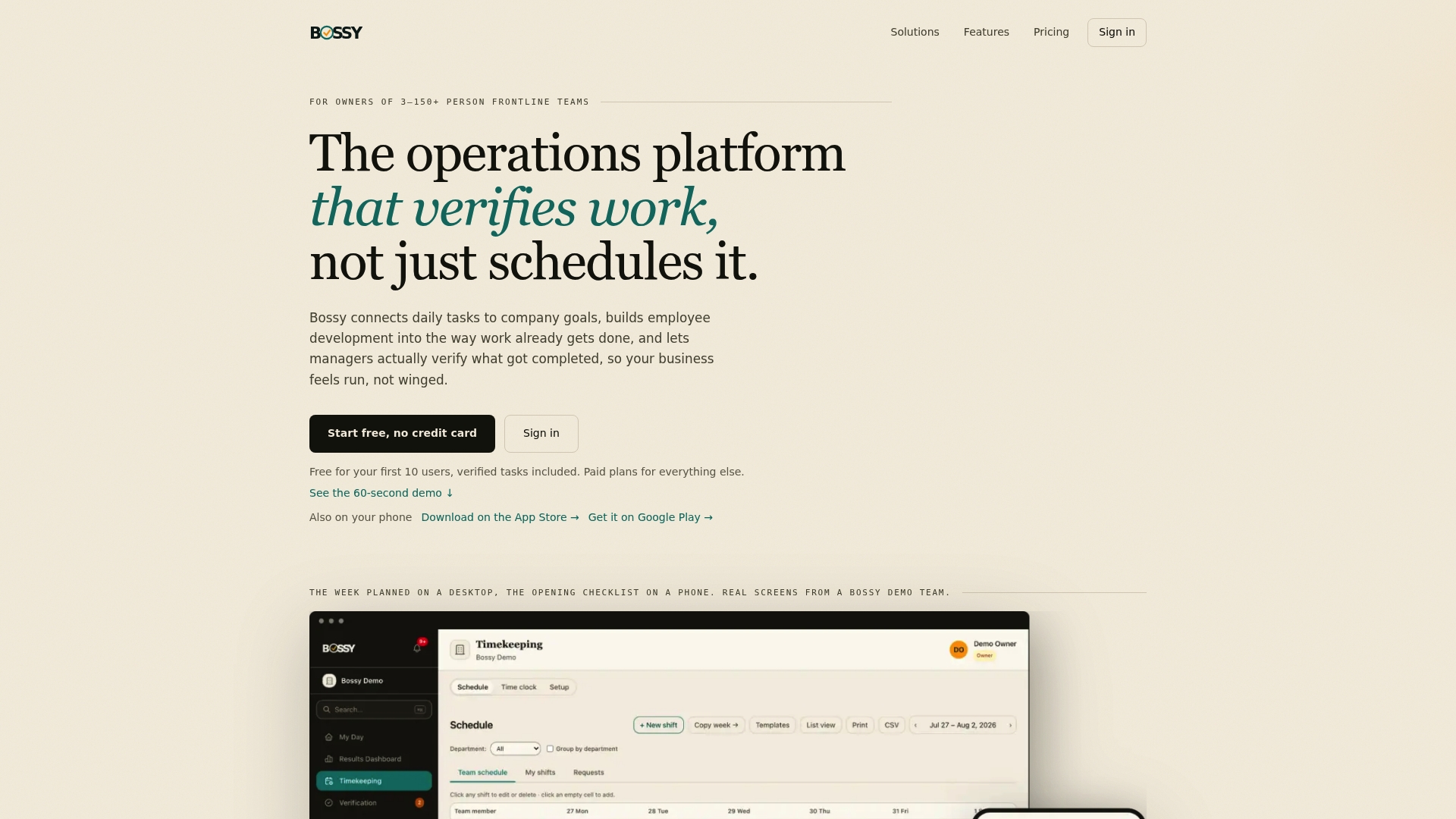
See the plans on our pricing page, or take a look at the platform on bossyhq.com.
FAQ
What is the best retail workforce software for a small business?
For a small retail business, pick a tool with scheduling, time tracking, shift swaps, and mobile messaging, plus a free or low-cost starting plan. Bossy and Connecteam both fit that description. Bossy adds an approval queue on its Free plan and photo-verified tasks from its Operations plan, which helps when you have more than one location.
What's the difference between scheduling software and workforce management software?
Scheduling software builds shifts and handles availability and swaps. Workforce management software is broader: it can add time and attendance, forecasting, payroll links, tasks, and communication. Operations platforms like Bossy go a step further and track whether the work itself was completed.
Do I need AI scheduling for my retail stores?
Not necessarily. AI can speed up the first draft, but a Harvard Business School study found managers changed most AI-generated shifts. If your team is under 150 people, a solid manual schedule with templates, good availability data, and quick swaps is often enough.
How much does retail workforce software cost?
It ranges from free plans to custom enterprise quotes. Connecteam lists paid plans from $29 a month for the first 30 users as of August 2026. Bossy has a free plan and paid plans from $25 a month, with $5 per month for each additional user on paid plans.
Sources
- Retail Workforce Management Buyers Guide 2026, ISG
- Best Workforce Management Software for Retail 2026, Capterra
- Stable scheduling increases sales and employee productivity, University of Chicago
- Bad Data, Bad Results: When AI Struggles to Create Staff Schedules, Harvard Business School
- Storeforce Review 2026, ITQlick
- Employees Want to Be Heard, but Are We Listening?, Leaderly